










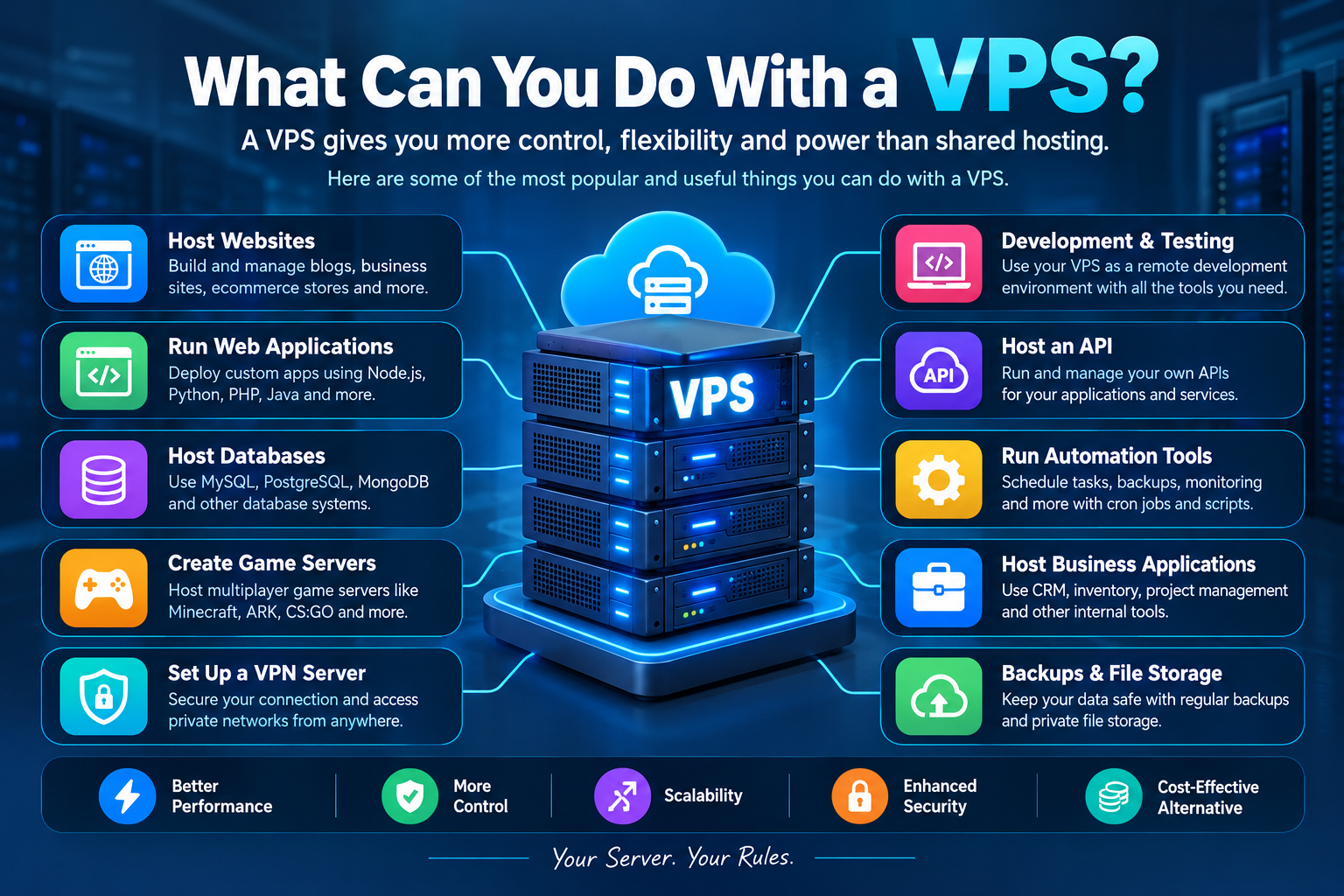
If you are wondering what you can do with a VPS, the answer is: quite a bit. A Virtual Private Server provides the user with more control, flexibility, and resources compared to shared hosting. The options with a Virtual Private Server include web hosting, running applications, creating game servers, managing databases, implementing a virtual private network, developing software, hosting business applications, and many other things.
The advantages of a Virtual Private Server are best used by website administrators, developers, businessmen, gamers, agencies, and other users who require a reliable server environment without investing in a physical dedicated server.
In this guide, we will explain What Can You Do With a VPS, how a VPS works, its most popular uses, and how to choose the right VPS for your needs.
What Is a VPS?
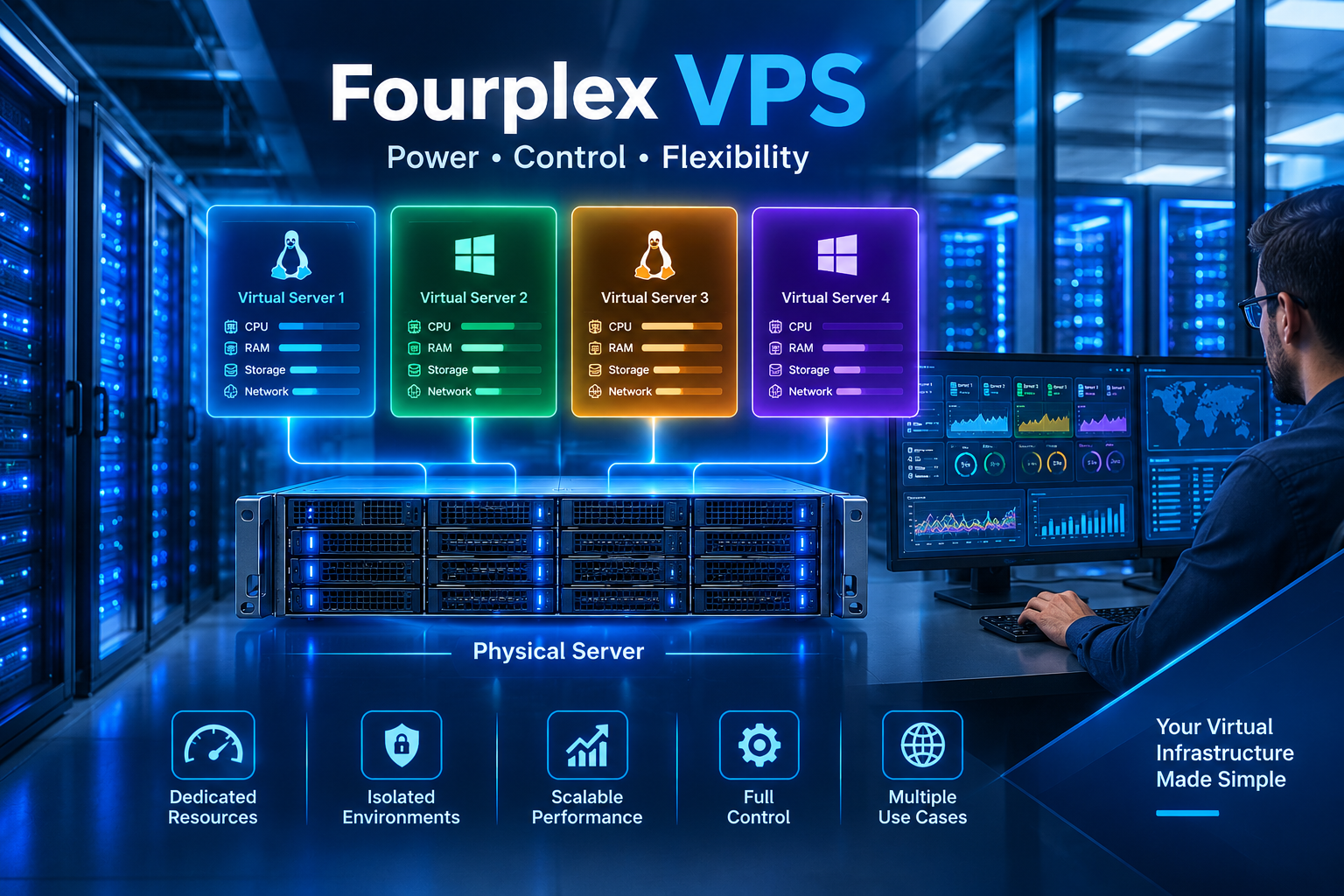
The term VPS stands for Virtual Private Server. This refers to the virtualized server environment that is built on a physical server. A single physical server is partitioned into multiple virtual servers using virtualization technology.
Each VPS is allocated certain resources, including CPU, RAM, disk space, and bandwidth. Even though there might be other VPS environments running on the same physical server, each VPS functions independently of all others.
It is this feature of VPS hosting that makes it different from shared hosting.
In shared hosting, various websites use the same server environment, where the important resources are shared by everyone. In a VPS environment, you get a more dedicated and isolated environment for your site.
Almost all VPS hosting packages come with root/administrative access rights. This means you can install software programs, configure the OS, manage the application software, set up users, and configure the server settings, as per your needs.
So, when someone asks what you can do with a VPS, the possibilities depend largely on your technical requirements and the resources available on your VPS.
Why Use a VPS?
Before discussing the different VPS uses, it is important to understand why people choose VPS hosting.
1. Better Performance
For this reason, a VPS usually offers more reliable resource allocation compared to shared hosting. In cases where you require more CPU, RAM, or disk space for your website or application, a VPS could offer you a better environment.
It is especially advantageous for growing sites, online stores, applications, or business platforms.
2. More Control
Control is one of the major strengths of using a VPS.
You get access to the server as an administrator and have the ability to configure a lot of aspects of the system. You can select software, install applications, configure web servers, build databases, and configure server settings.
It is tough to do with basic shared hosting services.
3. Scalability
As your project grows, your server requirements may also increase.
A small website might initially need only a limited amount of RAM and CPU. Later, it may receive more visitors and require additional resources.
With many VPS providers, you can upgrade your plan as your requirements grow.
4. Isolation
VPS offers an isolated environment. If something goes wrong with another user’s VPS, it does not grant him/her access to your VPS environment.
This is one of the reasons people prefer VPS Hosting services for their websites or applications.
5. Affordable Alternative to a Dedicated Server
You get an entire server in a dedicated server, but this can prove to be costly.
VPS Hosting offers all the controls that people would like in dedicated hosting with virtualization. This makes VPS hosting a good option for most small firms.
What Can You Do With a VPS?
Now let’s explore the most common and useful things you can do with a VPS.
1. Host Websites
One of the most popular answers to what can you do with a VPS is website hosting.
You can host a wide range of websites on a VPS, including:
- Business websites
- Blogs
- Portfolio websites
- News websites
- Membership websites
- Ecommerce stores
- Landing pages
- Web applications
- Forums
- Community platforms
You can install a web server such as Apache or Nginx and configure your server to host one or multiple websites.
A VPS can be especially useful when a website has outgrown shared hosting and requires additional resources or server-level customization.
For example, an ecommerce website with increasing traffic may need more CPU and RAM than a basic shared hosting plan can comfortably provide.
2. Host Multiple Websites
A VPS can also be used to host multiple websites on the same server.
Suppose you manage websites for several clients. Instead of purchasing separate hosting accounts for every project, you can configure a VPS to host multiple domains.
You can create separate directories, databases, users, and configurations for different websites.
This can make VPS hosting attractive to:
- SEO agencies
- Web developers
- Freelancers
- Digital marketing agencies
- Small hosting businesses
- Website owners
However, you should make sure the VPS has enough resources to handle all of the websites you want to host.
3. Run Web Applications
Another important answer to what you can do with a VPS is running custom web applications.
Developers can use a VPS to deploy applications built with technologies such as:
- Node.js
- Python
- PHP
- Ruby
- Java
- Go
For instance, a developer may develop an application on his machine before uploading it to a VPS for testing or actual use.
Since you have full control over the server environment, you will be able to install the necessary runtime environment and other dependencies.
This explains why VPS hosting suits startup and developer needs very well.
4. Host Databases
A VPS can be used to run database systems such as MySQL, PostgreSQL, MariaDB, and MongoDB.
Databases are essential for many modern websites and applications.
For example, an e-commerce application may store:
- Customer accounts
- Product information
- Orders
- Payments
- Inventory
- Reviews
Unlike outsourcing the database to an external service provider, some organizations opt to have their database hosted on a VPS that belongs to them.
Database hosting demands security, backup, updates, monitoring, and resource management.
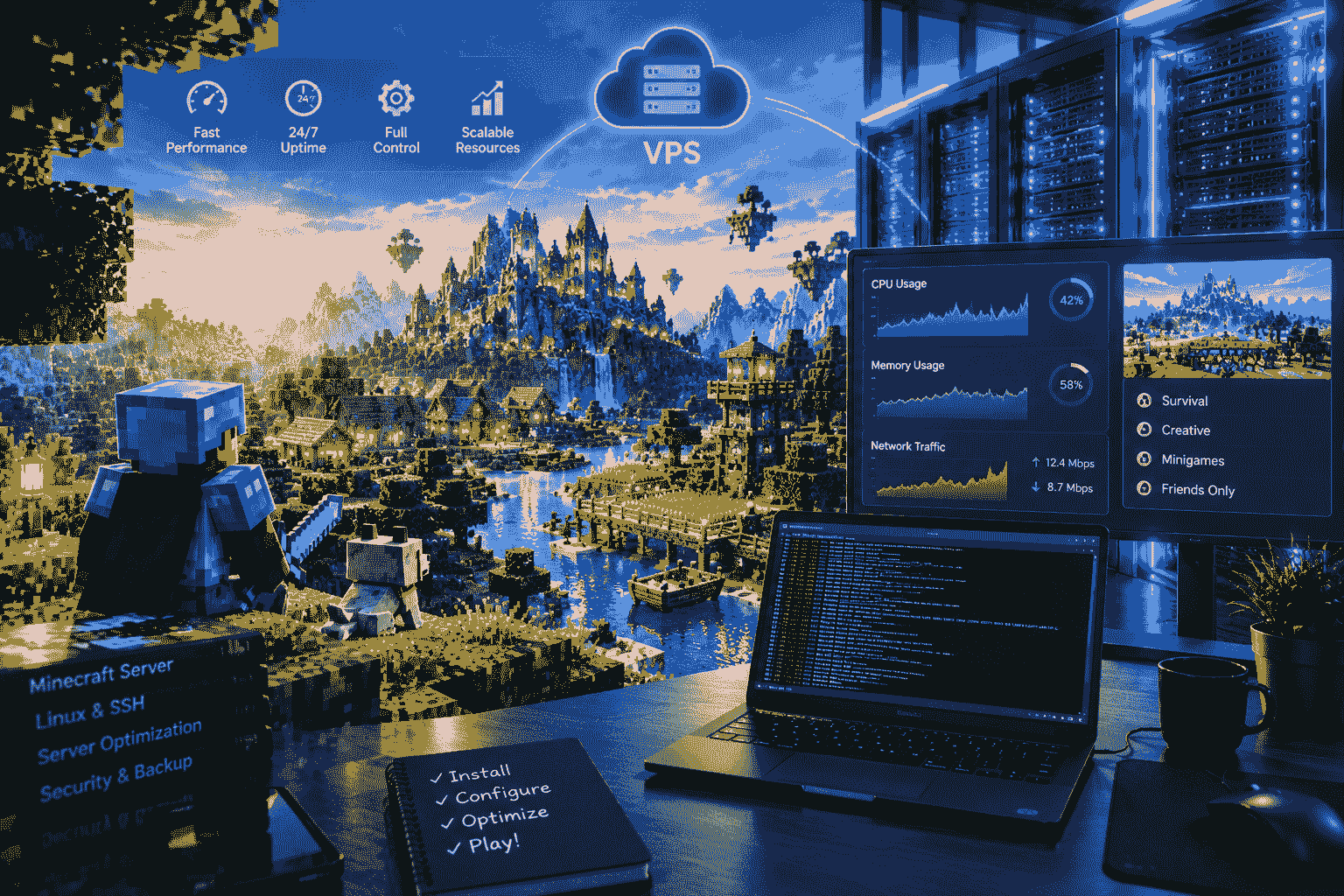
5. Create a Game Server
Gaming is another popular VPS use.
A VPS can be used to host servers for multiplayer games where dedicated server hosting is available.
A VPS can be used depending on the requirements of the game for hosting games like Minecraft and others.
A VPS-based game server can provide more control over:
- Server settings
- Player access
- Mods
- Plugins
- Backups
- Server software
- Performance configuration
Before choosing a VPS for gaming, check the game’s CPU, RAM, storage, bandwidth, and operating system requirements.
6. Set Up a VPN Server
The VPS can also be employed in establishing a private VPN server.
The VPN is a secure tunnel established between the client and the server, providing a secure connection.
A VPS can serve as a suitable data center, acting as the server endpoint.
There are several legal reasons why one may choose to establish a private VPS-based VPN server.
Among them are ensuring the security of connections on insecure networks or accessing resources from a private network.
However, it should be noted that establishing a properly configured VPN server demands certain measures to be taken.
7. Use a VPS as a Development Environment
Developers can use a VPS as a remote development or testing environment.
For example, you could create a Linux VPS and install:
- Git
- Docker
- Node.js
- Python
- PHP
- Databases
- Development frameworks
- Testing tools
This allows developers to work with an environment that is separate from their personal computer.
A remote development server can also be useful for teams that need a consistent environment for testing applications.
8. Host an API
If you have developed an API, you can deploy it on a VPS.
An API can allow different applications and services to communicate with each other.
For example, an application might use an API to handle:
- User authentication
- Product information
- Orders
- Payments
- Data processing
- Notifications
A VPS gives you control over the server where the API runs.
You can configure the web server, application runtime, database connection, SSL certificate, firewall, and monitoring system.
9. Run Automation Tools
A VPS allows you to perform automation functions continuously without the need to keep your computer running.
Examples include using a VPS to perform automation for your work purposes.
Examples include:
- Data processing
- Website monitoring
- Automated backups
- Report generation
- Scheduled application jobs
- Internal business automation
- System maintenance
Linux tools such as cron can be used to schedule recurring tasks.
10. Host Business Applications
Small businesses can use a VPS to host internal applications.
For example, a business might run:
- Customer management software
- Inventory systems
- Project management tools
- Internal dashboards
- File management applications
- Team collaboration software
Instead of hosting these tools on a local computer, a VPS can provide a remotely accessible server environment.
Proper authentication and security are essential when hosting business data.
11. Create a Private File Storage Server
A VPS can also be used for private file storage applications.
A variety of file-management or cloud-storage software can be installed, and the VPS can be used to access them remotely.
This is helpful in the storage of various documents, project files, backups, and other business resources.
However, storage needs may grow very fast. In case your needs involve storage of large volumes of data, you should compare VPS storage costs with dedicated or cloud storage options.
12. Host a WordPress Website
WordPress is another common use for VPS hosting.
A VPS can provide more control over a WordPress environment compared with shared hosting.
You can configure:
- PHP
- MySQL or MariaDB
- Nginx or Apache
- SSL
- Caching
- Firewall rules
- Server-level security
- Backup systems
A VPS can be particularly useful for high-traffic WordPress websites or businesses that require custom server configurations.
However, VPS hosting also means you may have more responsibility for server administration.
13. Run Docker Containers
Docker is widely used for application deployment and development.
A VPS can be used as a Docker host where you run multiple containerized applications.
For example, one VPS could potentially run separate containers for:
- A web application
- A database
- Redis
- An API
- A monitoring service
Containerization can make application deployment more organized and repeatable.
If you plan to run multiple containers, make sure the VPS has enough CPU, RAM, storage, and bandwidth.
14. Host a Monitoring System
VPS can be used for monitoring websites, servers, applications, and network services.
Monitoring tools can verify whether a certain service is active and notify you of any problems.
For example, monitoring can help detect:
- Website downtime
- High CPU usage
- High memory usage
- Disk space problems
- Application errors
- Network problems
This is particularly useful for businesses that manage multiple websites or servers.
15. Create a Backup Server
Another useful answer to what you can do with a VPS is creating a backup environment.
You can use a VPS to store selected backups of websites, databases, configurations, and application files.
For example, a website owner could schedule regular database backups and transfer them to a separate server.
However, a VPS should not automatically be considered a complete backup strategy. For important data, maintaining multiple backup copies in different locations is safer.
16. Host a Private Git Server
Developers and teams can use a VPS to host source-code management tools.
A private Git server can provide a centralized location for managing software projects.
It can be useful for:
- Version control
- Team collaboration
- Private repositories
- Code deployment
- Project management
You can configure access controls so that only authorized users can access your repositories.
17. Run a Proxy Server
The VPS could also be configured to run certain types of proxy services.
The proxy acts as an intermediary between the client and the other service.
An organization could use legal proxy services for certain network needs or tests.
Security and access controls would play an important role when configuring a proxy because a compromised proxy could be misused by third parties.
VPS vs Shared Hosting
Understanding the difference between VPS hosting and shared hosting can help you decide which option is right for your project.
| Feature | Shared Hosting | VPS Hosting |
| Resource control | Limited | Higher |
| Server access | Limited | Usually root/admin access |
| Custom software | Limited | Extensive |
| Scalability | Moderate | Better |
| Performance control | Limited | More control |
| Technical knowledge | Low | Moderate to advanced |
| Custom configuration | Limited | High |
| Price | Lower | Higher |
Shared hosting can be suitable for beginners and small websites.
A VPS becomes more attractive when you need greater control, better resource allocation, custom software, or more advanced server configuration.
What Can You Do With a VPS for SEO?
However, if you are working in the field of SEO, a VPS can help you carry out various technical functions as well.
For instance, an SEO expert can make use of a VPS for hosting websites, monitoring systems, dashboards, development environments, and reporting systems.
Furthermore, one can make use of a VPS for testing and optimizing website performance as well.
Keep in mind that in the case of SEO, merely hosting your website on a VPS will not guarantee better ranking because the ranking of websites is determined by many factors such as content quality, technical SEO, user experience, backlinks, relevance, and website performance.
How Much VPS Resources Do You Need?
The right VPS depends on what you want to run.
Small Website
For a basic website or blog, a small VPS with limited CPU and RAM may be enough.
Multiple Websites
If you want to host several websites, you will need additional RAM, CPU, storage, and bandwidth.
Web Applications
Applications may require more CPU and RAM depending on the programming language, database, traffic, and workload.
Game Servers
Game servers can require significant CPU, RAM, and network resources, depending on the number of players and the game.
Databases
Database workloads can benefit from fast storage, sufficient RAM, and strong CPU performance.
The important thing is to choose resources based on actual workload rather than simply selecting the largest VPS available.
What Operating System Should You Use?
Linux is one of the most popular operating system choices for VPS hosting.
Common options include:
- Ubuntu
- Debian
- AlmaLinux
- Rocky Linux
- Other Linux distributions
Windows Server is another option when your applications specifically require a Windows environment.
For beginners, Ubuntu is often a practical starting point because of its large community and extensive documentation.
How to Secure Your VPS
If you are going to use a VPS, security should be a priority.
Here are some basic practices:
Use Strong Authentication
Use strong passwords and, where possible, SSH keys or other secure authentication methods.
Keep Software Updated
Regularly update the operating system, applications, libraries, and server software.
Configure a Firewall
Only expose the network ports that your applications actually require.
Disable Unnecessary Services
Every unnecessary service can increase your attack surface. Remove or disable services that you do not need.
Create Backups
Maintain regular backups of important data and test that you can actually restore them.
Monitor the Server
Monitor CPU, RAM, storage, network traffic, and important applications so that you can identify problems early.
Is a VPS Good for Beginners?
A VPS can be suitable for beginners, but it requires more technical knowledge than shared hosting.
If you choose a managed VPS, the hosting provider may handle many server administration tasks for you.
An unmanaged VPS usually gives you more control but also requires you to handle tasks such as:
- Server updates
- Security
- Software installation
- Firewall configuration
- Backups
- Troubleshooting
- Performance management
If you are new to Linux or server administration, learning the basics before moving important production websites to a VPS is a good idea.
Final Thoughts: What Can You Do With a VPS?
So, what can you do with a VPS?
There are many possibilities for using a VPS besides just hosting websites. A VPS can be used as an environment for running websites, web applications, databases, game servers, virtual private network services, development projects, APIs, Docker containers, business applications, monitoring systems, backups, and many other legitimate purposes.
What makes a VPS particularly useful is its ability to provide total control of the environment. You do not have to be limited by what features the default hosting environment offers because you can configure the server to fit the needs of your project.
A shared hosting service might be adequate for hosting a small website. However, if your project requires additional resources or other features, then VPS hosting could be a great choice.
When selecting a VPS, there are many things to take into account, including traffic, CPU power, RAM, storage, bandwidth, operating system, security needs, technical skills, and budget.
Finally, the best VPS might not be the one that has the highest performance characteristics. The best VPS is the one that will meet all your requirements.
Frequently Asked Questions
What can you do with a VPS?
The virtual private server is used for hosting websites, apps, databases, game servers, APIs, development platforms, virtual private networks, monitoring services, backups, and business solutions.
Can I host multiple websites on a VPS?
Yes. A VPS can host multiple websites if it has enough CPU, RAM, storage, and bandwidth for the combined workload.
Can I use a VPS for WordPress?
Yes. You can install WordPress on a VPS and configure the web server, database, PHP, SSL, caching, and security settings yourself.
Can I use a VPS as a game server?
Yes. Many games support dedicated server hosting, and a VPS can be used when its resources meet the game’s requirements.
Is VPS hosting better than shared hosting?
VPS hosting generally provides more control, customization, and resource management than shared hosting. However, shared hosting is usually simpler and cheaper for small websites.
Do I need technical knowledge to use a VPS?
Some technical knowledge is helpful, especially with an unmanaged VPS. Managed VPS hosting can reduce the amount of server administration you need to perform.
Can a VPS improve website performance?
A VPS can offer more consistent resource allocation and server management, which might improve performance. But performance also depends on website code, databases, caching, traffic, and configurations.
Is a VPS secure?
A VPS can be secure when properly configured and maintained. You should use strong authentication, regular updates, firewall rules, backups, monitoring, and other appropriate security measures.
One thought on “What Can You Do With a VPS? Complete Guide to VPS Uses”