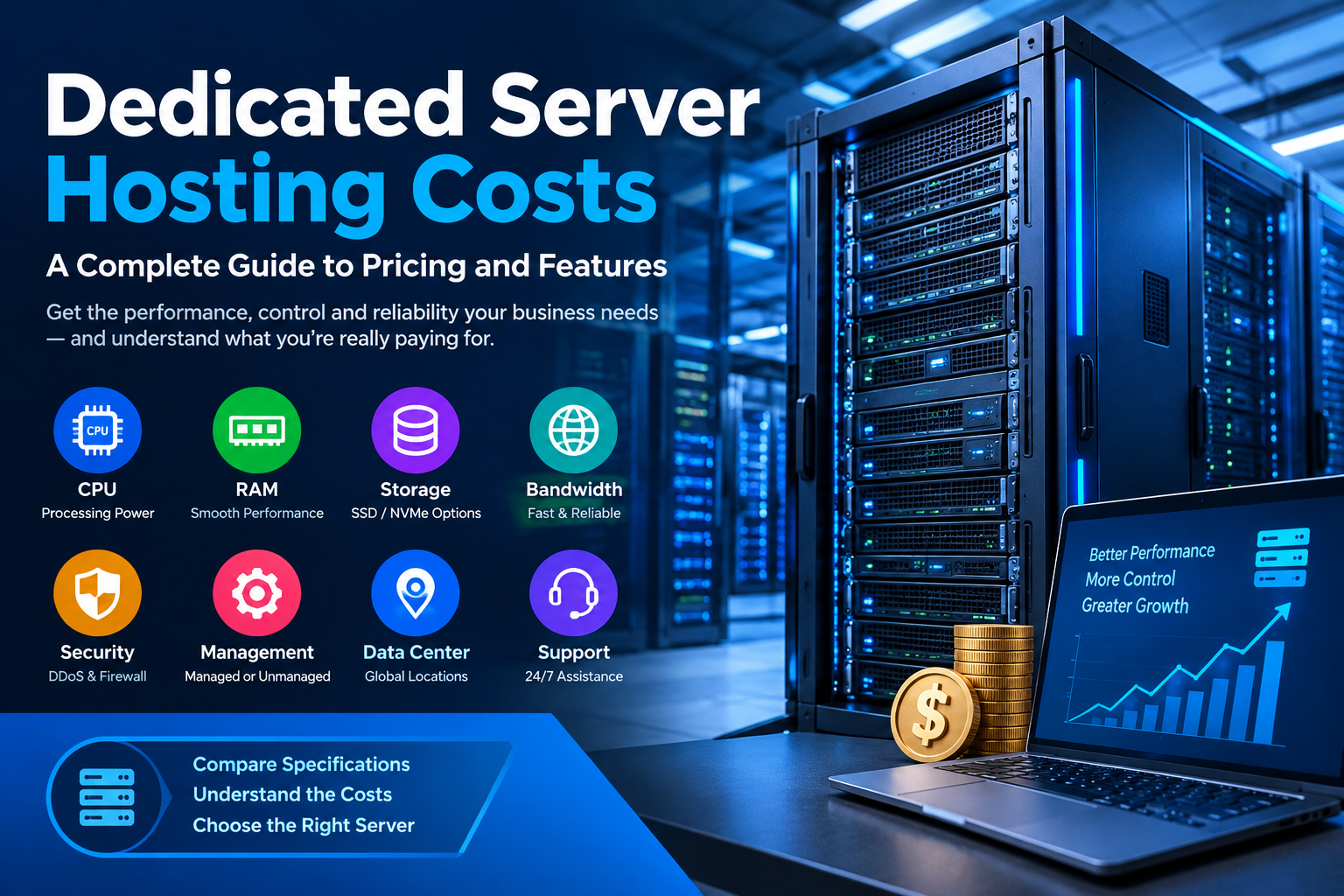
Dedicated VMware server hosting is a powerful hosting solution for businesses, developers, IT professionals, and organizations that need reliable virtualization, dedicated hardware resources, and greater control over their server environment. Unlike shared hosting or basic virtual private servers, a dedicated VMware server provides physical server resources that can be used to create and manage multiple virtual machines.
The VMware virtualization technology enables the operation of various isolated virtual systems in one powerful physical server. In each virtual machine, one can create a separate operating system, programs, storage, network setup, and allocate resources. Therefore, VMware dedicated server hosting becomes an option for companies that require versatility but do not want to buy additional physical servers.
In this article, we will review what dedicated VMware server hosting is, how it works, advantages and disadvantages, usage examples, key features, and tips on how to select the best VMware hosting solution.
What Is Dedicated VMware Server Hosting?
Dedicated VMware hosting means using dedicated hardware in combination with the VMware virtualization system.
In the case of standard dedicated server hosting, a single physical machine works with a single operating environment. However, in the case of VMware hosting, a single physical machine can be split into different virtual machines.
For instance, an organization may have a dedicated server with multiple CPU cores, large memory, and fast SSD drives. VMware software can be installed on such a server, and then multiple virtual machines can be created.
One virtual machine can host the web server, another – the database, yet another – can be used for testing and development purposes.
The key idea here is that the physical server is still dedicated hardware and does not share resources with other hosting customers.
This combination of dedicated hardware and virtualization gives more opportunities to companies.
How Does Dedicated VMware Server Hosting Work?
To understand dedicated VMware server hosting, it helps to understand the basic virtualization architecture.
A physical dedicated server contains resources such as:
- CPU processors
- RAM
- SSD or NVMe storage
- Network interfaces
- Storage controllers
- Power and cooling systems
VMware virtualization software runs on the physical server and creates a virtualization layer. This layer allows virtual machines to operate on the same physical hardware.
Each virtual machine can be configured with specific resources.
For example:
- Virtual Machine 1: 8 CPU cores and 32 GB RAM
- Virtual Machine 2: 4 CPU cores and 16 GB RAM
- Virtual Machine 3: 4 CPU cores and 16 GB RAM
The exact configuration depends on the physical server’s available resources and the requirements of the workloads.
The administrator can install different operating systems and applications on each virtual machine while maintaining separation between environments.
Why Virtualization Is Useful
Virtualization allows for the consolidation of multiple workloads on a few physical servers.
An organization does not have to buy three separate physical servers for three different applications but can have one high-end dedicated server running three different virtual machines.
Virtualization helps in saving costs while organizing efficiently.
Key Benefits of Dedicated VMware Server Hosting
There are several reasons why organizations choose VMware-based dedicated hosting instead of conventional hosting solutions.
1. Dedicated Physical Resources
One of the key advantages is access to dedicated physical resources.
CPU, RAM, storage, and networking resources can be provisioned based on the needs of the customer. This might lead to better performance compared to environments where physical resources are extensively shared.
Dedicated resources are especially valuable for applications that need guaranteed processing power or memory.
2. Flexible Virtual Machine Management
VMware allows administrators to create multiple virtual machines on one physical server.
Each virtual machine can have different:
- CPU allocations
- RAM allocations
- Storage capacity
- Operating systems
- Network configurations
- Applications
This flexibility makes the platform useful for businesses with multiple workloads.
3. Better Server Consolidation
Server consolidation is yet another significant benefit.
It could take multiple physical servers for a company to run a variety of applications. It may be possible, with the help of virtualization, for such applications to function inside individual virtual machines on one physical server.
This will help in minimizing the number of physical machines that need to be managed.
4. Improved Resource Allocation
There is the possibility to control resource allocation in VMware environments.
If some workloads need more memory while others need CPU resources, that can be planned.
Resource allocation can be considered good planning for companies’ hardware usage.
5. Greater Isolation
The virtual machines are logically isolated from each other.
Even if there is an issue in one virtual machine application-wise, the other virtual machines can still be functional based on the problem itself.
This isolation will be very useful for development, testing, production, and internal applications.
6. Scalability
It is common for businesses to expand over time. They might require more resources due to an increased number of website visitors, application users, or large databases.
Virtualization using VMware allows for a simple process of adding resources to virtual machines that have access to more hardware resources.
This would allow for the modification of virtual machine settings based on the workload instead of building a whole new physical environment.
7. Support for Different Operating Systems
VMware virtualization can support different operating systems within separate virtual machines.
For example, a company may run:
- Linux web servers
- Windows applications
- Database environments
- Development servers
- Testing environments
This makes a virtualized dedicated server useful for organizations with diverse IT requirements.

Dedicated VMware Server Hosting vs Traditional Dedicated Server
A traditional dedicated server provides an entire physical server to one customer, but virtualization is not necessarily part of the setup.
With dedicated VMware server hosting, the physical server can be divided into multiple virtual machines.
Here is a simple comparison:
| Feature | Traditional Dedicated Server | Dedicated VMware Server |
| Physical hardware | Dedicated | Dedicated |
| Virtual machines | Optional | Core functionality |
| Multiple OS environments | More complex | Easier |
| Workload isolation | Limited | Stronger logical isolation |
| Resource allocation | Hardware-based | Virtualized and configurable |
| Server consolidation | Limited | Excellent |
| Flexibility | High | Very high |
The right option depends on the application’s requirements.
If an organization only needs one operating environment, a traditional dedicated server may be sufficient. If it needs several isolated environments, virtualization can provide additional flexibility.
Dedicated VMware Server Hosting for Businesses
Businesses can use dedicated VMware server hosting for many different workloads.
Web Hosting
A business can create virtual machines specifically for web hosting.
One VM can host websites while another handles databases. Additional VMs can be used for staging, development, monitoring, or internal applications.
Application Hosting
Organizations running custom business applications can use virtual machines to separate application environments.
For example, a company might create:
- Production VM
- Development VM
- Testing VM
- Backup or management VM
This structure can make infrastructure management easier.
Database Hosting
Databases may consume a lot of CPU, memory, and disk space.
A separate physical server may offer you the necessary powerful hardware, while VMware enables the company to create a separate VM for databases.
Fast disk space such as SSD or NVMe may also be helpful for workloads with intensive database tasks.
Development and Testing
Developers require environments that are isolated from production environments.
A server running on VMware can host many virtual environments for various operating systems and software versions.
The developers can perform their experiments without interfering with the production environment.
VMware Hosting for Disaster Recovery and Backup
Another way in which virtualization can assist in disaster recovery planning is through backup of virtual machines.
The way this is accomplished will depend on the specific VMware environment, software used for backing up, the storage architecture, and the service provider.
Organizations should never rely on virtualization to give them full disaster protection.
A proper disaster recovery strategy should consider:
- Backup frequency
- Backup storage location
- Recovery time objectives
- Recovery point objectives
- Off-site backups
- Data retention
- Testing of backups
Regularly testing backups is especially important because an untested backup may not work as expected during an emergency.
Important Features to Look For
When selecting dedicated VMware server hosting, businesses should examine more than CPU and RAM.
CPU
Look for modern processors with enough cores and processing capacity for the intended workloads.
CPU requirements depend on the applications running inside the virtual machines.
RAM
Memory is critical in virtualization.
Virtual machines have to share the physical server’s memory; hence, a lack of enough memory hinders the number of virtual machines.
A business must estimate the memory needs of all the workloads before choosing a server.
SSD or NVMe Storage
There are cases where the performance of the storage system may have a considerable impact on virtual machines.
It is true that SSD storage is much quicker compared to conventional hard disk drives, but NVMe storage is even faster.
This applies especially to databases, virtualization platforms, and highly loaded applications.
Network Connectivity
Network speed and network reliability are crucial to websites, application services, remote control, backups, and data transmission.
Based on the requirements, organizations might require fast network connections and bandwidth.
IP Addresses
Some virtualized workloads may require dedicated IP addresses.
Before ordering a server, confirm how many IPv4 or IPv6 addresses are included and whether additional addresses are available.
Backup Options
A hosting provider should clearly explain its available backup options.
Businesses should understand:
- Where backups are stored
- How often backups run
- How long backups are retained
- How restoration works
- Whether backups are included in the hosting plan

Security Considerations
The issue of security should not be neglected when working with any dedicated server or virtualization technology.
It is important to ensure that adequate security measures are taken into account both in terms of the physical hardware and virtual machines.
Important practices include:
Keep Software Updated
Operating systems, applications, virtualization components, and management tools should be maintained according to the vendor’s security guidance.
Use Strong Authentication
Administrative accounts should use strong passwords and, where supported, multi-factor authentication.
Access should be limited to authorized administrators.
Separate Networks
Different workloads may benefit from network segmentation.
For example, management traffic, production applications, databases, and backup traffic can be separated depending on the network architecture.
Monitor Server Activity
Monitoring can help administrators identify unusual CPU usage, memory consumption, storage problems, network activity, and service interruptions.
Monitoring tools can also help identify performance problems before they become major issues.
Managing Resources in a VMware Environment
It is crucial to manage resources when you have many virtual machines.
Let us assume that there is a dedicated server with 128GB physical memory.
The admin should not just allocate all the memory to virtual machines and forget about host and environment requirements.
Resource planning should consider:
- Host requirements
- VM memory requirements
- CPU requirements
- Storage capacity
- Network traffic
- Backup requirements
- Future growth
Proper planning can prevent resource contention and improve overall stability.
Who Needs Dedicated VMware Server Hosting?
This type of hosting can be useful for several types of users.
Small and Medium Businesses
Growing businesses may need multiple applications but do not necessarily want to maintain many physical servers.
A virtualized dedicated server can consolidate workloads into one physical platform.
Software Developers
Developers can create separate environments for testing applications and operating systems.
IT Agencies
Agencies managing websites, applications, or client systems may benefit from having multiple isolated environments on dedicated infrastructure.
E-commerce Businesses
Online stores can require reliable hosting for websites, databases, payment integrations, and management systems.
A dedicated virtualized environment can provide the infrastructure needed for more complex workloads.
Enterprises
Larger organizations can use VMware environments as part of their broader private cloud, virtualization, development, testing, and application infrastructure.
Dedicated VMware Server Hosting for High-Traffic Websites
Very high-traffic websites may put a lot of pressure on CPU, RAM, disk space, and network capacity.
Physical servers offer greater hardware capacity compared to many beginner-level hosting plans.
Another advantage of VMware is that it allows companies to isolate various services from each other.
For example:
- VM 1: Web server
- VM 2: Database server
- VM 3: Application server
- VM 4: Monitoring server
- VM 5: Development server
This architecture can help organize workloads and make administration easier.
However, performance still depends on correct configuration, application optimization, storage performance, network capacity, and available hardware.

How to Choose the Right Dedicated VMware Server
Choosing the correct server configuration starts with understanding your workloads.
First, identify how many virtual machines you need.
Then estimate the requirements of each virtual machine.
For example:
| Workload | CPU | RAM | Storage |
| Small Website | 2–4 cores | 4–8 GB | 50–100 GB |
| Application Server | 4–8 cores | 8–16 GB | 100–250 GB |
| Database Server | 4–12 cores | 16–32+ GB | 200+ GB |
| Development Server | 2–8 cores | 8–16 GB | 100–250 GB |
These represent ranges for planning purposes only and not mandatory requirements. The real requirements will be dependent on the software and its workload.
After determining the requirement, procure physical hardware sufficient to meet the current workload and allow future growth.
Managed vs Unmanaged VMware Hosting
Another important decision is whether to choose managed or unmanaged hosting.
Managed VMware Hosting
With managed hosting, the provider may assist with tasks such as:
- Server monitoring
- Software maintenance
- Basic troubleshooting
- Security configuration
- Virtual machine management
- Backup management
The exact services vary by provider.
Managed hosting can be useful for businesses that do not have a dedicated server administrator.
Unmanaged VMware Hosting
With unmanaged hosting, the customer generally has more responsibility for administration.
This may include:
- Installing software
- Configuring virtual machines
- Managing security
- Monitoring workloads
- Troubleshooting
- Performing updates
- Managing backups
Unmanaged hosting can provide greater administrative control, but it requires appropriate technical knowledge.
Common Mistakes to Avoid
Businesses should avoid several common mistakes when setting up a VMware server.
Buying Too Little RAM
Virtual machines consume memory quickly. Insufficient RAM can become a major limitation.
Ignoring Storage Performance
Storage capacity alone is not enough. Storage speed and I/O performance can also affect virtual machine performance.
Overloading the Server
Creating too many virtual machines without considering available resources can cause performance problems.
Forgetting Backups
A dedicated server is not automatically a backup system.
Important data should have an appropriate backup strategy.
Poor Security Configuration
Exposing management interfaces directly to the public internet without appropriate security controls can create unnecessary risks.
No Growth Planning
A server that works today may not be enough after six months or a year.
Businesses should consider expected growth before selecting hardware.
Cost Factors
The cost of dedicated VMware server hosting depends on several factors.
Important pricing factors may include:
- CPU model
- Number of CPU cores
- RAM capacity
- SSD or NVMe storage
- Network speed
- Bandwidth
- Number of IP addresses
- VMware licensing
- Backup services
- Managed support
- Data center location
- Service-level agreements
A cheaper server is not always suitable for demanding workloads.
Rather than evaluating hosting packages based on pricing alone, companies should evaluate them based on hardware, virtualization, customer support, bandwidth, and management services offered.
Is Dedicated VMware Server Hosting Right for You?
VMware server dedicated hosting may prove an effective approach for businesses in need of physical resources along with the ability to implement virtualization.
In other words, it will enable businesses to integrate multiple processes, create isolated environments, manage resources better, and run various operating systems on a single physical server.
However, such a solution needs to be chosen based on real workload demands.
It is important to assess such factors as CPU, RAM, storage, networking, backup, security, technical support, virtualization licensing, and scalability.
Final Thoughts
Dedicated VMware server hosting combines the performance and control of dedicated physical hardware with the flexibility of virtualization. Instead of running only one workload on a physical server, organizations can create multiple virtual machines for websites, applications, databases, development environments, testing systems, and other business services.
Major benefits include hardware resource allocation, flexible virtual machine administration, workload isolation, server consolidation, scalability, and the ability to run different operating environments.
Resource allocation is key to success in deploying VMware hosting. Choosing the proper amount of CPU, memory, fast storage, network connections, and an adequate backup solution will contribute to the creation of a stable virtualization environment.
If everything is set properly, a dedicated VMware server can serve as a flexible platform infrastructure for your business.
Frequently Asked Questions
What is dedicated VMware server hosting?
Dedicated VMware server hosting is a hosting environment where a physical dedicated server runs VMware virtualization technology, allowing multiple virtual machines to operate on the same dedicated hardware.
Is VMware suitable for business servers?
VMware virtualization can be used for many business workloads, including web applications, databases, development environments, testing systems, and internal applications. The appropriate configuration depends on the workload.
Can I run multiple virtual machines on one dedicated server?
Yes. A dedicated physical server can host multiple virtual machines when it has sufficient CPU, RAM, storage, and network resources.
Is dedicated VMware hosting better than VPS hosting?
They are meant to cater to different needs. VMware hosting is dedicated hosting where there is physical hardware is specifically built for virtualization, whereas the VPS runs in a virtualized environment running on physical hardware of the service provider.
How much RAM does a VMware server need?
There is no single correct amount. RAM requirements depend on the number and type of virtual machines being hosted. Businesses should calculate the memory requirements of their planned workloads before choosing hardware.
Can VMware host Windows and Linux virtual machines?
Yes, VMware environments can support different operating systems in separate virtual machines, provided the specific VMware platform and guest operating systems are supported and properly licensed.
Does VMware hosting include backups?
Not always. Availability of backup facilities will depend on the provider and plan chosen. Companies need to verify the frequency of backups, the storage period, the storage locations, and the restoration process before buying such a product.
What storage is best for VMware servers?
It is possible to have good performance with SSD/NVMe storage in virtualized environments. It all depends on the capacity needs, I/O profile, budget, and applications being deployed.
Is managed VMware hosting easier to operate?
The managed hosting of VMware may decrease the level of server management needed by the client since the service provider may help in monitoring, maintenance, problem-solving, and management of other services.
Can a dedicated VMware server scale with my business?
A VMware environment can provide flexibility by allowing resources to be allocated among virtual machines. However, physical hardware has limits, so significant growth may eventually require additional hardware or infrastructure.