Choosing the right internet plan can be confusing. Internet providers often advertise different download speeds, upload speeds, and packages, but it is not always clear which speed is actually enough for your needs. If you are wondering what is good for internet speed, the answer depends on how you use the internet, how many devices are connected, and what activities you regularly perform online.
For some, 25 Mbps might just be enough to browse and check their emails. However, for a household that wants to stream 4K videos, play video games, attend virtual meetings, and control their smart home devices simultaneously, 200 Mbps, 500 Mbps, and even 1 Gbps might be much better.
In this article, we will help you understand what good internet speed is depending on activities, how much Mbps you might need, factors that affect your internet performance, and how to measure your existing internet plan speed.
What Is Good for Internet Speed?
It is not possible to determine a perfect internet speed for all people since perfection depends on various factors. A good internet speed will be one that enables you to perform your usual internet operations without any form of lagging or buffering.
Where one person is using the internet to browse, check emails, access social networks, and watch SD videos, the recommended internet speed is about 25- 50 Mbps.
For households with several users, 100–300 Mbps can provide a more comfortable experience. Larger families or users who regularly download large files, stream 4K video, play games, or work with cloud applications may benefit from 500 Mbps to 1 Gbps.
The other thing that you should keep in mind when thinking about internet speeds is the fact that they are often measured in terms of megabits per second, which is denoted as Mbps.
While the speed of your connection is important, it is not the only thing that you need to consider because there are other issues that could impact your internet experience.
Internet Speed Requirements for Common Activities
Understanding how much speed different activities require can help you choose an appropriate internet plan.
Web Browsing
Simple surfing on the Internet does not require a very high-speed connection. Surfing through news websites, using Google, reading emails, and logging into social networking sites works fine with average-speed connections.
A connection of 10–25 Mbps may be enough for basic browsing for one person. However, modern websites can contain large images, videos, advertisements, and interactive content, so a faster connection can make pages load more quickly.
If several people are browsing at the same time, having at least 50–100 Mbps can provide a smoother experience.
Video Streaming
One of the most prevalent reasons why people would require faster internet is because of streaming.
Normal resolution streams normally require far less bandwidth compared to HD or 4K streams. It’s possible to achieve a good HD stream with approximately 5-10 Mbps per stream, but 4K streams would need more bandwidth.
However, when one person streams in HD, the bandwidth of 25-50 Mbps can be sufficient for additional tasks.
For households where multiple people stream simultaneously, a 100 Mbps or faster connection can be more comfortable.
Online Gaming
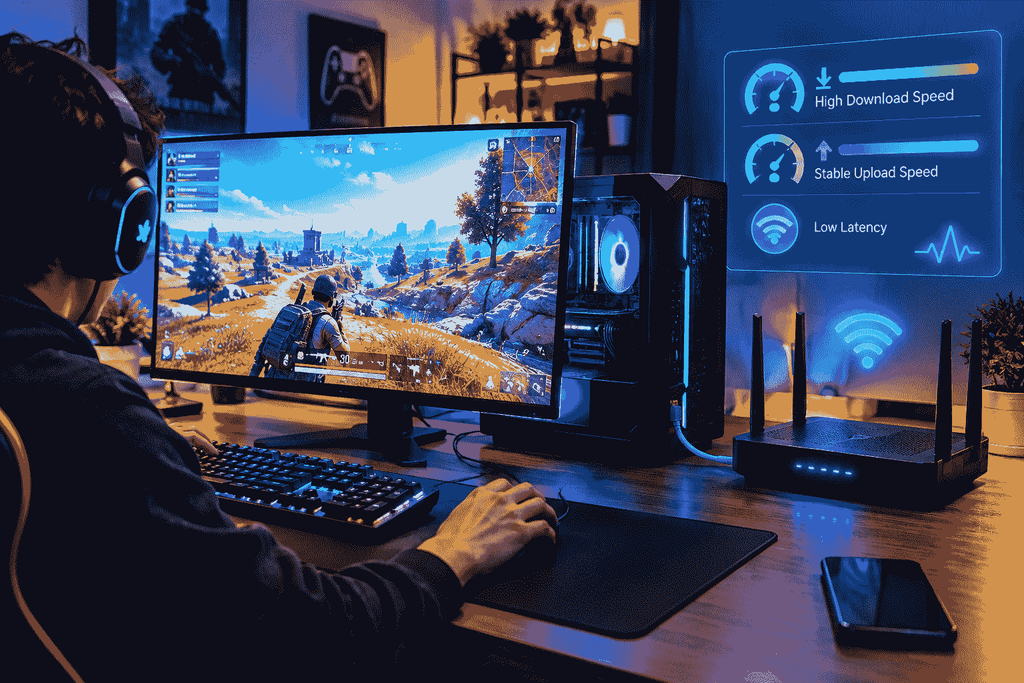
High download speed is not always necessary in online gaming. In fact, gamers need to focus more on the stability, latency, and packet loss of their connection.
A stable connection ranging from 25 to 50 Mbps can be sufficient for most of the online games. The problem comes when one has to download games and patches.
Thus, a game that weighs 100 GB will be downloaded at a significantly slower pace using 25 Mbps compared to 500 Mbps.
Hence, if one often downloads big games, a faster plan may save much time.
Video Calls and Remote Work
Video calls with tools like Zoom, Microsoft Teams, and Google Meet involve both download and upload bandwidth.
While one video call would suffice with average internet speed, it would be harder for people to work from home when they have several other things to do with their internet.
A 50–100 Mbps connection can be a good starting point for many remote workers, while households with multiple people working from home may benefit from 200 Mbps or more.
Downloading Large Files
If you regularly download large software packages, videos, games, backups, or other files, download speed becomes particularly important.
For example, a 1 Gbps connection can theoretically transfer data much faster than a 100 Mbps connection. Actual download times depend on the server, network conditions, Wi-Fi performance, and other factors.
People who frequently work with large files may therefore benefit from a higher-speed plan.
How Much Internet Speed Do You Need?
The answer depends mainly on the number of users and the activities taking place at the same time.
Here is a simple guideline:
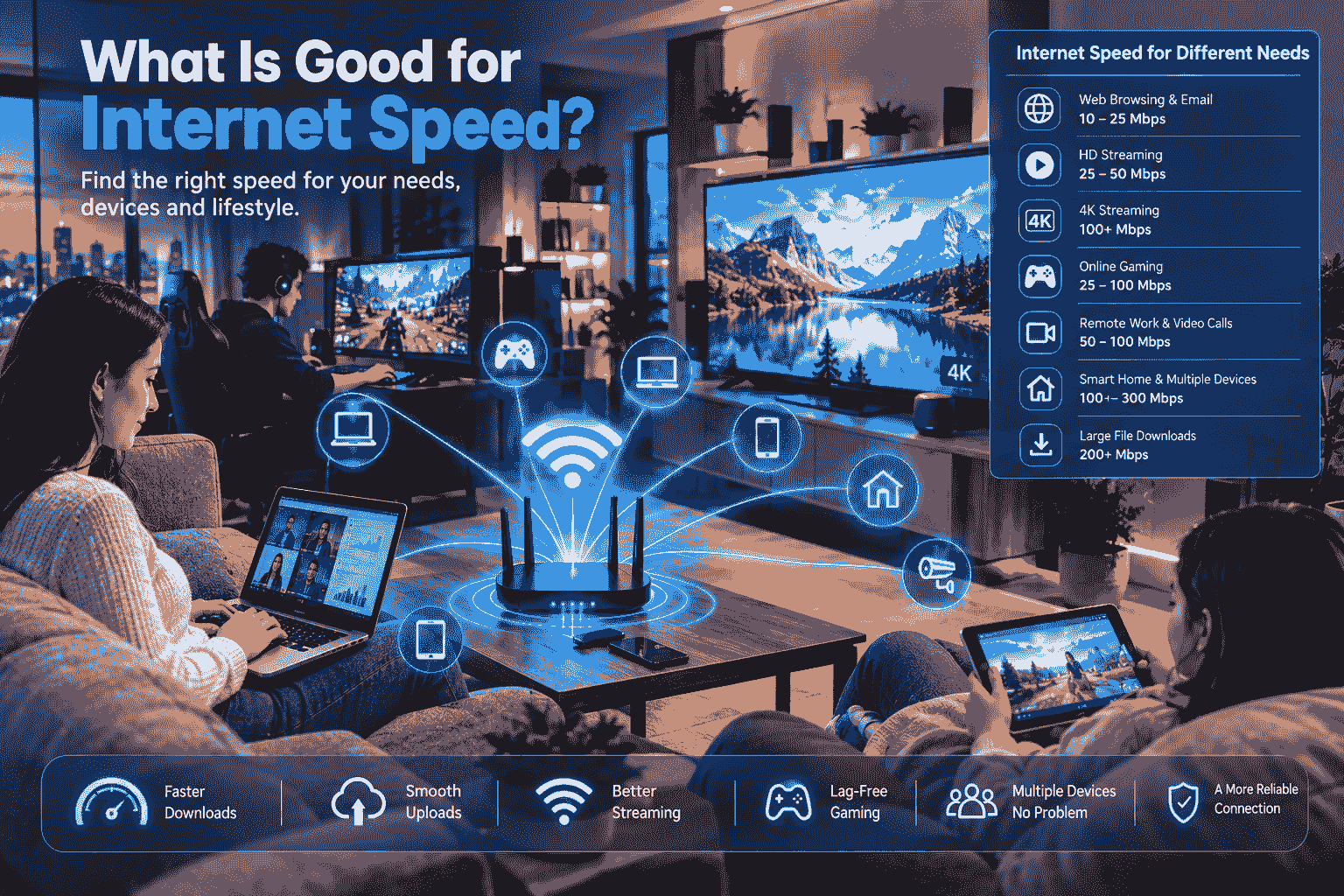
| Internet Activity | Suggested Speed |
| Email and basic browsing | 10–25 Mbps |
| Social media and browsing | 25–50 Mbps |
| HD video streaming | 25–50 Mbps |
| Online gaming | 25–100 Mbps |
| Remote work | 50–100 Mbps |
| Multiple HD streams | 100–200 Mbps |
| 4K streaming | 100 Mbps+ |
| Large file downloads | 200 Mbps+ |
| Large household | 300–500 Mbps+ |
| Heavy multi-user usage | 500 Mbps–1 Gbps |
These are general recommendations rather than strict requirements. Your actual needs can vary depending on the services you use and how many devices are active at the same time.
What Is Good for Internet Speed for One Person?
A single user usually does not need an extremely expensive internet plan.
If you mainly browse the web, use social media, watch videos, listen to music, and occasionally download files, 50–100 Mbps can be a comfortable range.
A 100 Mbps package should provide you with sufficient bandwidth for many activities without having to opt for the pricey gigabit package.
In case you download large files often, upload videos, utilize cloud-based applications, or watch HD video content, you would do better with a speed of 200 Mbps and above.
It all depends on how you will use the internet and not just opting for the highest package available.
What Is Good Internet Speed for a Family?
Families generally need more bandwidth because several devices may use the connection simultaneously.
Imagine a household with four people:
- One person is watching Netflix in 4K.
- Another person is playing an online game.
- Someone else is attending a video meeting.
- Another person is browsing social media.
Although each activity may work individually on a moderate connection, using them simultaneously creates greater demand.
For a typical family, 100–300 Mbps can be a reasonable starting range. Larger households with heavy usage may benefit from 500 Mbps or 1 Gbps.
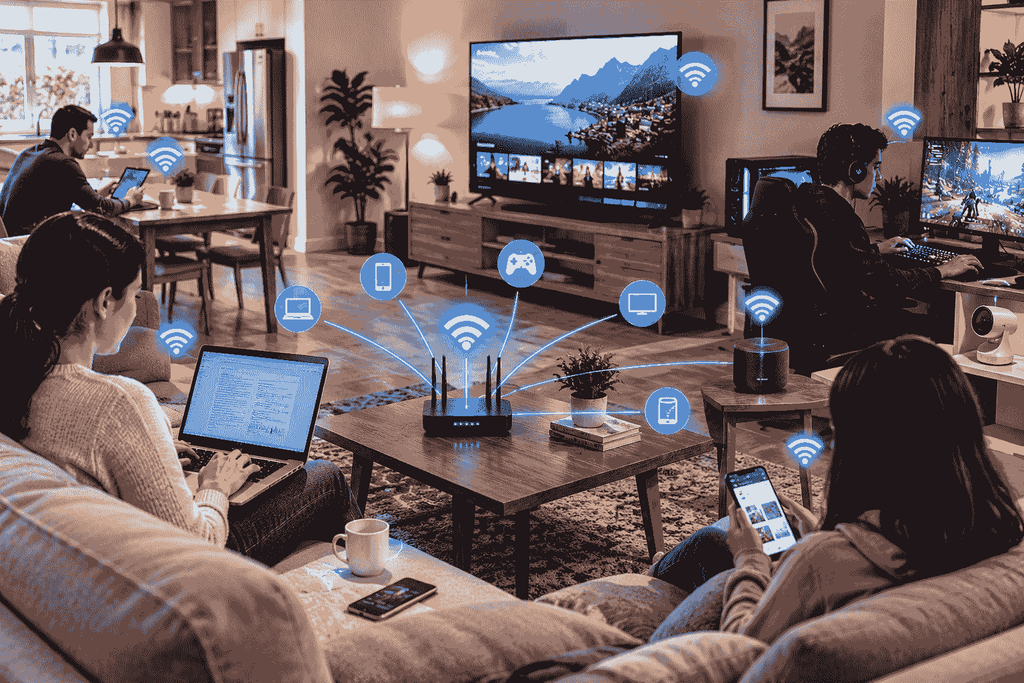
The number of connected devices also matters. Smart TVs, smartphones, laptops, tablets, security cameras, smart speakers, gaming consoles, and other devices can all consume bandwidth.
Download Speed vs Upload Speed
When people ask what is good for internet speed, they often focus only on download speed. However, upload speed is also important.
Download Speed
Download speed measures how quickly data travels from the internet to your device.
It affects activities such as:
- Loading websites
- Streaming videos
- Downloading files
- Downloading games
- Receiving emails
- Using cloud applications
A higher download speed generally allows these activities to complete faster.
Upload Speed
Upload speed measures how quickly data travels from your device to the internet.
Upload speed matters when you:
- Upload videos
- Send large files
- Back up data to the cloud
- Join video meetings
- Stream live content
- Upload photographs
- Use cloud-based applications
For many households, download speed is much higher than upload speed. Fiber internet services may offer more balanced download and upload speeds.
Why Internet Speed Can Feel Slow Even With a Fast Plan
Sometimes people purchase a fast internet package but still experience slow browsing or buffering.
This can happen for several reasons.
Poor Wi-Fi Signal
A 100 Mbps package should provide you with sufficient bandwidth for many activities without having to opt for the pricey gigabit package.
In case you download large files often, upload videos, utilize cloud-based applications, or watch HD video content, you would do better with a speed of 200 Mbps and above.
It all depends on how you will use the internet and not just opting for the highest package available.
Old Router
A router that is too old might not even be able to provide the maximum speed offered by your internet provider.
For instance, if you have switched from 100 Mbps to 1 Gbps speed, then it needs to be ensured that the router can handle it.
Too Many Connected Devices
Every connected device can consume bandwidth.
Smart TVs, phones, laptops, cameras, gaming consoles, and other devices may all compete for available network capacity.
Network Congestion
Internet performance can sometimes decrease during busy periods when many users are accessing the provider’s network.
This is especially noticeable with certain types of internet connections.
Server Limitations
The website or service you are using may have its own speed limitations.
Even if you have a 1 Gbps internet connection, a particular server may not send data to you at 1 Gbps.
What Is Good Internet Speed for Streaming?
Bandwidth needs vary according to the video quality as well as the number of simultaneous streaming connections.
For instance, streaming videos with standard definition takes less bandwidth than streaming videos with 4K quality.
When there is only one stream being used, even average bandwidth is fine. In the case of simultaneous streams, higher bandwidth is needed.
A home having two or three televisions running simultaneously needs faster bandwidth.
If your family regularly watches 4K content on multiple devices, 200 Mbps or more may provide additional capacity.
Keep in mind that streaming services can change their technical requirements, so checking the current requirements of your specific service is always useful.
What Is Good Internet Speed for Gaming?
Gaming requires two types of connections: bandwidth and latency.
The bandwidth shows how much data you can transfer through your connection. The latency represents how fast the data travels from your computer to the game server.
You can have a connection with 500 Mbps speed but still suffer from lag due to poor latency.
Latency can be more important for competitive gaming than pure bandwidth.
A wired Ethernet connection can be even more stable than a Wi-Fi connection.
What Is Good Internet Speed for Working From Home?
Remote workers often need reliable internet more than extremely high download speeds.
If your work involves email, web applications, document editing, and video meetings, 50–100 Mbps can often provide a comfortable experience for one person.
However, upload speed is important if you frequently:
- Upload large files
- Use cloud storage
- Participate in video conferences
- Share your screen
- Back up work files
- Upload media
If several people work from home at the same time, a faster connection can reduce competition for bandwidth.
Is 1 Gbps Internet Worth It?
A 1 Gbps connection is extremely fast compared with many basic broadband plans. However, whether it is worthwhile depends on your usage.
Gigabit internet can be useful for:
- Large households
- Multiple 4K streams
- Frequent large downloads
- Cloud backups
- Large file transfers
- Multiple remote workers
- Heavy gaming downloads
- Advanced home networks
For someone who only checks email and browses websites, 1 Gbps may provide more capacity than necessary.
Therefore, choosing a plan should be based on your actual requirements rather than the largest number advertised by an ISP.
How to Check Your Current Internet Speed
If you want to know whether your connection is fast enough, the first step is to perform an internet speed test.
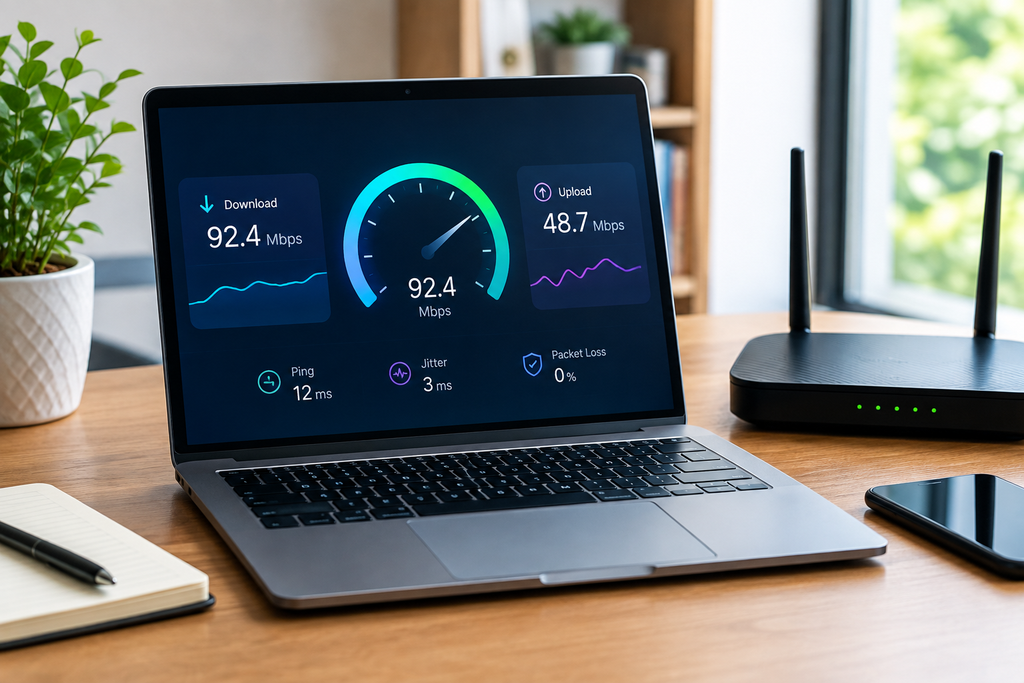
A typical speed test measures:
- Download speed
- Upload speed
- Ping or latency
- Sometimes additional network information
To achieve better accuracy, try testing your connection during different times of the day.
You can also test for differences in results using either Wi-Fi or a wired Ethernet connection.
If the speed of your wired connection is faster compared to Wi-Fi, your internet service might not be the problem.
How to Improve Your Internet Speed
If your current connection feels slow, you do not necessarily need to immediately upgrade your internet plan.
Try these steps first.
1. Restart Your Router
Restarting your router can resolve temporary connection problems.
Turn the router off, wait briefly, and turn it back on.
2. Move Your Router
Place your router in a central, open location instead of hiding it inside a cabinet or placing it behind large objects.
3. Use Ethernet
For gaming, desktop computers, and other stationary devices, Ethernet can provide a more consistent connection than Wi-Fi.
4. Update Your Router
Older networking equipment may not support newer Wi-Fi standards or higher internet speeds.
5. Reduce Unnecessary Network Usage
Pause large downloads, cloud backups, or other bandwidth-heavy activities when they are not needed.
6. Check Your Devices
Malware, background downloads, outdated software, or poorly configured applications can sometimes affect network performance.
7. Consider a Mesh Wi-Fi System
Large homes may benefit from a mesh Wi-Fi system that improves wireless coverage in areas where the main router has a weak signal.
Internet Speed and Latency Are Not the Same
Difference between Speed and Latency
Speed and latency are two very important terms that you should be familiar with.
The speed of the internet is the measure of the volume of data transfer over a period of time.
Latency refers to the amount of time taken for data to travel from your device to get to the other place.
For instance, even when your connection has a download speed of 1Gbps, there may be an issue with the application’s speed due to high latency levels.
Fiber vs Cable vs Other Internet Connections
The type of internet connection can affect performance.
Fiber Internet
Fiber connections can provide very high speeds and, depending on the service, strong upload performance.
Fiber is often attractive for households that require high bandwidth and reliable performance.
Cable Internet
Cable broadband can provide fast download speeds and is widely available in many locations.
Actual performance can vary based on the provider, network design, and local congestion.
DSL Internet
DSL uses telephone infrastructure and is generally slower than modern fiber connections, although performance depends on the specific technology and location.
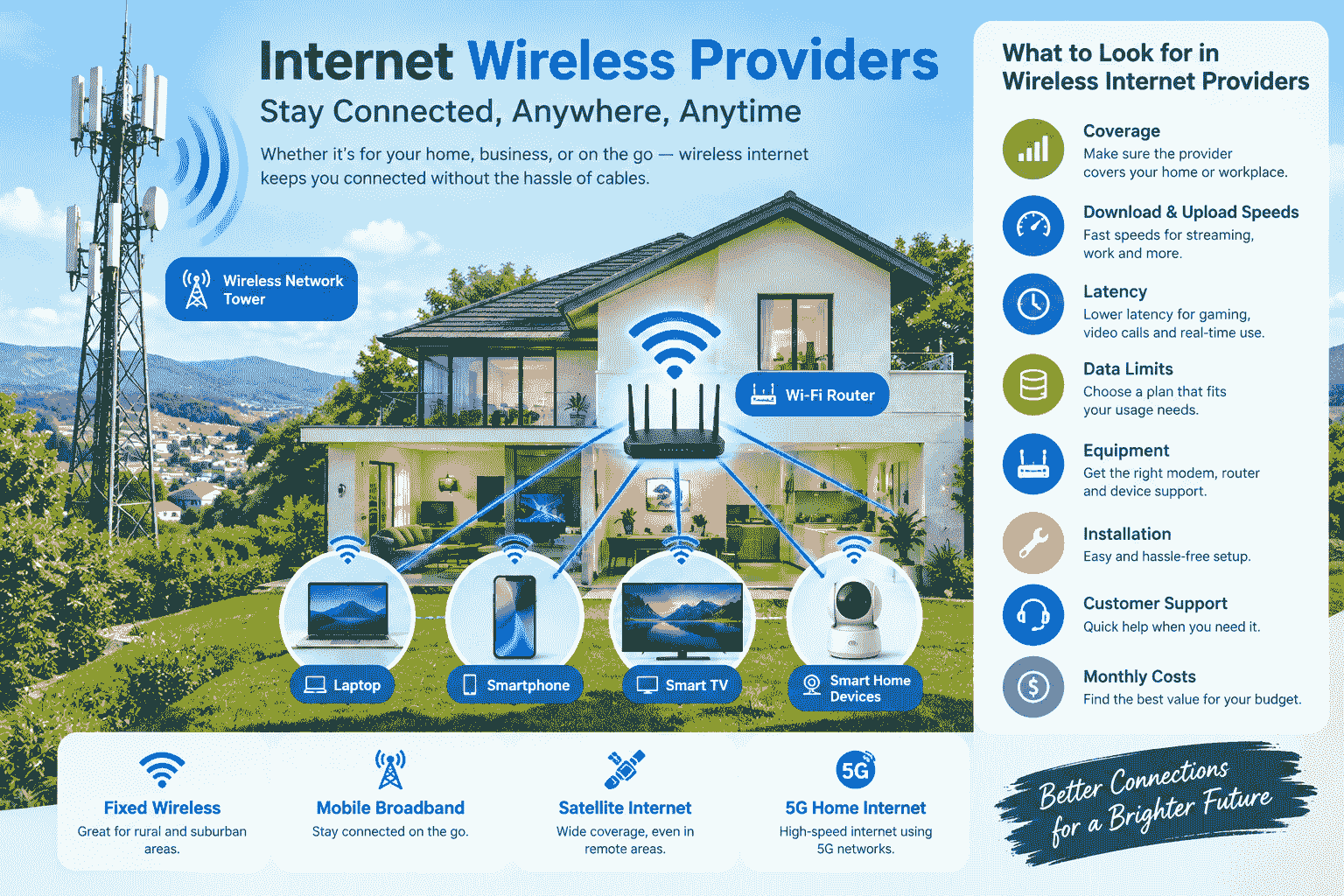
Fixed Wireless
Fixed wireless internet uses a wireless connection between the provider and a customer location. Performance can depend on signal quality, distance, equipment, and environmental conditions.
What Is Good for Internet Speed in 2026?
Modern internet usage continues to become more demanding. People now use multiple connected devices, cloud services, high-resolution video, smart home technology, online gaming, remote work tools, and large digital downloads.
For basic individual use, 50–100 Mbps can be a practical range.
For a typical family, 100–300 Mbps can provide a good amount of capacity.
For heavy households with many users and devices, 500 Mbps to 1 Gbps can offer substantial bandwidth.
However, faster does not automatically mean better for every user. The right plan is the one that provides enough capacity for your activities without paying unnecessarily for bandwidth you rarely use.
How Many Devices Can Use Your Internet?
The number of devices your connection can support depends on what those devices are doing.
Ten devices performing simple browsing may consume less bandwidth than three devices simultaneously streaming high-resolution video.
For example, a household might have:
- 4 smartphones
- 2 laptops
- 1 desktop computer
- 2 smart TVs
- 1 gaming console
- Several smart home devices
Having many devices does not automatically mean you need gigabit internet. What matters is how many devices are actively transferring data at the same time.
When Should You Upgrade Your Internet Plan?
Consider upgrading if you regularly experience:
- Video buffering
- Slow downloads
- Poor performance when several people are online
- Slow cloud backups
- Problems during video meetings
- Long game downloads
- Slow uploads
- Network congestion caused by household usage
Before upgrading, run several speed tests and check whether the problem occurs on Wi-Fi, Ethernet, or both.
If Ethernet performance is also significantly below the speed advertised by your provider, contacting your ISP may be appropriate.
Choosing the Right Internet Speed
Instead of asking only what is good for internet speed, consider these questions:
- How many people use the connection?
- How many devices are connected?
- Do you stream HD or 4K video?
- Do you play online games?
- Do you work from home?
- Do you upload large files?
- Do you regularly download large games or software?
- Do you use cloud backup services?
- Does your household use several devices simultaneously?
- Is your Wi-Fi equipment modern enough for your internet plan?
The answers will give you a much better idea of the speed you actually need.
Final Thoughts
So, what is good for internet speed? For many individual users, 50–100 Mbps can provide a comfortable internet experience. Families with multiple users may prefer 100–300 Mbps, while large households and heavy users may benefit from 500 Mbps or 1 Gbps.
However, internet speed is only one part of overall network performance. Latency, upload speed, Wi-Fi coverage, router quality, network congestion, and the performance of the websites or services you use can all affect your experience.
Before paying for a faster plan, test your current connection and identify the real cause of slow performance. Sometimes improving your router placement or switching to Ethernet can make a bigger difference than simply purchasing more bandwidth.
The best internet plan is therefore not necessarily the fastest one available. It is the plan that provides enough reliable speed for your household’s actual activities while giving you enough additional capacity for future needs.
Frequently Asked Questions
What is a good internet speed for normal use?
For normal browsing, social media, email, music, and occasional video streaming, around 50–100 Mbps can be a comfortable range for one user.
Is 100 Mbps fast enough for Netflix?
Yes. A 100 Mbps connection generally provides plenty of bandwidth for streaming video while leaving capacity for other everyday internet activities.
Is 200 Mbps good for a family?
A 200 Mbps connection can provide substantial bandwidth for many families, especially when multiple people stream videos, browse the web, work remotely, or use other online services simultaneously.
Is 500 Mbps overkill?
Not necessarily. For a small household with basic usage, it may be more capacity than needed. For larger households with many active devices and heavy downloads or streaming, 500 Mbps can be useful.
Is 1 Gbps internet necessary?
Most users do not need 1 Gbps. It can be beneficial for large households, heavy users, multiple simultaneous high-resolution streams, large file transfers, and frequent large downloads.
Why is my internet slow even though I have fast internet?
Slow performance can be caused by weak Wi-Fi, an outdated router, network congestion, device problems, high latency, or limitations on the server you are accessing.
Does Wi-Fi reduce internet speed?
Wi-Fi can sometimes deliver lower speeds than a wired Ethernet connection because of distance, interference, router limitations, and wireless signal conditions.
Is upload speed important?
Yes. Upload speed is particularly important for video calls, live streaming, cloud backups, sending large files, and uploading videos or other media.