










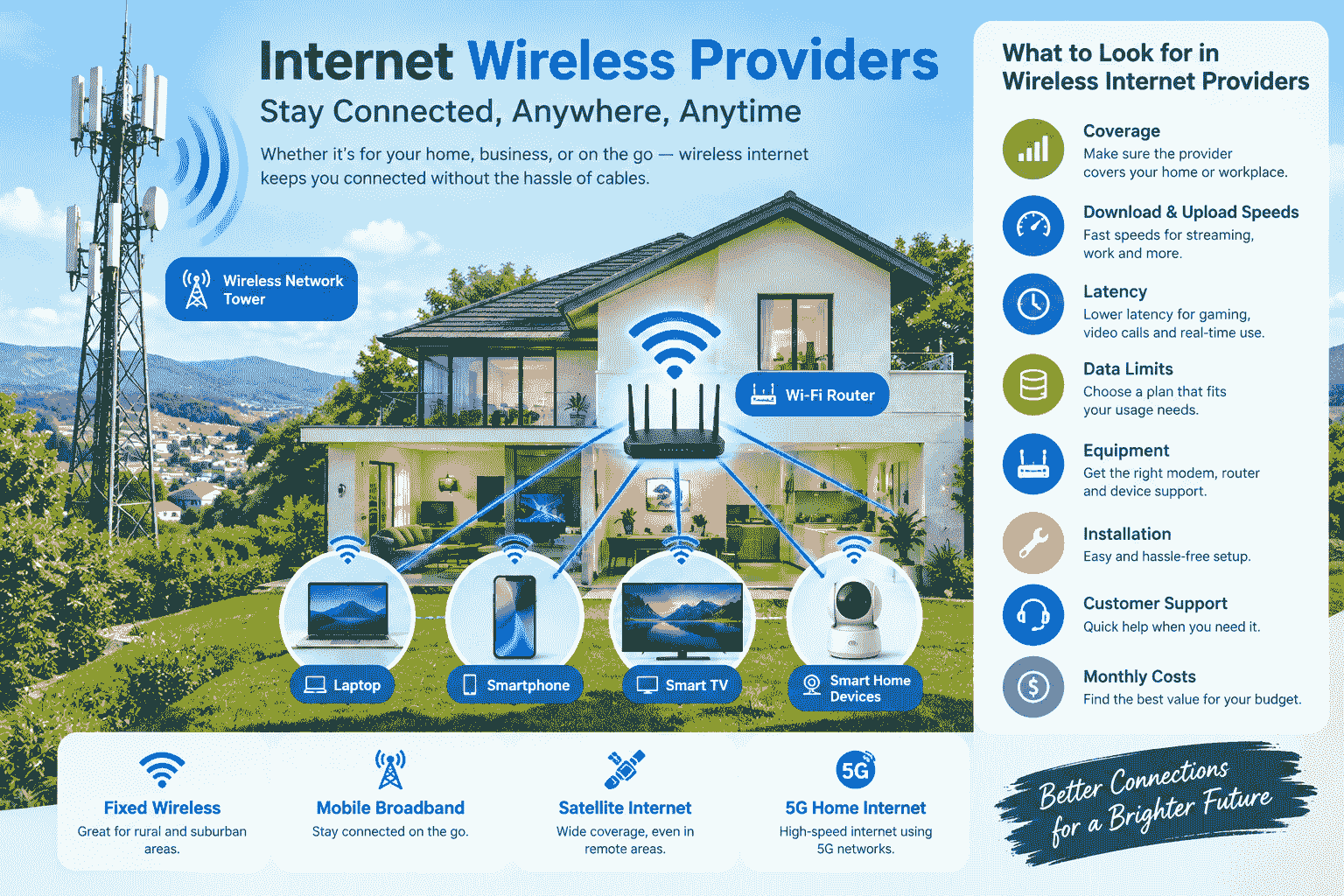
The choice of the appropriate internet connection is vital for households, businesses, telecommuters, and even for students and other users who require a reliable internet connection. There are so many internet service providers nowadays that it becomes quite hard to determine which one would suit you the best.
Wireless internet has become a popular solution lately since it is possible to connect to the internet even without wired connections on every device. Depending on where you live, wireless internet access could be based on such methods as fixed wireless, mobile wireless, satellite, and other wireless systems.
When comparing internet wireless providers, it is important to look beyond advertised download speeds. Reliability, coverage, latency, data limits, equipment, installation, customer support, and monthly costs can all affect the overall experience.
What Is Wireless Internet?
Wireless Internet refers to connecting to the Internet without the help of a physical connection from the Internet service provider’s network to the end-user’s device.
There are many forms of wireless Internet. For instance, the Internet may be provided to a home via a fixed wireless Internet connection and spread around the home through Wi-Fi.
Wireless Internet may prove convenient in those places where no cables are available or where there is a need for flexibility in the form of Internet connectivity.
How Does Wireless Internet Work?
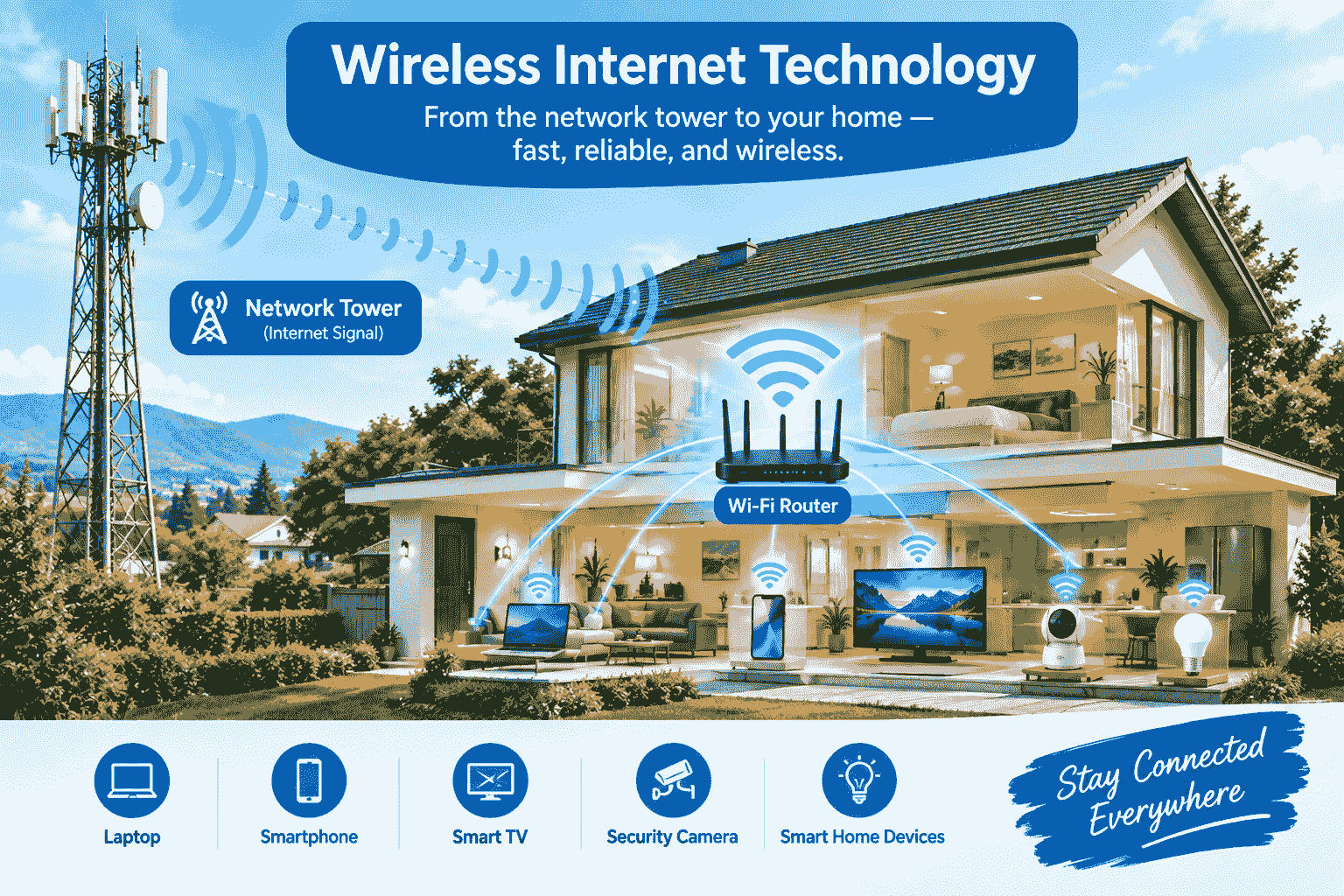
This internet is based on wireless means, using radio frequencies or any other form of wireless communication.
For instance, fixed wireless internet might transmit data using an antenna installed at the premises of the customer to connect to a wireless access point. Cellular internet uses mobile network towers that provide connectivity to a particular device or a router. In satellite internet, connectivity is based on connecting to satellites orbiting around Earth.
After getting the internet connection to the premises, there is the use of a modem or router to spread the connection to computers, smartphones, smart TVs, surveillance cameras, among others.
Types of Wireless Internet Services
There are several types of wireless internet services available to consumers and businesses.
Fixed Wireless Internet
Fixed wireless internet is a means of providing a connection from a fixed point of the consumer to the access point of the wireless network. It involves placing an antenna or receiver on the consumer’s property.
It can be advantageous in rural and suburban locations, where broadband technology is not widely available.
Mobile Broadband
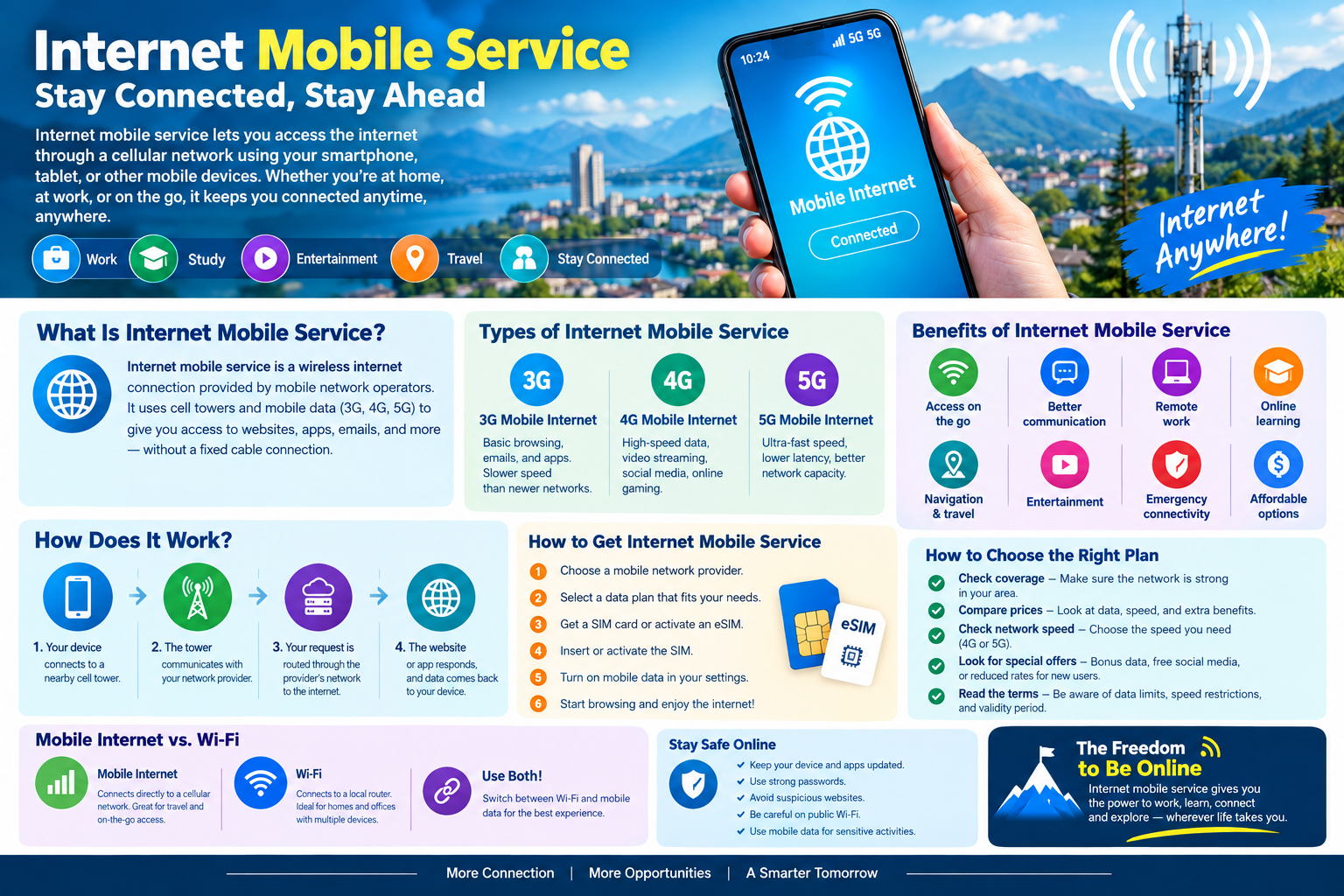
Mobile broadband is an internet service offered through cellular networks. Mobile data can be used by the smartphone, whereas a mobile hotspot device or router will enable you to connect multiple devices to the internet.
Mobile broadband service may be of assistance to those who frequently move from one place to another.
Satellite Internet
Satellite internet is an internet connectivity service using communications satellites. One of its key benefits is extensive coverage area; thus, it is suitable in areas where traditional broadband services are not available.
Nonetheless, users need to think about latency, the impact of weather, data usage policies, equipment needed, and the cost of services.
5G Home Internet
5G home internet uses cellular 5G networks to provide broadband connectivity to a home or business. A compatible gateway receives the wireless signal and creates a local network.
Availability and performance depend heavily on local 5G coverage and network capacity.
What Should You Look for in Internet Wireless Providers?
Not every wireless internet service is the same. Before choosing a provider, compare several important factors.
1. Coverage
Coverage is one of the first things to check out. One provider may provide great service in one place, but limited service in another place.
See if the provider covers your home or workplace. It makes a huge difference in the case of fixed wireless and cellular services.
2. Download and Upload Speeds
The internet speed will determine the time you take to download files, view videos, browse sites, and upload files.
The download speed will be critical for things such as streaming and downloading large files. The upload speed will matter if you need to upload videos, use cloud applications, hold video conferences, and transfer large files.
3. Latency
Latency measures how long it takes data to travel between your device and the destination server. Lower latency is particularly important for online gaming, video calls, remote desktop applications, and other real-time activities.
A connection with a high advertised download speed can still feel less responsive if latency is high.
4. Data Allowances
Certain wireless internet services could come with a cap on the data. In case you are using the service to watch movies with a good resolution, download files, or even back up to cloud storage, you should review the plan’s data policy.
Unlimited data plans could also come with network usage policies that you would need to familiarize yourself with.
5. Equipment
Wireless internet may require specific equipment, such as a modem, gateway, outdoor antenna, receiver, or router.
Ask whether the equipment is included in the monthly price, rented separately, or available for purchase. You should also check whether you can use your own router.
Comparing Internet Wireless Providers
When comparing internet wireless providers, create a simple comparison based on the factors that matter most to you.
In another case, one user might give preference to unlimited data and streaming quality, whereas another, who is working remotely, will be interested in upload speeds. For a traveler, portability is essential, while for a rural resident, good coverage is important.
A useful comparison can include:
| Feature | What to Check |
| Coverage | Is service available at your address? |
| Download speed | What speed does the plan offer? |
| Upload speed | Is upload performance sufficient? |
| Latency | Is the connection responsive? |
| Data | Are there limits or usage policies? |
| Equipment | What hardware is required? |
| Installation | Is professional installation available? |
| Contract | Is there a long-term agreement? |
| Price | What is the complete monthly cost? |
| Support | How can customers get technical help? |
Wireless Internet for Home Users
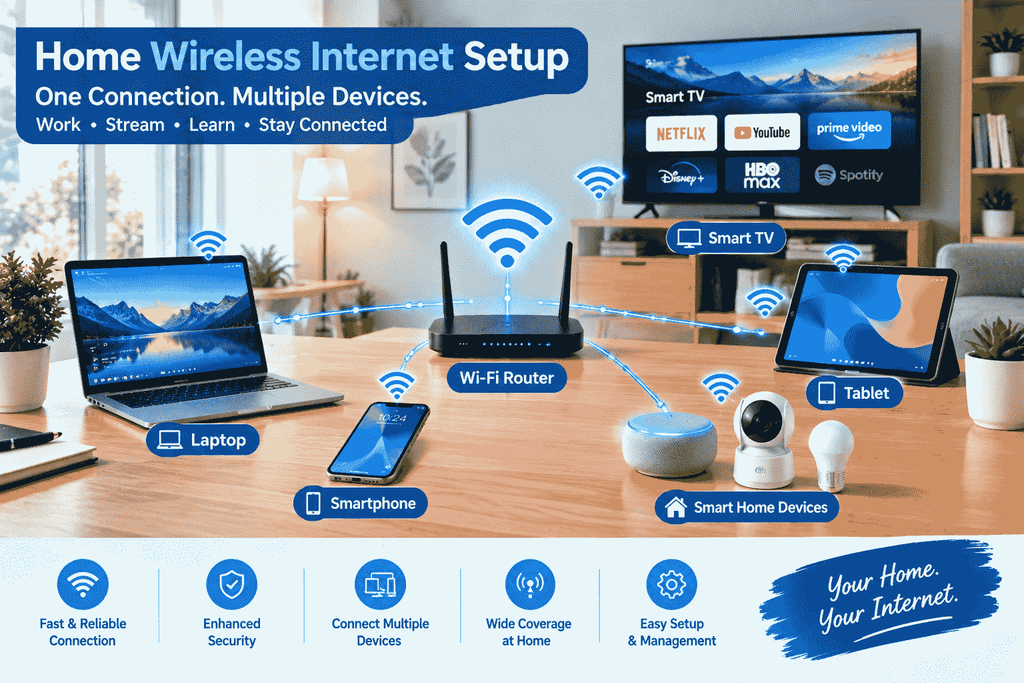
The wireless internet would work effectively for homes where internet access is required on several devices.
The average home network would comprise smartphones, laptops, TVs, tablets, game consoles, smart speakers, security cameras, among many other devices.
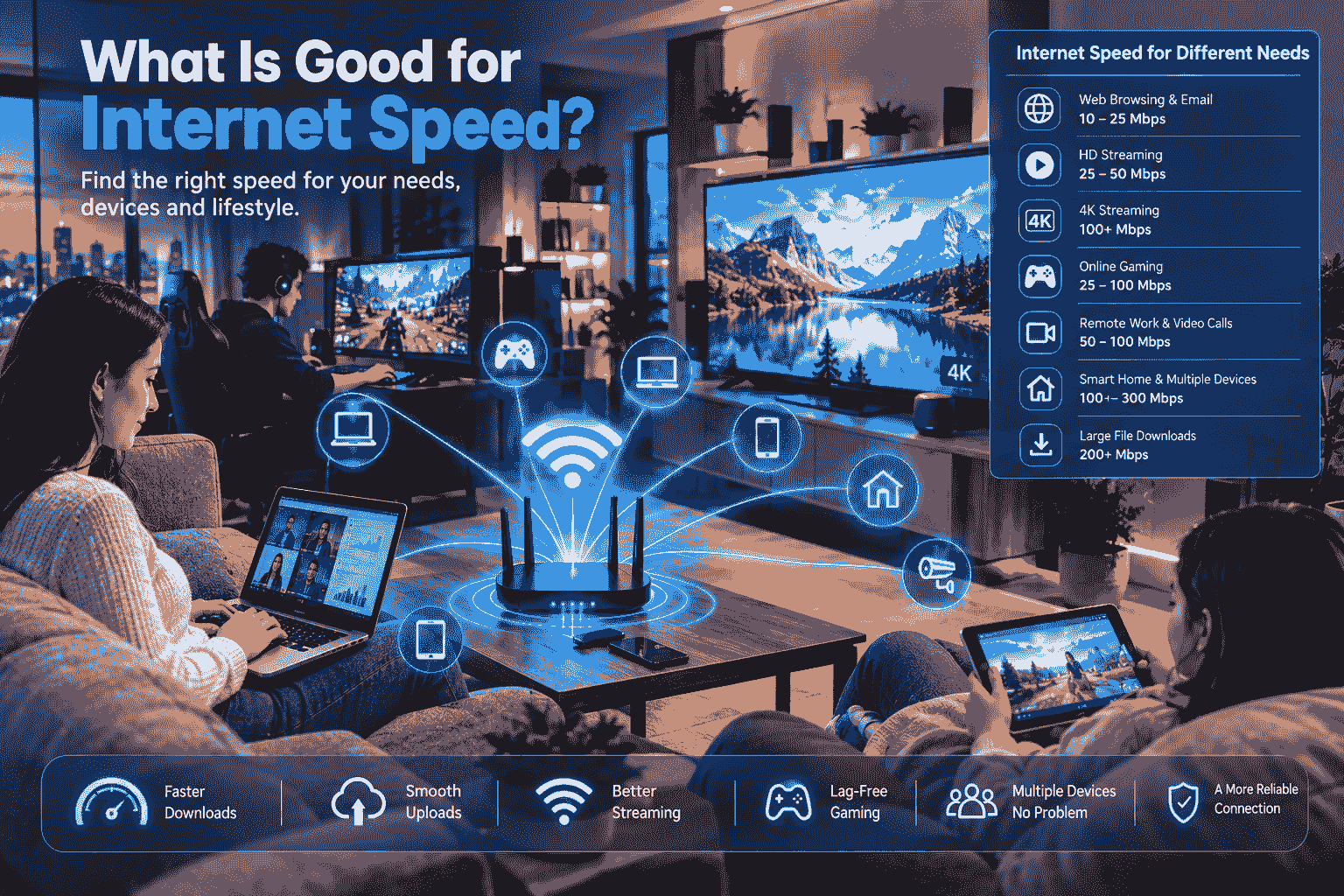
The reason is that multiple devices use one network; the speed needed would be dependent on how many people are using the internet and what their activities are.
The speed requirement for web browsing and emails will be different from streaming videos.
Wireless Internet for Remote Work
Remote employees will require more than just fast internet downloads. Internet connectivity is crucial when using video conferencing systems, cloud software, file sharing systems, virtual private networks, and remote desktop solutions.
Your upload speed may be very crucial in cases where you send huge files or use video conferencing regularly.
When your salary depends on your internet connectivity, it would be wise to have an alternative way, such as a mobile hotspot service.
Wireless Internet for Gaming
Online gaming may be dependent on latency, connectivity, and packet loss.
Though download speed is important, very fast speed does not always mean an enhanced gaming experience. In many cases, a stable connection with low latency is what is required in online games.
Gaming requires that gamers think about how other users are going to use the connection during game time.
Wireless Internet for Streaming
Streaming services can consume significant amounts of bandwidth, particularly when watching high-resolution video.
If several people stream simultaneously, the household may need a plan capable of handling the combined demand.
Before selecting a wireless service, check the provider’s recommended speeds, data policies, and network-management terms.
Advantages of Wireless Internet
Wireless internet offers several potential advantages.
Flexible Installation
Wireless services can sometimes be installed more easily than wired connections, especially in locations where running physical cables is difficult.
Useful in Underserved Areas
Fixed wireless and satellite services can provide connectivity in areas where traditional broadband infrastructure is limited.
Mobility
Mobile broadband can provide internet access while traveling, depending on coverage and the plan’s terms.
Multiple Device Connectivity
A wireless router can connect many devices within a home or office, making it convenient for modern connected environments.
Potential Disadvantages of Wireless Internet
Wireless internet also has limitations.
Signal Quality
Performance can depend on signal strength, distance, obstacles, terrain, and network congestion.
Network Congestion
During busy periods, some wireless networks may experience reduced performance because many users are sharing available capacity.
Data Restrictions
Certain plans may have data limits or network-management policies.
Weather and Environmental Conditions
Some wireless technologies, particularly satellite services, can be affected by environmental conditions.
Understanding these limitations before signing up can help you choose a service that matches your needs.
How to Improve Wireless Internet Performance
After installing wireless internet, there are several steps you can take to improve your home network.
Place Your Router Carefully
Place the router in a central and elevated location when possible. Avoid placing it behind large objects or inside enclosed cabinets.
Use Modern Wi-Fi Technology
A newer router can provide better performance, security, and device-management features.
Reduce Interference
Other electronic devices and nearby wireless networks can sometimes interfere with Wi-Fi performance. Selecting an appropriate Wi-Fi channel or using newer wireless standards may help.
Use Ethernet for Important Devices
Although the internet connection itself may be wireless, connecting devices such as desktop computers or gaming consoles through Ethernet can sometimes provide a more stable local connection.
Keep Equipment Updated
Firmware updates can improve performance and security. Check your router manufacturer’s instructions for available updates.
Questions to Ask Before Choosing a Provider
Before signing up, ask the provider several practical questions:
- Is service available at my exact address?
- What download and upload speeds are normally available?
- Are there data limits?
- What happens after reaching the data allowance?
- Is installation included?
- Is equipment included?
- Are there activation or equipment fees?
- Is a contract required?
- What technical support options are available?
- Is the advertised speed guaranteed or an expected maximum?
These questions can help you understand the actual service rather than relying only on an advertised headline speed.
Image Section 3: Wireless Network Coverage
Image idea: A wireless network tower providing coverage to several homes and businesses across a suburban or rural area.
ALT text: Wireless internet network coverage connecting homes and businesses
The Future of Wireless Internet
Wireless technology will also continue to evolve along with advancements in networking infrastructures. Faster connections could potentially result from newer cell technologies, superior antennas, better routers, and expanded broadband connectivity.
The increased usage of devices will further add to the need for consistent internet access. Devices that use the Internet include smart homes, cloud computing, telecommuting, distance learning, streaming services, and many business applications.
In terms of wireless access, this will mean more wireless options for consumers based on their needs.
Frequently Asked Questions
Are wireless internet providers reliable?
Factors that influence reliability include the provider, technology, location, signal strength, network capacity, and environmental factors. Knowing more about coverage can help you make an informed decision.
Is wireless internet faster than wired internet?
Not really. Speed depends on the technology and location. Wired technologies such as fiber can achieve extremely fast speeds. Also, fixed wireless and 5G technologies are capable of delivering high speeds in the right environment.
Can I use wireless internet for working from home?
Yes. Wireless internet can support remote work when the connection provides sufficient speed, upload performance, stability, and low enough latency for your work applications.
Does weather affect wireless internet?
That depends on the technology. Some wireless systems are more susceptible to weather conditions than other wireless technologies. Satellite technology, for instance, can be affected by weather conditions.
How many devices can use wireless internet?
This figure will vary depending on the router used, the package you have, and the number of devices connecting. Newer routers are able to connect multiple devices at once, although this becomes problematic when there are lots of devices accessing the Internet.
Conclusion
Wireless internet offers an excellent option for connecting households, organizations, telecommuters, and mobile devices. Various methods such as fixed wireless, mobile broadband, satellite internet, and 5G home internet cater to different requirements.
When comparing wireless internet providers, consider coverage, speed, upload performance, latency, data policies, equipment, installation, pricing, and customer support. The right choice depends on your location and how you use the internet.
Instead of selecting a package depending on the download speed that it is offering, consider the overall package and see if it meets your needs. You can compare packages to find out the right wireless internet package for your home or office needs.
2 thoughts on “Internet Wireless Providers: A Complete Guide to Choosing the Right Wireless Internet Service”