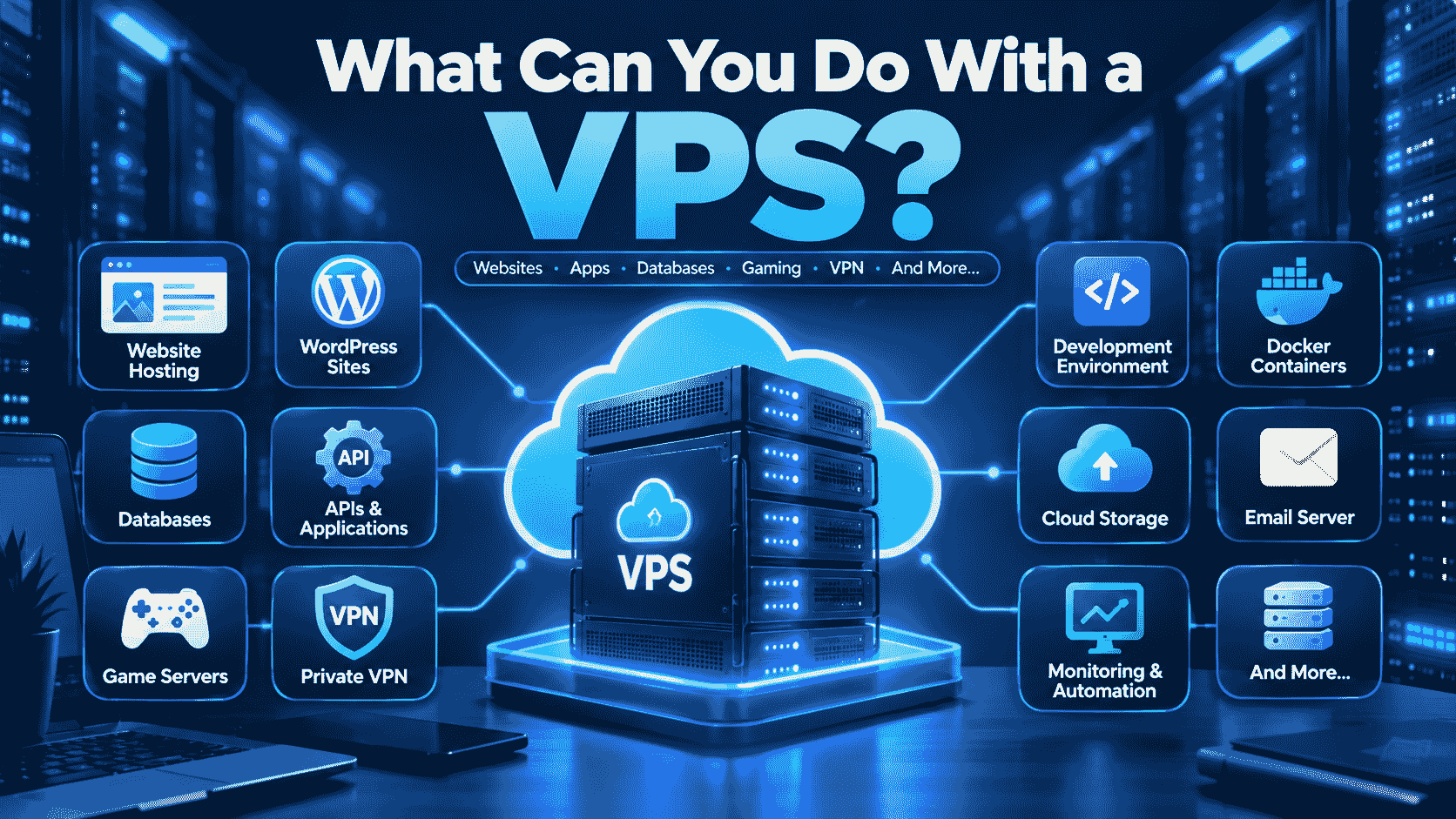
The Virtual Private Server (VPS) is an improvement on traditional shared hosting. The question arises: what can be done using a VPS? It’s easy to say that you can use a VPS for websites, applications, databases, game servers, development platforms, Virtual Private Networks (VPNs), business tools, and many other online tasks.
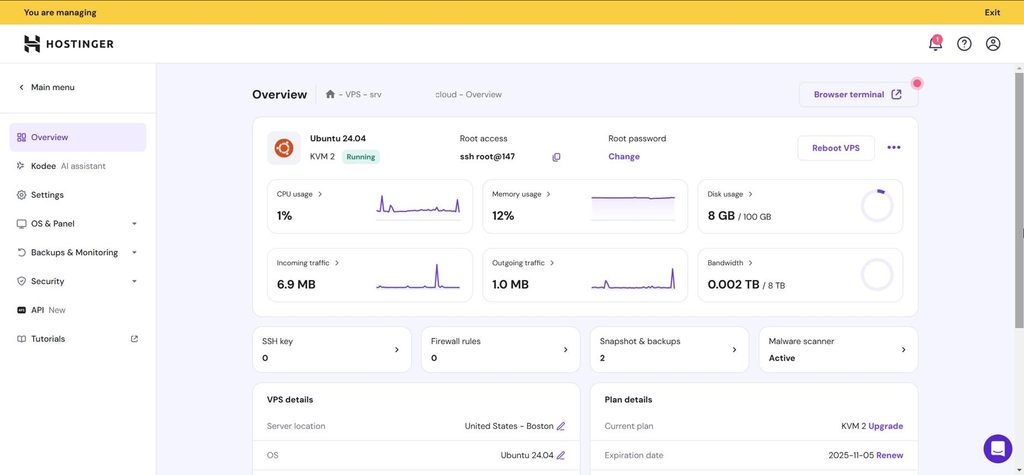
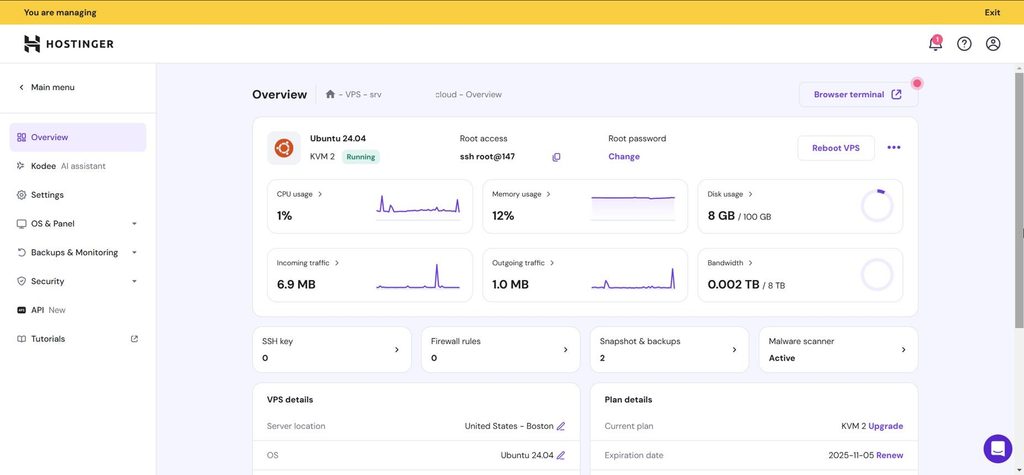
If you have experience using shared hosting services, then a VPS will definitely be an upgrade. Unlike shared hosting, where several websites share one hosting environment, with a VPS you get a virtual server that includes dedicated resources, like CPU, RAM, disk space, bandwidth, and others.
In this guide, we will explain what you can do with a VPS, how a VPS works, and some of the most useful ways to use one.
What Is a VPS?
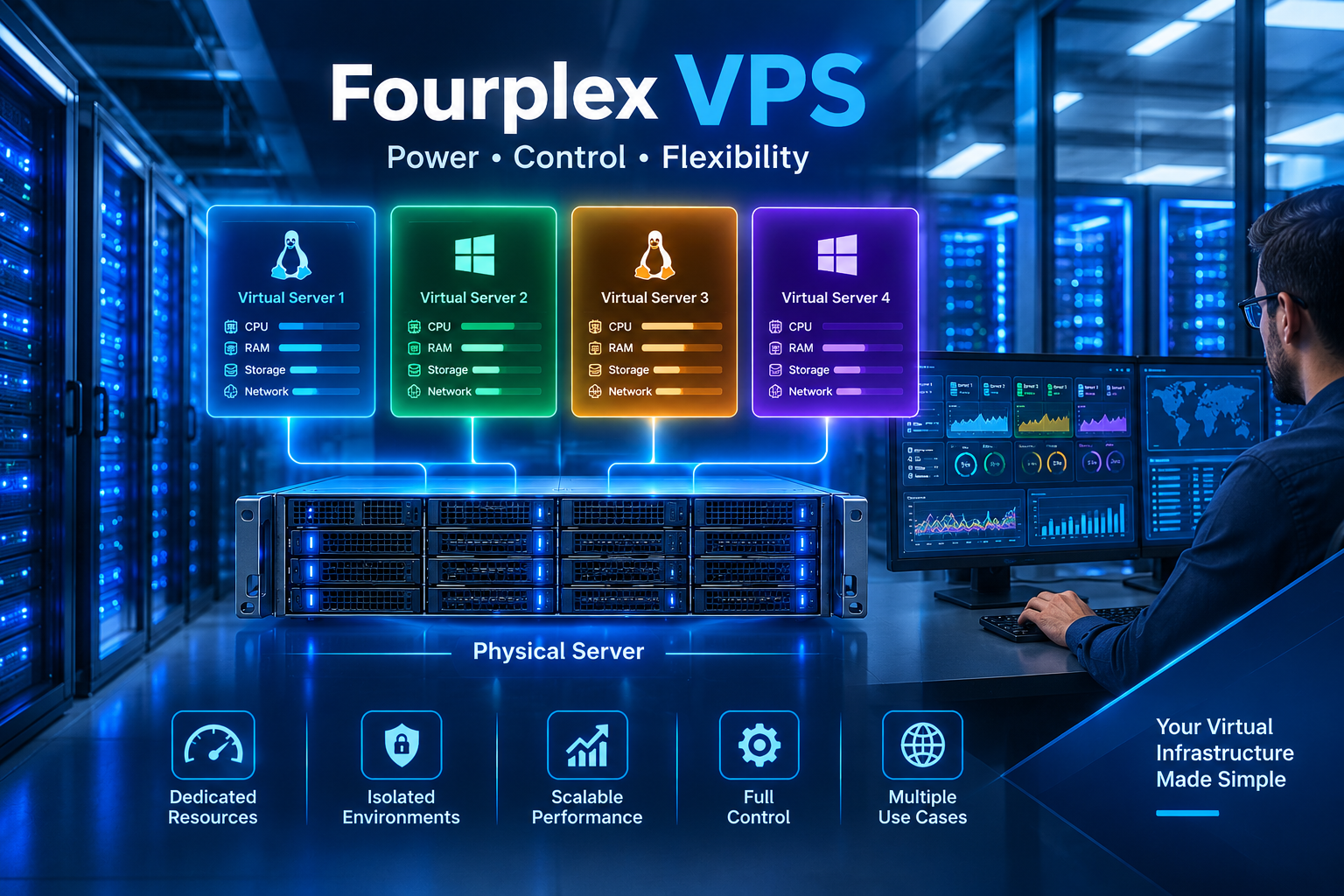
The acronym “VPS” stands for Virtual Private Server and is a server that is virtualized within a physical server. The physical server itself is partitioned into various virtual partitions. Each VPS has its own operating system and settings.
A VPS usually provides resources such as:
- CPU cores
- RAM
- SSD or NVMe storage
- Bandwidth
- An operating system
- Root or administrator access
- A dedicated IP address in many plans
In contrast with shared hosting, a VPS lets you customize the majority of hosting environment settings.
Some of these include software installation, security settings customization, application deployment, database creation, and selecting server software that meets your project requirements.
What Can You Do With a VPS?
There are many possible uses for a VPS. Your choice depends on your technical knowledge, available resources, and project requirements.
Here are some of the most common things you can do with a VPS:
- Host websites
- Run web applications
- Host databases
- Create development environments
- Run game servers
- Host email services
- Set up a VPN
- Run private cloud storage
- Host APIs
- Automate business tasks
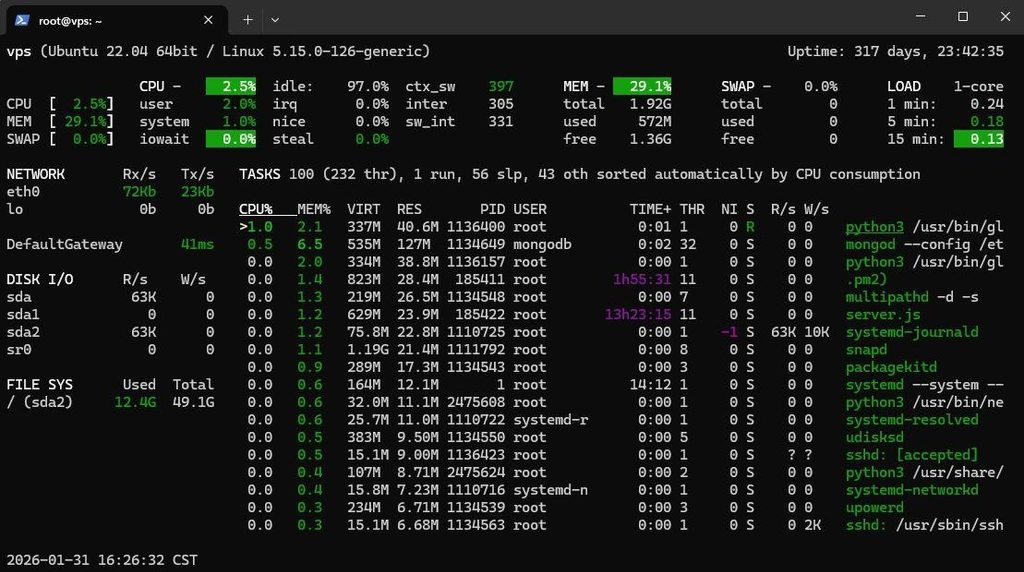
- Run monitoring tools
- Host WordPress websites
- Create staging environments
- Run Docker containers
- Host custom software and services
Let’s look at each use in more detail.
1. Host Websites
One of the most popular answers to what you can do with a VPS is hosting websites.
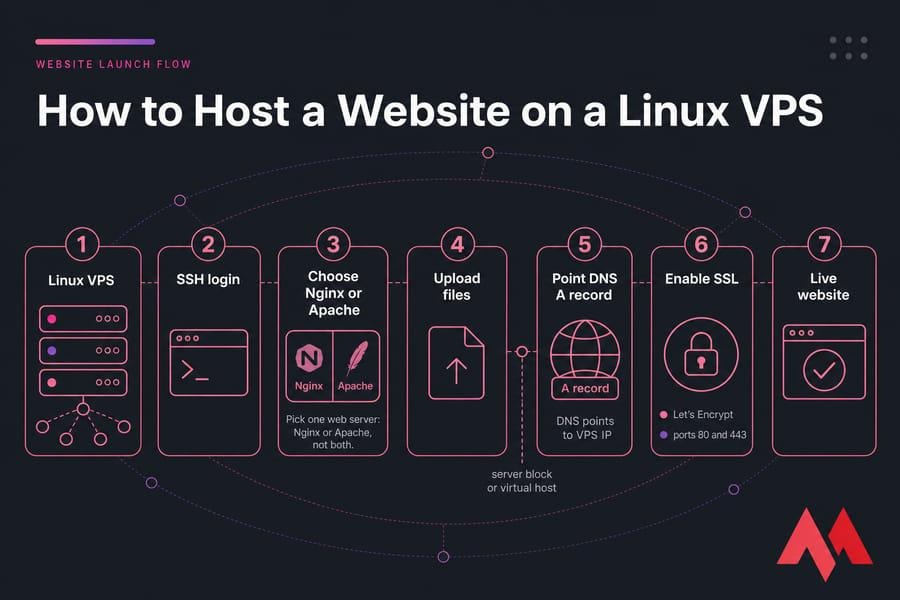
A VPS is capable of supporting various kinds of websites, starting from personal blogs up to business sites and web applications. One can install any kind of web server software like Apache and Nginx, and then set up one’s own environment in accordance with requirements.
VPS is applicable in case the website grows bigger than the capabilities of shared hosting.
For instance, the online store might have thousands of visitors during its promotion period. Then, in case of insufficient resources offered by shared hosting, it would be possible to move to a VPS.
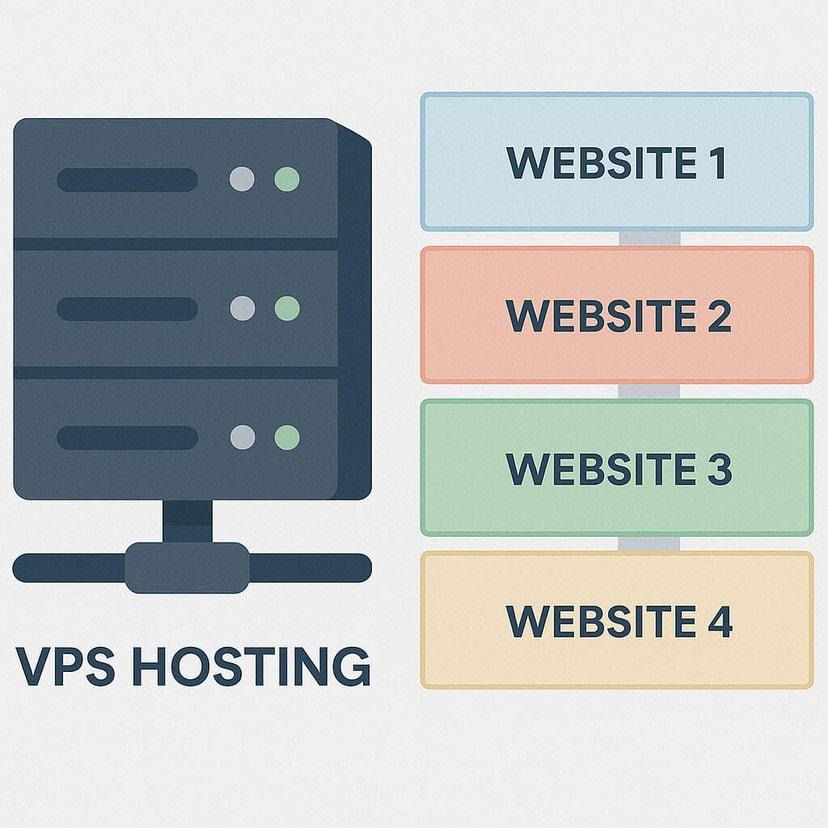
You can also host multiple websites on one VPS if the available resources are sufficient.
Why use a VPS for websites?
Some benefits include:
- More server control
- Dedicated resource allocation
- Custom server configurations
- Better scalability
- Ability to install custom software
- Root access on many VPS plans
However, performance still depends on the VPS plan and how well the server is configured.
2. Run Web Applications
A VPS is also useful for hosting web applications.
Developers can deploy applications built with technologies such as:
- PHP
- Python
- Node.js
- Ruby
- Java
- Go
For instance, you can create a Python web app and host it on your VPS. This will allow you to set up the necessary runtime environment, install libraries, set up the database connection, and publish your application online.
This allows for much greater freedom compared to some shared hosting packages.
3. Host Databases
You can use a VPS to host databases for your websites and applications.
Depending on your requirements, you could install database systems such as:
- MySQL
- MariaDB
- PostgreSQL
- MongoDB
- Redis
A database server keeps the data required for various applications. For instance, an e-commerce website can keep customer information, product details, orders, and stock in the database server.
The use of a personal database server gives more control over the configuration and access.
But database server hosting is not an easy task. It needs proper security and backups.
4. Create a Development Environment
Another useful answer to what you can do with a VPS is creating a remote development environment.
Instead of developing everything on your local computer, you can create a server environment that is accessible from different locations.
A development VPS can contain:
- Programming languages
- Git
- Databases
- Web servers
- Development frameworks
- Testing tools
- Docker
This can be particularly useful for developers who need a consistent environment for testing applications.
For example, you can create a Linux VPS, install Node.js and PostgreSQL, deploy your application, and test it remotely.
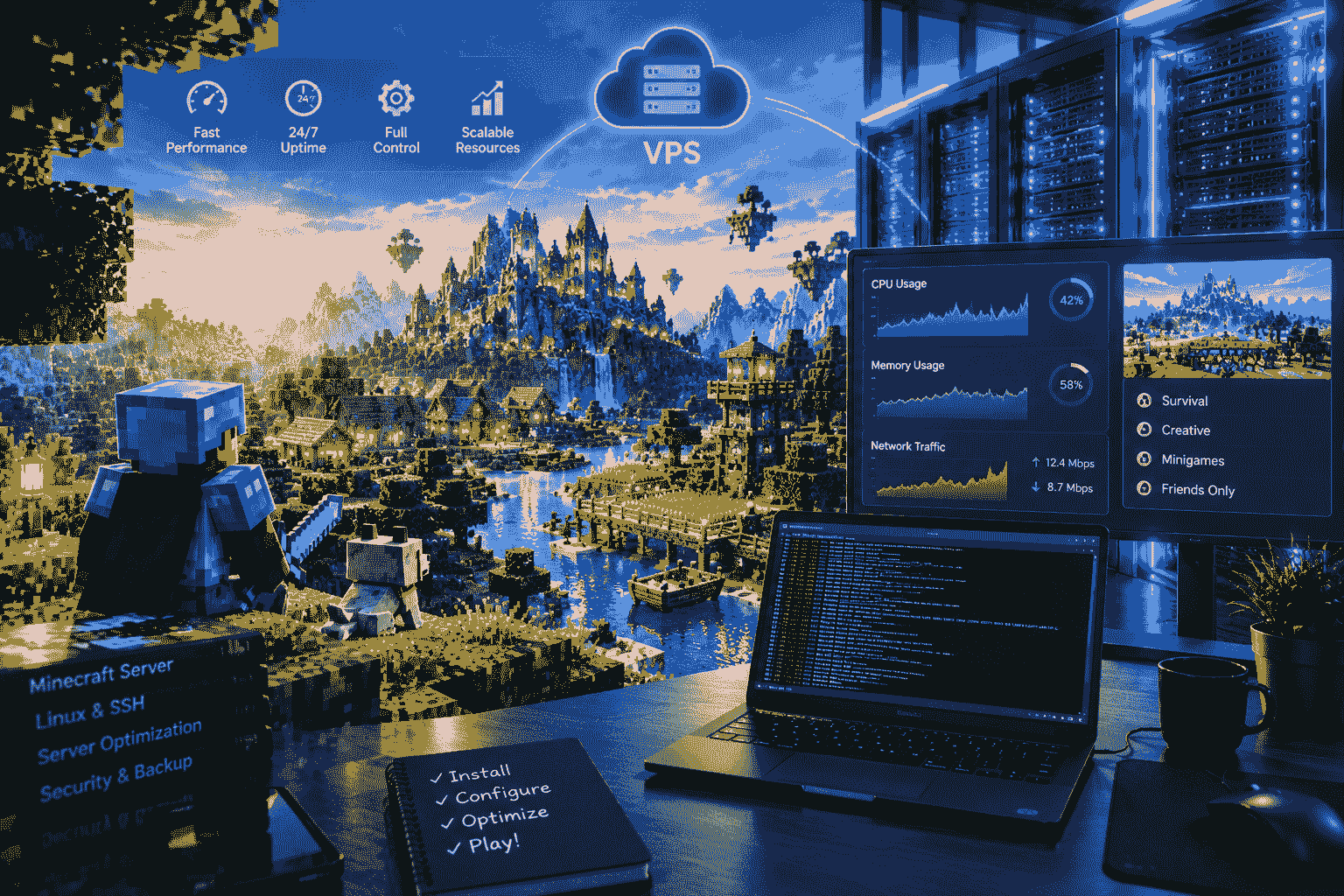
5. Host a Game Server
A VPS can also be used to host certain multiplayer game servers.
Depending on the game’s requirements, you may be able to run servers for games such as:
- Minecraft
- Terraria
- ARK
- Valheim
- Counter-Strike-related server software
- Other supported multiplayer games
The performance of game servers is highly dependent on CPU performance, RAM, speed of the hard drive, quality of the network connection, and the number of players.
For instance, a simple Minecraft server might do well with a cheap VPS, while a complex one could require much more resources.
Before buying a VPS for your gaming needs, consider checking the specifications of the official game server.
6. Set Up Your Own VPN
A VPS can also be used to create a private VPN server.
A VPN encrypts network traffic between your device and the VPN server. You can install supported VPN software on your VPS and configure your devices to connect to it.
Popular VPN technologies include:
- WireGuard
- OpenVPN
A personal VPS can be helpful in cases when you need to get secure access to services within your private network or when you need to secure your data while using an untrusted network.
Nevertheless, a VPS cannot guarantee your anonymity on the Internet, as the company that provides you with the VPS service will still have information related to your accounts and network. Moreover, other ways of identifying visitors exist for websites.
7. Host Private Cloud Storage
You can turn a VPS into a private cloud environment using appropriate software.
For example, platforms such as Nextcloud can provide features for:
- File storage
- File synchronization
- File sharing
- Calendar management
- Contact management
This can be useful if you want more control over your files than you get from a third-party cloud storage service.
Keep in mind that a VPS should not be treated as your only backup. Important files should have separate backups in case the server fails or data is accidentally deleted.
8. Host APIs
If you are creating software, then you have the choice to run an API on the VPS.
An API helps to make communication between different applications and services possible.
For instance, a mobile application can connect with an API on a VPS. The API can accept requests, interact with databases, authenticate the user, and send responses back to the application.
The VPS will give you the freedom to install the required programming language, framework, database, and other services for your API.
9. Run Automation Tools
A VPS can run automated tasks continuously.
For example, you can use a VPS to run:
- Scheduled scripts
- Data processing jobs
- Website monitoring
- Automated reports
- Backup tasks
- Cron jobs
- Deployment scripts
One major benefit is that the VPS can continue running even when your personal computer is turned off.
For example, a scheduled script could run every night to back up a database or process information.
10. Host Monitoring Tools
Businesses and developers can use a VPS to monitor websites, servers, and applications.
Monitoring tools can check:
- Website availability
- Server uptime
- CPU usage
- RAM usage
- Disk usage
- Network performance
- Application status
A monitoring system can alert you when a service becomes unavailable or when resource usage becomes unusually high.
This can help you identify problems before they become bigger issues.
11. Host WordPress Websites
WordPress is yet another use case of VPS.
With a VPS, you can have more control over your WordPress site compared to when using shared hosting services. You will be able to customize server software, cache, PHP, database management systems, SSL certificates, among other things.
In case your website receives lots of traffic, a VPS may work effectively for you.
However, a VPS also requires more management. You may need to handle:
- Server updates
- Security
- Backups
- Firewall configuration
- Performance optimization
- Software updates
If you are new to server administration, managed VPS hosting can be easier than managing everything yourself.
12. Create a Staging Website
A staging environment is a separate version of a website used for testing changes before publishing them to the live site.
A VPS can host a staging website where you can test:
- WordPress updates
- Plugins
- Themes
- New website designs
- Code changes
- Database changes
- Performance improvements
This is especially useful for businesses because you can test changes without immediately affecting the live website.
For example, if you want to redesign your homepage, you could create a staging version on your VPS and test the design before making it public.
13. Run Docker Containers
Docker is widely used for application deployment and development.
A VPS can run Docker containers that package applications and their dependencies into isolated environments.
For example, you could run:
- A web application
- A database
- Redis
- Nginx
- Monitoring software
as separate containers on the same VPS.
Deployment and application management may become simpler with the help of Docker, particularly for developers dealing with various services.
Nonetheless, Docker is still dependent on server resources, and running too many containers on a limited VPS may cause high CPU/RAM load.
14. Host Custom Software
If you have software that needs to run continuously online, a VPS can be an excellent environment.
For example, you could host:
- Business applications
- Internal tools
- Customer portals
- Custom dashboards
- Inventory systems
- Booking systems
- CRM applications
Because you control the server environment, you can install the software and dependencies required by your application.
This is one of the major advantages of a VPS compared with highly restricted hosting environments.
15. Run a Proxy or Specialized Network Service
A VPS can also run certain network services such as reverse proxies and application gateways.
For example, Nginx can act as a reverse proxy between users and your application.
A reverse proxy can help with:
- Routing traffic
- SSL termination
- Load distribution
- Caching
- Serving multiple applications
For more advanced setups, you can connect multiple servers and create a larger infrastructure.
What Are the Benefits of Using a VPS?
Now that we have discussed what you can do with a VPS, let’s look at the main benefits.
More Control
A VPS generally gives you much more control than shared hosting.
You can often configure:
- Operating system
- Web server
- Software packages
- Firewall
- Applications
- Databases
- Security settings
The exact level of control depends on whether the VPS is managed or unmanaged.
Dedicated Resources
VPS plans normally allocate specific amounts of CPU, RAM, and storage to your virtual server.
This can provide more predictable resource availability compared with basic shared hosting.
Scalability
When your website or application grows, you can often upgrade the VPS plan.
For example, you may start with:
- 2 GB RAM
- 1–2 CPU cores
- 50 GB storage
and later upgrade to a larger configuration when your project requires more resources.
The exact upgrade options depend on your hosting provider.
Better Customization
The advantages of a VPS include the possibility to tailor your environment based on your project.
For instance, a software engineer can pick his preferred Linux flavor, install a particular version of a programming language, set up Nginx, and even add a database.
Such tailoring may not be feasible for some shared hosting providers.
Managed VPS vs Unmanaged VPS
Before buying a VPS, it is important to understand the difference between managed and unmanaged hosting.
Managed VPS
With managed VPS hosting, the hosting provider handles some server administration tasks.
Depending on the provider, this may include:
- Server updates
- Security assistance
- Backups
- Monitoring
- Technical support
- Server configuration
Managed VPS hosting can be useful for beginners or businesses that do not want to manage server administration themselves.
Unmanaged VPS
With an unmanaged VPS, you are generally responsible for managing the server.
You may need to handle:
- Operating system updates
- Security
- Firewall
- Software installation
- Server configuration
- Backups
- Troubleshooting
Unmanaged VPS hosting provides more hands-on control but requires more technical knowledge.
What Operating System Can You Use on a VPS?
Many VPS providers allow you to select an operating system.
Common Linux distributions include:
- Ubuntu
- Debian
- AlmaLinux
- Rocky Linux
- CentOS-based alternatives
Windows Server is also available from some VPS providers.
Your choice depends on your software requirements and technical experience.
For example, Ubuntu and Debian are popular choices for web servers and development environments.
How Much VPS Resources Do You Need?
How much VPS resources are required is determined by the tasks you wish to perform.
A simple personal site will probably not require much memory or processing power, whereas a heavily used web application or game server might require far more.
Consider these resources:
CPU
CPU affects how quickly the server can process tasks.
RAM
RAM is important when running applications, databases, and multiple services simultaneously.
Storage
Storage is used for websites, databases, applications, backups, and other files.
Bandwidth
Bandwidth determines how much data your server can transfer to and from users.
Network Speed
Network performance can be important for websites, APIs, game servers, and other real-time services.
Is a VPS Good for Beginners?
A VPS is beginner-friendly, although an unmanaged VPS will require some learning.
If you do not know Linux or server management, you might need to learn the basics of the following:
- SSH
- Linux permissions
- Firewall configuration
- Package management
- DNS
- SSL
- Backups
- Server logs
VPS hosting under management can lead to lower server maintenance.
For cases when all you want is to maintain a simple website without requiring any customized server settings, shared hosting would be more convenient.
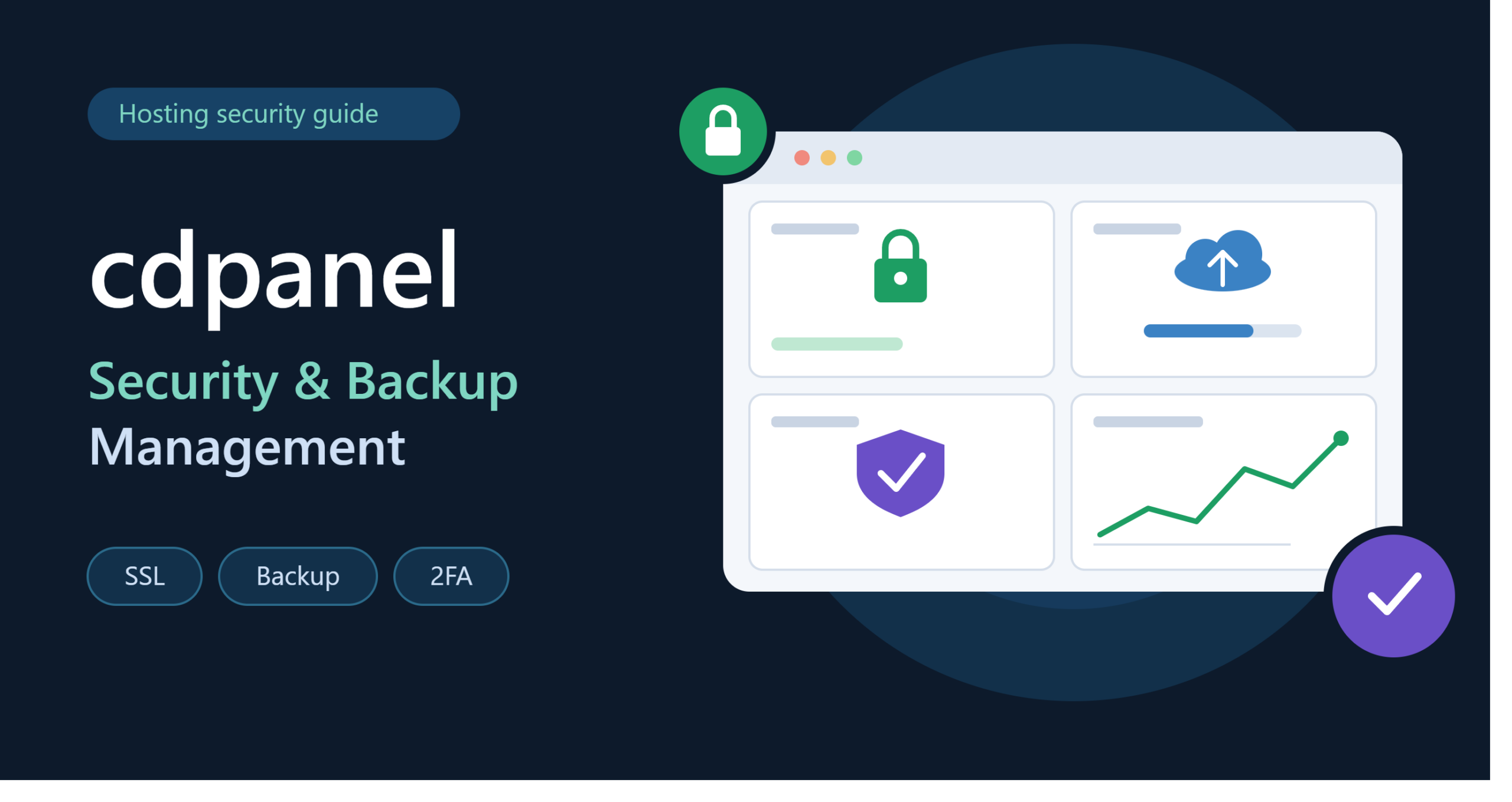
How to Secure a VPS
Security should be a priority when managing a VPS.
Here are some basic practices:
Keep Software Updated
Regularly update your operating system and installed applications.
Use Strong Authentication
Use strong passwords and, where possible, SSH keys and multi-factor authentication.
Configure a Firewall
A firewall can help control which network connections are allowed to reach your server.
Disable Unnecessary Services
Only run services that your project actually needs.
Create Backups
Maintain regular backups of important website files, databases, and configurations.
Monitor Your Server
Monitor CPU, RAM, storage, network traffic, and system logs to identify unusual activity.
VPS for Businesses
There are many ways in which a company can make use of VPS Hosting.
For instance, a small company can use a VPS to host its website, database, application, and customer portal.
Another way that a VPS can be used is by agencies and freelance individuals who work on several websites.
Rather than buying individual accounts that offer basic hosting services, a strong enough VPS can host all these projects under one roof.
VPS vs Shared Hosting
The main difference between VPS and shared hosting is the level of control and resource allocation.
| Feature | Shared Hosting | VPS Hosting |
| Server control | Limited | High |
| Resource allocation | Shared | Allocated |
| Custom software | Limited | More flexible |
| Root access | Usually unavailable | Often available |
| Scalability | Limited | Better |
| Technical knowledge | Lower | Higher |
| Custom configuration | Limited | Extensive |
Shared hosting can be suitable for small websites, while VPS hosting provides more flexibility for growing websites and applications.
VPS vs Dedicated Server
The VPS and dedicated server are two distinct services as well.
In the case of the dedicated server, the user receives an entire physical server.
On the other hand, the virtual server of a VPS runs on a physical machine that may have other VPS installations as well.
The dedicated server offers the benefit of greater physical resources, whereas the VPS service is less expensive and scalable.
There are many growing projects for which VPS is suitable.
Final Thoughts: What Can You Do With a VPS?
So, what can you do with a VPS? You can use it for much more than simply hosting a website.
VPS allows hosting websites, WordPress, web applications, databases, APIs, development environments, game servers, virtual private networks, private clouds, Docker, monitoring applications, and software of your choice.
The greatest strength of VPS is its flexibility. The server can be configured as per the demands of the project, and resources can be scaled as and when required.
The biggest weakness of VPS is that you have to take responsibility for it. In the case of an unmanaged VPS, you need to know about server security, maintenance, and updates.
For people who are just getting started with server management, a managed VPS might be a better option than an unmanaged one.
For developers and experienced users, an unmanaged VPS will allow more control and customization.
If you are planning to move beyond shared hosting and need more control over your online projects, understanding what you can do with a VPS is the first step toward choosing the right hosting environment.
FAQs
1. What can you do with a VPS?
You can use a VPS to host websites, applications, databases, APIs, game servers, VPNs, development environments, Docker containers, private cloud storage, and many other services.
2. Can I host multiple websites on a VPS?
Yes. A sufficiently powerful VPS can host multiple websites. The number of websites depends on their traffic, software, storage requirements, and available CPU and RAM.
3. Can I use a VPS for WordPress?
Yes. A VPS can host WordPress and gives you more control over server configuration, performance, security, and software than many shared hosting plans.
4. Is a VPS good for gaming?
A VPS can host certain multiplayer games if the server meets the game’s CPU, RAM, storage, and network requirements.
5. Can beginners use a VPS?
Yes, but unmanaged VPS hosting may require Linux and server administration knowledge. Beginners may prefer managed VPS hosting.
6. Is VPS better than shared hosting?
They serve different needs. VPS hosting generally provides more control, customization, and allocated resources, while shared hosting is usually simpler to manage.
7. Can I run a VPN on a VPS?
Yes. A VPS can run VPN software such as WireGuard or OpenVPN when permitted by the provider’s terms.
8. Can I use a VPS for a database?
Yes. You can install database systems such as MySQL, MariaDB, PostgreSQL, or other supported database software.
9. How much RAM does a VPS need?
It depends on your workload. A simple website may need relatively little RAM, while databases, applications, game servers, and multiple websites may require more.
10. Do I need technical knowledge to manage a VPS?
For an unmanaged VPS, basic Linux, SSH, security, DNS, and server administration knowledge is useful. Managed VPS hosting can reduce the technical work required.