










With technology advancing as fast as it is now, the need to have access to the internet is becoming more and more relevant. People need the internet to communicate, do work, study, play, purchase things, manage finances, find their way around, and more. Although conventional broadband and Wi-Fi networks serve great purposes within one’s house or workplace, they cannot be accessed while on the go.
Mobile internet service enables users to browse the internet through the mobile network by using smartphones, tablets, mobile hotspots, and other compatible devices. Users can avoid connecting to the internet through Wi-Fi and use the mobile internet through cellular networks such as 4G LTE and 5G.
Whether you require mobile internet browsing to check your emails, watch videos, make use of social media, attend virtual meetings, work from home, and much more, excellent mobile internet browsing can help you stay connected to the internet just about anywhere.
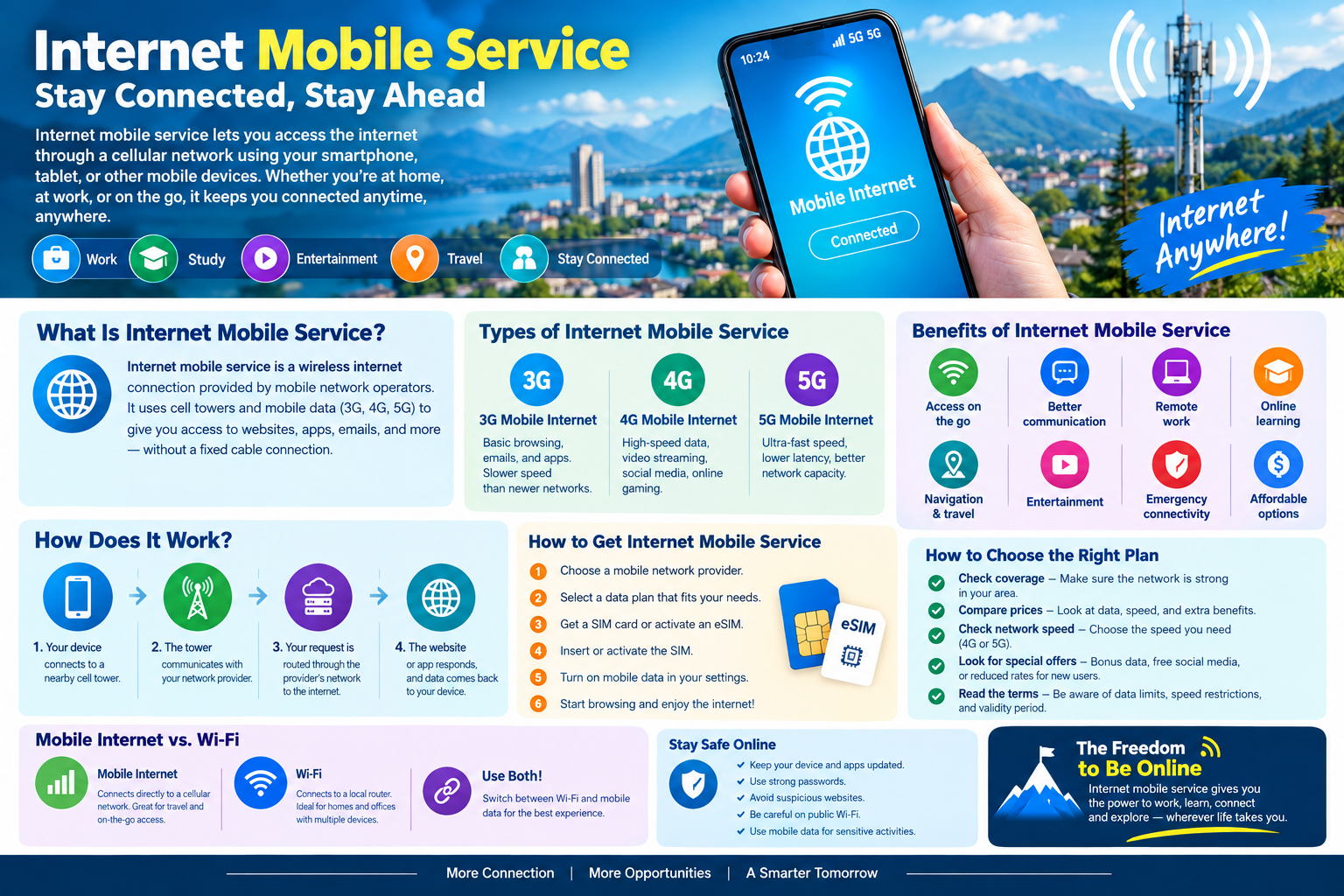
What Is Internet Mobile Service?
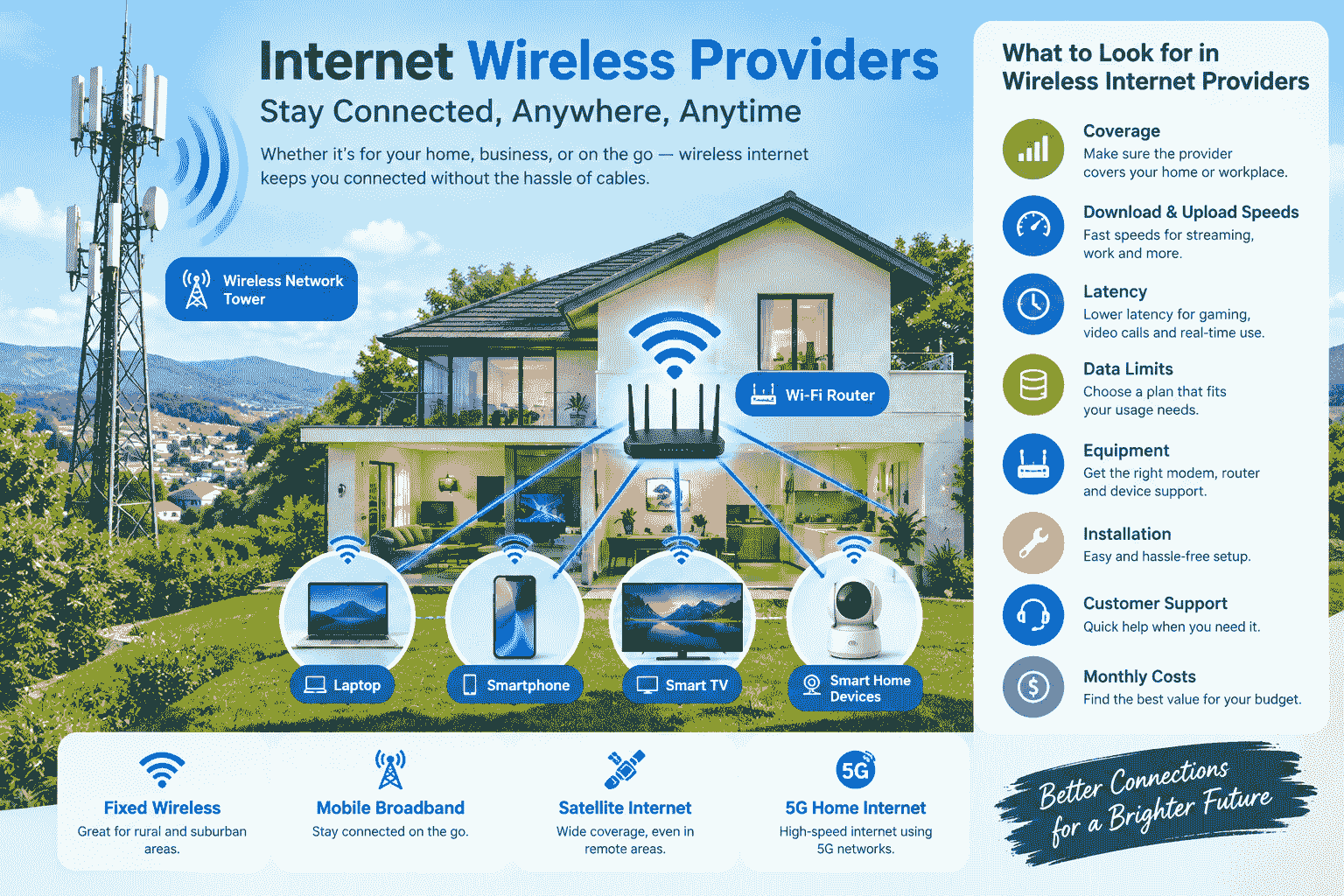
Internet mobile service is a wireless internet connection provided through a cellular network. Mobile network operators use cell towers and wireless technologies to provide data connectivity to smartphones and other mobile devices.
When mobile data is enabled on your device, your phone connects to a nearby cellular tower. The network then provides access to the internet, allowing you to browse websites, use applications, send messages, stream content, and perform other online activities.
Unlike fixed broadband, mobile internet does not require a physical cable connected directly to your device. This makes it particularly useful for people who need internet access while traveling, commuting, working outdoors, or moving between different locations.
Mobile internet services are available in different network generations, including 3G, 4G, LTE, and 5G. The actual speed and reliability you receive can depend on your device, network provider, coverage, congestion, and location.
How Does Internet Mobile Service Work?
While the mobile internet may seem very easy to use on the surface, many different kinds of technology actually work in tandem to achieve that result.
The first thing is that your phone will connect to a cell tower near you via a wireless connection. After that, your request will be sent through the service provider’s networks to the internet.
For example, when you open a website:
- Your device sends a request through the mobile network.
- The nearest cellular tower receives the wireless signal.
- The network provider routes the request through its data infrastructure.
- The website server responds to the request.
- The information is sent back through the network to your device.
This entire process usually happens within seconds.
The quality of the experience depends on several factors, including signal strength, network technology, network congestion, device capability, and the provider’s coverage in your area.
Types of Internet Mobile Service
There are several types of mobile internet technology. Each generation has different capabilities and performance characteristics.
3G Mobile Internet
The introduction of 3G was a significant leap towards mobile connectivity. This technology allowed people to access the web, send emails, use applications, and do other tasks through their mobile phones.
Despite the fact that 3G is relatively slow compared to the new generation of wireless connections, it was a crucial element for the emergence of the internet world. In most places, outdated networks have already been discontinued.
4G and LTE Mobile Internet
4G and LTE technology made great advancements in mobile internet capabilities. Many activities, including video streaming, social networking, video calls, online games, and cloud computing, became very feasible through the use of mobile internet.
Many people continue to prefer 4G as a way of using mobile internet because of its speed and availability.
5G Mobile Internet
Generation 5G is the new generation of cellular network technology. When the network and device support it, 5G can offer better speeds, low latency, and increased capacity.
5G network can be of great benefit for tasks that require a good internet connection, including high-definition video streaming, cloud gaming, remote working, large file transfers, and smart devices.
However, 5G performance largely depends on various factors such as the provider, frequencies, device, and network itself.
Why Is Internet Mobile Service Important?
Internet services through mobile devices have revolutionized communication and access to information. No longer do people have to wait for them to be in the comfort of their homes or offices before logging on to the internet.
The mobility of the internet gives you the convenience of checking a significant email while in transit, navigating your way around while in the driver’s seat, attending a business meeting from elsewhere, and communicating with your loved ones from almost any place that is within reach of a mobile network.
The mobile internet can help employees working from outside traditional office settings too. This can include salespeople, technical personnel, delivery staff, freelancers, and many more.
Benefits of Internet Mobile Service
1. Internet Access on the Go
The biggest advantage of mobile internet is mobility. You can access online services while traveling instead of relying entirely on fixed Wi-Fi.
2. Convenient Communication
Mobile internet supports messaging applications, email, voice-over-IP services, social media, and video calls. This makes communication faster and more convenient.
3. Remote Work
Many professionals can work from almost anywhere with a reliable mobile connection. They can access cloud applications, communicate with teams, upload files, and attend virtual meetings.
4. Online Learning
Students can use mobile internet to attend online classes, research topics, watch educational videos, download learning materials, and communicate with teachers.
5. Navigation and Travel
Maps and navigation applications depend heavily on internet connectivity. Mobile data helps travelers access directions, traffic information, location services, and travel information while away from Wi-Fi.
6. Entertainment
Mobile internet allows users to stream music and videos, use social media, play online games, read websites, and access other entertainment platforms.
7. Emergency Connectivity
Having mobile internet can be valuable when you are away from your normal internet connection. It can help you find information, communicate, access maps, and use important online services.
Mobile Internet vs. Wi-Fi
Mobile Internet and Wi-Fi are wireless systems that differ in functionality.
Wi-Fi technology connects a device to a wireless router in most cases. That router is then connected to a broadband or fiber internet connection.
In contrast, mobile internet connects the device directly to a cellular network via a mobile operator.
Wi-Fi is commonly used by people at home or in office environments where several devices may get access to the internet through Wi-Fi. Mobile internet comes in handy when people are outside of their regular Wi-Fi surroundings.
People usually combine both technologies. When there is Wi-Fi, people connect to it; otherwise, they connect to mobile internet.
How to Choose the Right Mobile Internet Service
Choosing a mobile internet plan requires more than simply looking at the advertised speed. Your personal usage habits and location are also important.
Check Network Coverage
Coverage should be one of your first considerations. A provider may offer an excellent plan, but it will not be useful if its network is weak in the places where you regularly spend time.
Check coverage around your home, workplace, school, and frequently visited locations.
Consider Your Data Usage
Consider how much mobile data you usually consume.
If your main activities include messaging, browsing, and emailing, then you can do so with a lesser amount of data. If, however, you frequently engage in activities like video streaming, downloading, making video calls, and gaming, you will definitely require a lot more data.
Compare Prices
Do not choose a plan based only on the monthly price. Compare the amount of data, network access, speed limitations, validity period, hotspot support, and other included features.
Check Network Speed
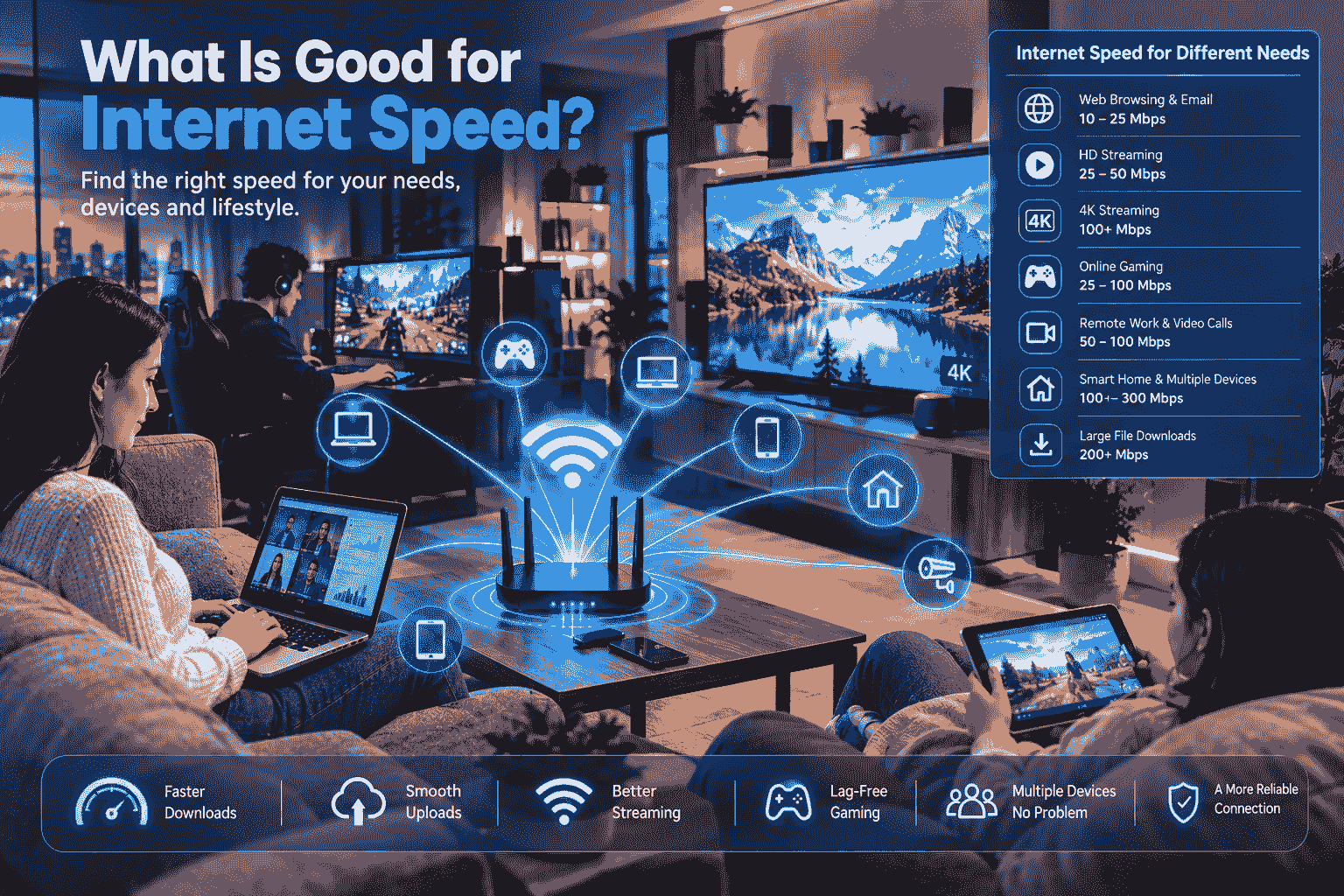
When you are using a lot of data-heavy applications, your internet speed is going to make all the difference.
But maximum advertised speeds may not always translate into actual everyday speeds that you get at home.
Look at 4G and 5G Availability
If you need 5G technology, ensure that your phone is compatible and that the carrier has 5G in your location.
If your location does not support 5G technology, a great 4G network can do just fine for you.
How Much Mobile Data Do You Need?
Your ideal data allowance depends on what you do online.
Light users may mainly use mobile internet for:
- Messaging
- Basic browsing
- Maps
- Occasional social media
Moderate users may regularly:
- Watch short videos
- Use social media
- Make video calls
- Browse websites
- Download files
Heavy users may:
- Stream high-quality video
- Play online games
- Download large files
- Use mobile hotspots
- Work remotely for extended periods
Before buying a plan, review your previous mobile data usage if your device provides that information. This can help you select a plan based on actual usage rather than guessing.
How to Get Internet Mobile Service
Obtaining mobile internet is fairly easy.
First, pick out a mobile network provider who offers appropriate coverage in your locality. Second, select a data plan that suits you.
You might require a SIM card that is compatible with the network service offered by the mobile network provider or an eSIM-enabled phone.
A typical setup process looks like this:
- Choose a mobile network provider.
- Select an appropriate data plan.
- Get a SIM card or activate an eSIM.
- Insert or activate the SIM.
- Configure mobile network settings if necessary.
- Turn on mobile data.
- Test your internet connection.
The exact activation process varies by provider and device.
Ways to Reduce Mobile Data Usage
If you frequently run out of data, several simple changes can help.
Use Wi-Fi When Available
Connect to trusted Wi-Fi networks for large downloads, software updates, and high-quality streaming.
Reduce Video Quality
High-resolution video consumes considerably more data. Reducing streaming quality can help extend your mobile data allowance.
Disable Automatic Updates Over Mobile Data
Configure your applications to update through Wi-Fi when possible.
Monitor Data Usage
Most modern smartphones include built-in data usage monitoring. Check which applications consume the most data and adjust their settings if necessary.
Download Content in Advance
Some applications allow you to download music, videos, maps, or other content while connected to Wi-Fi. You can then access the downloaded content without using mobile data.
Internet Mobile Service for Remote Workers
With the increase in the practice of telecommuting, mobile internet has become very essential. Mobile internet is useful as a backup to home internet when the home internet service becomes unusable.
For those who operate from outside their office premises, such as freelancers, consultants, salesmen, technicians,s and many others, mobile internet will be helpful.
The smartphone can be used as a mobile hotspot so that the laptop and tablet can also access the internet using the cellular internet of the smartphone.
But using the hotspot, one will run out of the mobile data limit faster than before.
Mobile Hotspots and Dedicated Devices
It is not always necessary that you should rely on your cell phone for mobile internet connectivity.
There are dedicated hotspots that connect to a cellular network and then provide connectivity to several other devices through that cellular network. Such gadgets may be helpful for people traveling often.
Some tablets and laptops also support cellular connectivity directly.
The best option depends on how many devices you need to connect and how frequently you use mobile internet.
Internet Mobile Service for Travel
Mobile internet is quite beneficial while traveling.
Rather than finding a Wi-Fi connection in every place, travelers can use their mobile connection to find maps, translate languages, make bookings, communicate, and know everything about the place they are visiting.
While traveling abroad, people must keep an eye on the cost of roaming and local data connections. Depending on the location and device, an international roaming package or local SIM may prove better.
Always check the terms and pricing before using mobile data internationally because roaming charges can vary considerably.
Mobile Internet Security Tips
The issue of security must not be sacrificed to make things easier for users.
One should always ensure that their mobile internet device is up to date, and that any applications installed on it are also up to date. It is important to have strong passwords and account security, if possible.
It is advisable not to share sensitive information with websites of dubious nature or download unverified applications. One may consider using mobile internet when using public Wi-Fi is not recommended.
Common Problems With Mobile Internet
Even with a good service plan, you may occasionally experience connection problems.
Common issues include:
- Weak signal
- Network congestion
- Data allowance being exhausted
- Incorrect network settings
- Unsupported device bands
- Temporary network outages
- Poor indoor coverage
- SIM or eSIM activation problems
If your connection is slow, first check the signal strength and data allowance. Restarting the device or temporarily enabling and disabling airplane mode can sometimes help reconnect to the network.
If the problem continues, contact your mobile provider for assistance.
How to Improve Your Mobile Internet Experience
However, there are certain methods that you can use in order to improve your experience.
Ensure that the software on your gadget is up-to-date and that your mobile phone is compatible with the network technology provided by your provider.
Moreover, if you receive weak signals indoors, consider relocating yourself closer to the window.
Furthermore, do not assume that the costliest package is always the best one. The perfect service for you is the one that guarantees proper coverage, a sufficient amount of data, good performance, and an affordable price.
Future of Internet Mobile Service
Mobile connectivity is continuing to evolve as new technologies emerge that aim to offer improved connectivity speed, lower latency, and enhanced capacity.
Future mobile networks might be able to offer even greater connection possibilities for additional devices and applications. Such changes could benefit smart cities, connected cars, industrial operations, remote working, and many other technologies.
With the increased importance of smartphones and other mobile devices in everyday activities, reliable mobile internet connectivity will remain crucial in the future.
Frequently Asked Questions
What is internet mobile service?
Internet mobile service is wireless internet access provided through a cellular network. It allows smartphones, tablets, hotspots, and compatible devices to connect to the internet without requiring a fixed broadband connection.
Is 5G better than 4G?
5G can provide higher speeds and lower latency than 4G in supported areas. However, the actual difference depends on network coverage, device compatibility, congestion, and local infrastructure.
How much mobile data do I need?
It depends on your usage. Light browsing and messaging require relatively little data, while video streaming, gaming, video calls, and large downloads can use much more.
Can I use my phone as a Wi-Fi hotspot?
Yes. Many smartphones can share their cellular internet connection with laptops, tablets, and other devices through hotspot functionality. Hotspot usage can consume mobile data quickly.
Does mobile internet work everywhere?
Mobile internet works wherever your provider has compatible network coverage. Coverage and performance can vary by location, so checking the provider’s coverage information is important.
Can mobile internet replace home broadband?
Yes, for certain users. A good mobile internet connection will certainly suffice for browsing the web, online streaming, working remotely, etc. But then there are also those users who may prefer having a fixed broadband connection.
How can I use less mobile data?
Use Wi-Fi when practical, reduce video quality, disable automatic updates over cellular data, download content in advance, and monitor which applications consume the most data.
Final Thoughts
Mobile internet service has become an essential part of modern connectivity. It allows individuals the ability to browse various websites, use applications, communicate, entertain themselves, get educated, and access any other kind of services available on the internet without having to be connected to a stationary source of internet connection.
The mobile internet continues to evolve from 4G internet to 5G internet in terms of increased speed, capacity, and usability. It all depends on the user’s location, data requirements, device, budget, and performance needs.
Before subscribing to any internet service, there are various factors that should be considered. These include coverage, data allowance, technology used, cost, and other extra features.
One thought on “Internet Mobile Service: A Complete Guide to Staying Connected Anywhere”