










Introduction
The selection of an appropriate hosting company is a crucial step when creating a website, online shop, application, or any other project that requires an internet presence.
For small websites, shared hosting could be quite sufficient. But when a website gets larger and needs more CPU, RAM, storage space, security, and administrative access, it’s time for VPS hosting to shine.
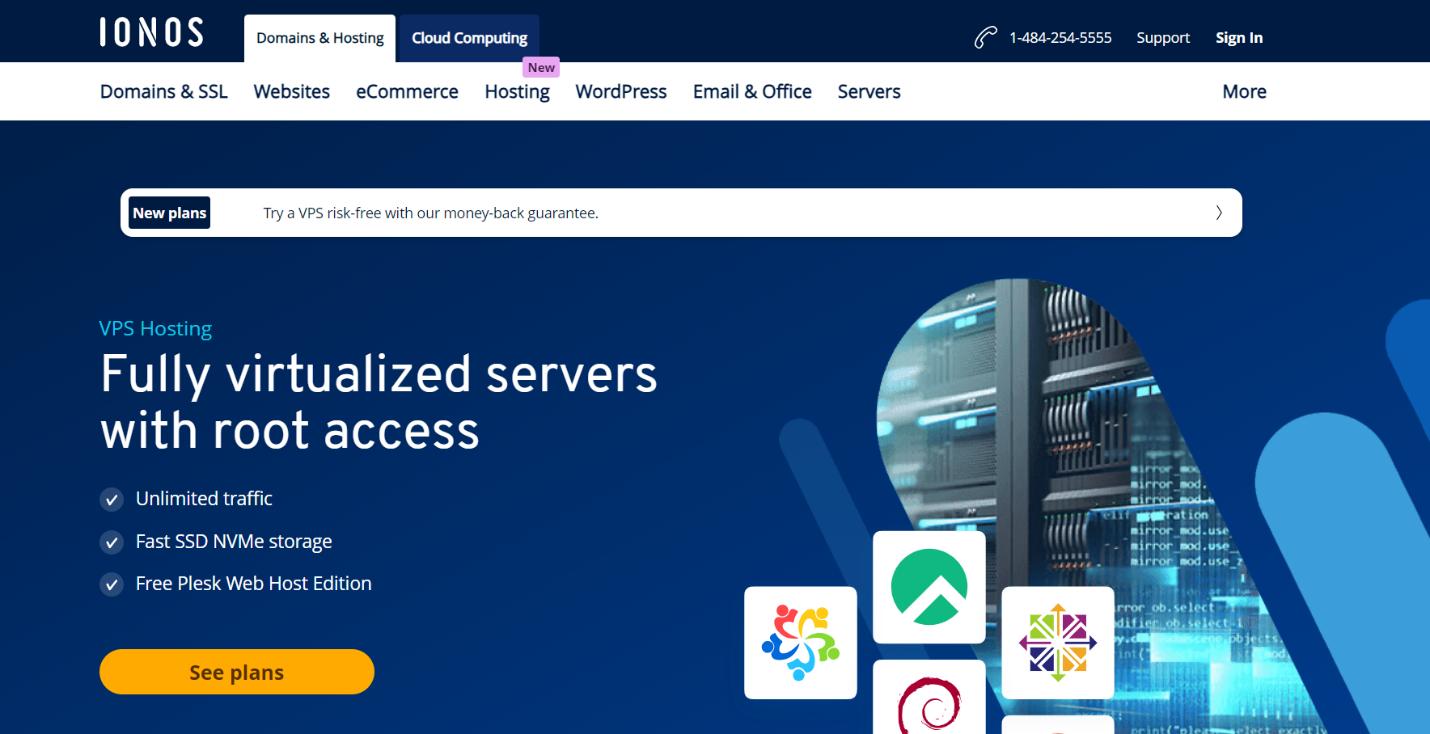
IONOS VPS Hosting provides users with virtual private server services that provide greater flexibility compared to regular shared hosting. IONOS provides customers with fully virtualized VPS services that come with root access, NVMe drives, unlimited bandwidth, and a choice of Linux or Windows operating systems. Current VPS+ products by IONOS also include one-click application installation, VM cloning, private networks, extra VMs, and load balancing options.
VPS hosting services can be used for various purposes, including websites, online shops, applications, development, databases, and businesses.
This article will cover the details about IONOS VPS Hosting, including its working principles, advantages, pricing model, security options, applications, and reasons to choose it.
What Is IONOS VPS Hosting?
IONOS VPS Hosting is a virtual private server service provided by IONOS.
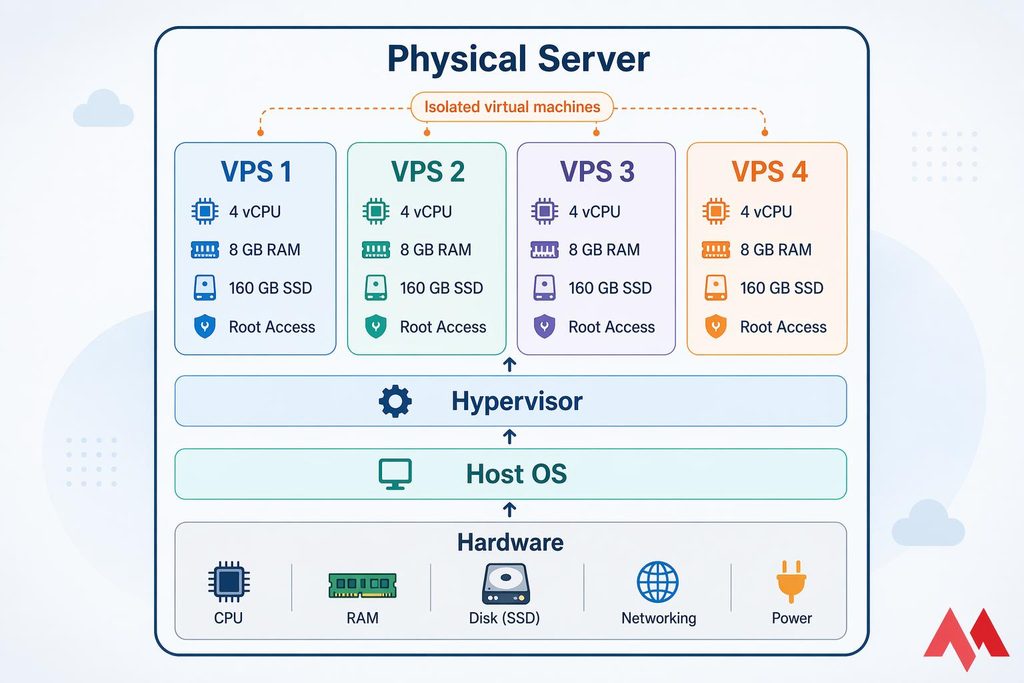
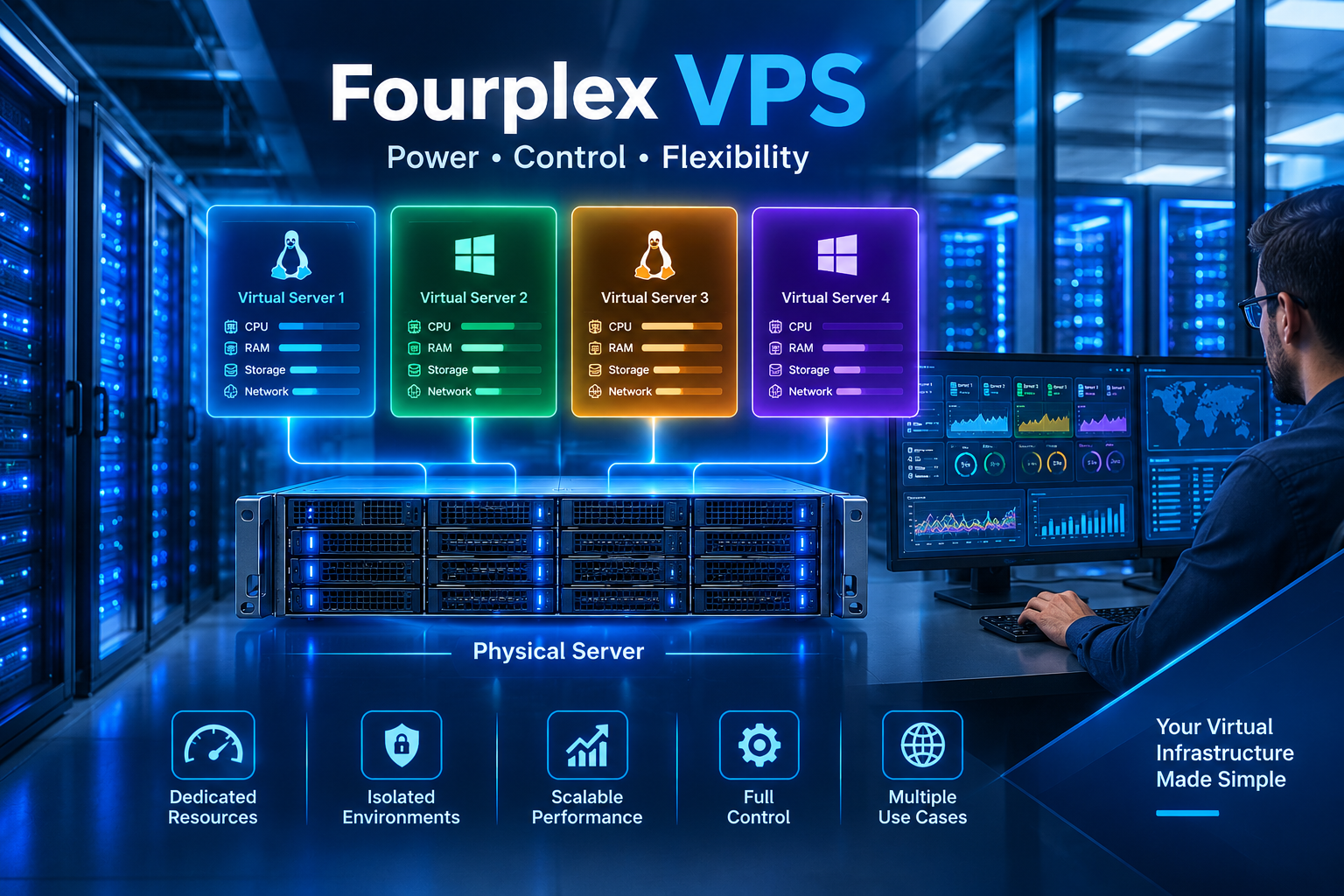
A VPS uses virtualization technology to divide the resources of a physical server into separate virtual server environments. Each VPS works as an independent server with its own allocated resources.
Depending on the plan, a VPS can provide resources such as:
- Virtual CPU cores
- RAM
- NVMe SSD storage
- Network connectivity
- Operating system
- IP address
- Root access
This is unlike a shared hosting solution since a VPS provides much more flexibility with regard to the server environment.
The user will be able to perform actions such as configuring a web server, setting up PHP, managing databases, installing applications, and changing server settings, among others.
Currently, the IONOS VPS+ solutions come with various resource specifications. They are listed with configurations such as those starting from 2 vCores and 4 GB RAM to 12 vCores and 24 GB RAM, with NVMe storage options starting at 120 GB to 720 GB.
How Does IONOS VPS Hosting Work?
To understand VPS hosting, imagine a large physical server divided into several smaller virtual servers.
The physical server has:
- CPU
- RAM
- Storage
- Network hardware
Virtualization software divides these resources between virtual machines.
Each virtual machine can run its own operating system and applications.
The basic structure looks like this:
Physical Server
↓
Virtualization Layer
↓
VPS 1 | VPS 2 | VPS 3 | VPS 4
Each VPS can operate independently.
For instance, one VPS may host a WordPress site, while the other may have a development app installed.
According to IONOS, their VPS+ platform utilizes full virtualization and offers full root access. The ability to customize the server configuration as per one’s requirements makes VPS hosting popular among developers and businesses.
Why Choose IONOS VPS Hosting?
There are many reasons users consider IONOS for VPS hosting.
1. Full Root Access
Root access gives you administrative control over your server.
With root access, you can configure many parts of the server environment.
For example, you can:
- Install software
- Configure a web server
- Manage users
- Change server settings
- Install security tools
- Configure firewalls
- Manage databases
This is much more flexible than typical shared hosting.
However, root access also means that you are responsible for making careful configuration changes.
2. NVMe Storage
Storage performance can have a major impact on applications and websites.
IONOS VPS+ plans use NVMe SSD storage. NVMe technology can provide fast storage performance for workloads that depend heavily on disk operations.
This can be useful for:
- WordPress websites
- Databases
- Web applications
- Development environments
- File processing
- Business applications
The amount of storage you need depends on your website and application requirements.
3. Unlimited Traffic
Currently, IONOS promotes unlimited traffic for their VPS+ hosting and bandwidth of up to 1 Gbps.
This is advantageous when there is heavy traffic on your website.
But just because you have unlimited traffic does not mean you have unlimited resources on the server. Your CPU, RAM, storage, and network depend on your chosen VPS configuration.
4. Linux and Windows Options
Currently, IONOS promotes unlimited traffic for their VPS+ hosting and bandwidth of up to 1 Gbps.
This is advantageous when there is heavy traffic on your website.
But just because you have unlimited traffic does not mean you have unlimited resources on the server. Your CPU, RAM, storage, and network depend on your chosen VPS configuration.
Linux can be a good choice for:
- WordPress
- PHP applications
- Nginx
- Apache
- MySQL
- Linux-based development
Windows Server can be useful for applications that require Microsoft’s server environment.
IONOS VPS Hosting Features
IONOS VPS Hosting includes several features designed to make server management easier.
One-Click Application Installation
The IONOS one-click installation service is available on VPS+ accounts for many apps and development frameworks. This may help to save the time required to set up certain apps manually.
This can be helpful for those who need to deploy applications without having to install everything from scratch.
VM Cloning
You can clone a VM, allowing you to copy an existing server.
For instance, one may decide to develop a VPS server and then clone it for future use.
This can save time when developing a new environment.
Private Network
The IONOS VPS+ service offers private network functionality.
Private networking allows the server to communicate without routing internal communication through the public internet.
This can come in handy if you have more than one server.
For example:
Web Server → Private Network → Database Server
This setup can help separate internal server communication from public traffic.
Load Balancing
For larger-scale projects, traffic distribution across several servers might provide better scalability.
According to IONOS, load balancing is one of the VPS+ infrastructure options.
The load balancer is able to distribute traffic between several servers.
For example:
Visitors
↓
Load Balancer
↓
Server 1 | Server 2 | Server 3
This type of architecture can be useful for websites and applications with growing traffic.
DDoS Protection
Cybersecurity becomes a key factor for any server exposed to the Internet.
The company IONOS states that it offers DDoS protection for its product called VPS+. The infrastructure description of IONOS includes firewalls and security measures.
DDoS protection provides an opportunity to resist some kinds of harmful traffic that intends to overload the system.
Nevertheless, one security feature will not save a server from all kinds of danger.
IONOS VPS Hosting for WordPress
WordPress can be among the reasons why one chooses to get a web hosting service.
WordPress site can function quite well in a shared hosting package, while a growing site might use the resources and freedom provided by VPS hosting.
Using IONOS VPS, you can customize your WordPress setup further.
You can manage:
- PHP versions
- Database settings
- Nginx or Apache
- Caching
- SSL
- Firewall
- Server-level security
- Backup systems
For example, a WordPress VPS could use:
Nginx + PHP + MariaDB + WordPress + caching
WordPress is a blogging platform that works well on a VPS that is set up correctly.
But even a VPS will not guarantee that your WordPress is running quickly without further optimizing various aspects of the site.
IONOS VPS Hosting for Developers
Developers often need more control than shared hosting provides.
A VPS can work as a development or testing environment.
For example, a developer could create a VPS and install:
- Git
- Docker
- Node.js
- Python
- PHP
- MySQL
- PostgreSQL
- Nginx
Developers can then create applications and test them in a controlled server environment.
A VPS can also be used for staging websites before moving changes to production.
IONOS VPS Hosting for Business Websites
Businesses often require more than a simple website.
A company may need:
- Website hosting
- Customer portals
- Databases
- Internal applications
- CRM systems
- Email-related services
- Reporting tools
A VPS can help to have one central place to host all of these servers.
For a growing business, it is often helpful to have access to consistent resources and control.
But then it is important for businesses to consider their security, backup, monitoring, and support needs before hosting their services on a VPS.
IONOS VPS Hosting Security
Security is something that needs to be thought about early in VPS management.
With a VPS, you have more control, but you also have more responsibilities in terms of security.
Use Strong Passwords
Always use strong and unique passwords for administrative accounts.
Avoid simple passwords that are easy to guess.
Use SSH Keys
SSH keys on Linux servers offer a higher level of security compared to just using passwords.
Administrative access should be restricted as much as possible.
Configure a Firewall
A firewall can control incoming and outgoing network traffic.
Only necessary services should be exposed to the internet.
For example, if a service does not need public access, you should consider keeping it restricted.
Keep Software Updated
Operating systems and applications should be updated regularly.
Updates can fix bugs and security vulnerabilities.
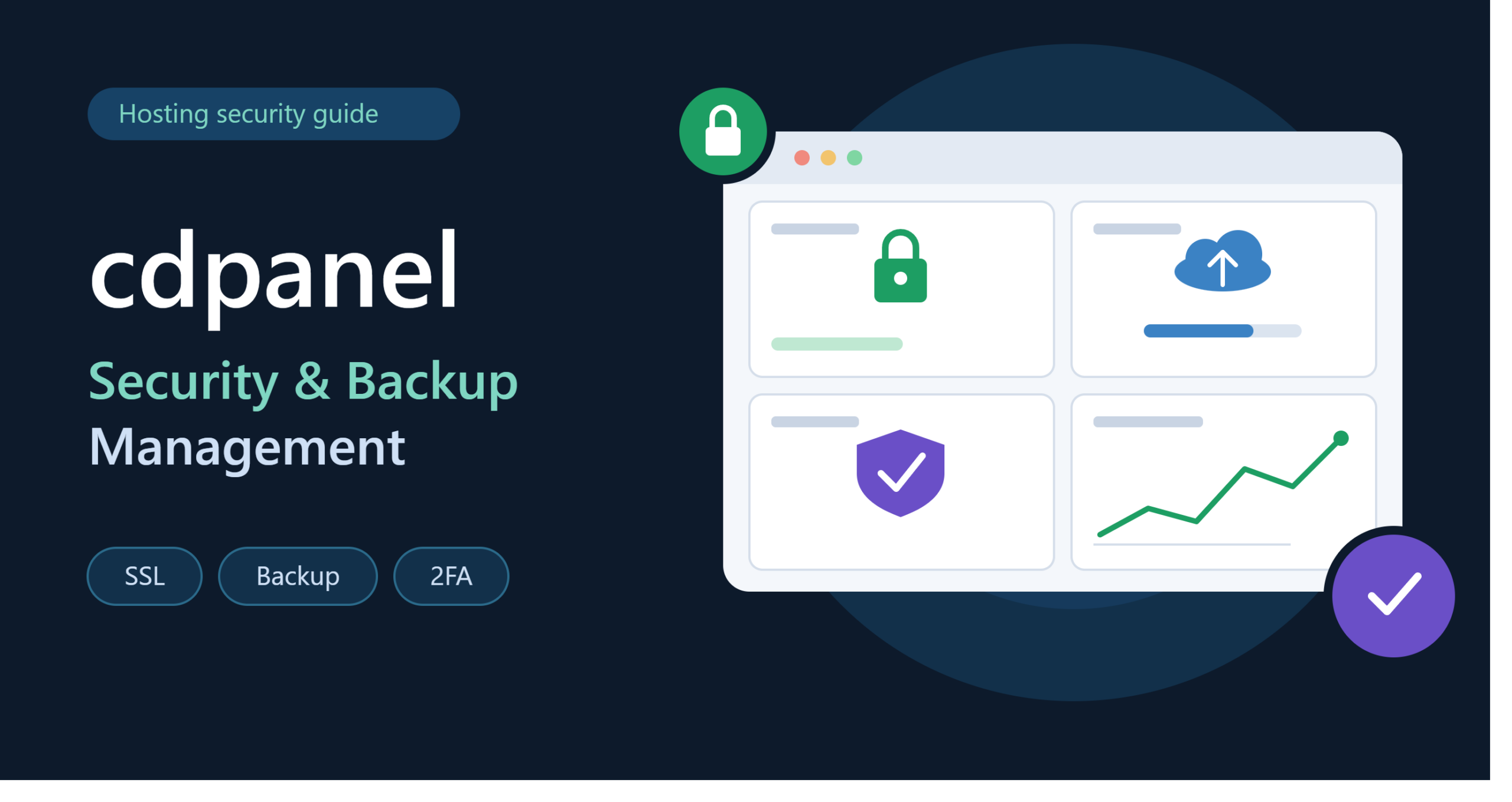
Create Backups
Backups are critical.
In case of deletion of the website or a hacked server, a dependable backup will ensure the service is restored.
Additionally, Cloud Backup for VPS is available from IONOS.
It is advisable to know what your hosting plan includes before you consider using a backup service.
IONOS VPS Hosting Performance
Performance depends on several factors.
The VPS hardware is important, but server configuration and website optimization are equally important.
CPU
CPU resources affect how quickly the server can process tasks.
Web applications, databases, and other demanding workloads may require more CPU.
RAM
RAM is important for running applications efficiently.
A website with many plugins or a database with a large workload may require additional memory.
Storage
NVMe storage can provide fast read and write performance.
This can benefit websites and applications that frequently access files or databases.
Network
Network quality affects how quickly data moves between the server and users.
The closer your server is to your target audience, the lower network latency may be.
IONOS VPS Hosting vs Shared Hosting
VPS hosting and shared hosting are designed for different users.
| Feature | IONOS VPS Hosting | Shared Hosting |
| Server Environment | Virtual private server | Shared environment |
| Root Access | Yes | Usually limited |
| Resource Control | Higher | Lower |
| Customization | High | Limited |
| Scalability | Better | More limited |
| Technical Skill | Higher | Beginner-friendly |
| Cost | Usually higher | Usually lower |
| Best For | Growing websites and applications | Small websites |
Shared hosting is often easier for beginners.
VPS hosting is more suitable when you need greater control and server resources.
IONOS VPS Hosting vs Dedicated Server
A dedicated server gives you the whole physical server to yourself.
A VPS gives you a portion of a physical server.
A dedicated server is a good option for very demanding workloads that require dedicated hardware.
A VPS is a good choice for saving money and being flexible with your needs.
IONOS offers VPS and dedicated server services.
How Much Does IONOS VPS Hosting Cost?
The price of IONOS VPS Hosting varies based on various factors, including the package, period of the contract, promotions, resources, and add-ons.
At the time of writing, IONOS was offering the VPS+ package at a promotional price of $4 per month for three months, with a one-year contract for the VPS M+ package. The regular price offered by IONOS was higher than the promotional price.
For example, the currently listed VPS+ configurations include:
| Plan | vCores | RAM | NVMe |
| VPS M+ | 2 | 4 GB | 120 GB |
| VPS L+ | 4 | 8 GB | 240 GB |
| VPS XL+ | 8 | 16 GB | 480 GB |
| VPS XXL+ | 12 | 24 GB | 720 GB |
Prices and promotional terms can change, so always check the official IONOS pricing page before purchasing.
Who Should Use IONOS VPS Hosting?
IONOS VPS Hosting can be useful for many types of users.
Bloggers
A growing blog may need more server resources as traffic increases.
SEO Professionals
SEO professionals can use VPS environments for websites, development projects, monitoring systems, and other legitimate technical workloads.
Developers
Developers can install custom software and create testing environments.
Agencies
Digital agencies can use VPS infrastructure for client projects and internal applications.
Online Stores
E-commerce websites may need more resources as product catalogs and traffic increase.
Small Businesses
A growing business can use VPS hosting when shared hosting no longer provides enough control or performance.
Is IONOS VPS Hosting Beginner-Friendly?
A VPS is more technical than shared hosting.
For those who have not had any experience in managing a server, terms like SSH, Linux commands, firewalls, DNS, web servers, and databases can be hard to understand.
But IONOS offers Cloud Panel and documentation that will assist users in managing their server. Its help center includes articles on topics such as how to start, management, firewalls, backups, monitoring, IP addresses, networking, and other things related to VPS management.
Those who do not want much technical work should go for managed hosting or hosting control panels like Plesk.

How to Get Started With IONOS VPS Hosting
Getting started usually involves several steps.
Step 1: Choose Your VPS Plan
Select a plan based on your CPU, RAM, storage, and traffic requirements.
Step 2: Select an Operating System
Choose Linux or Windows depending on your application.
Step 3: Configure Your Server
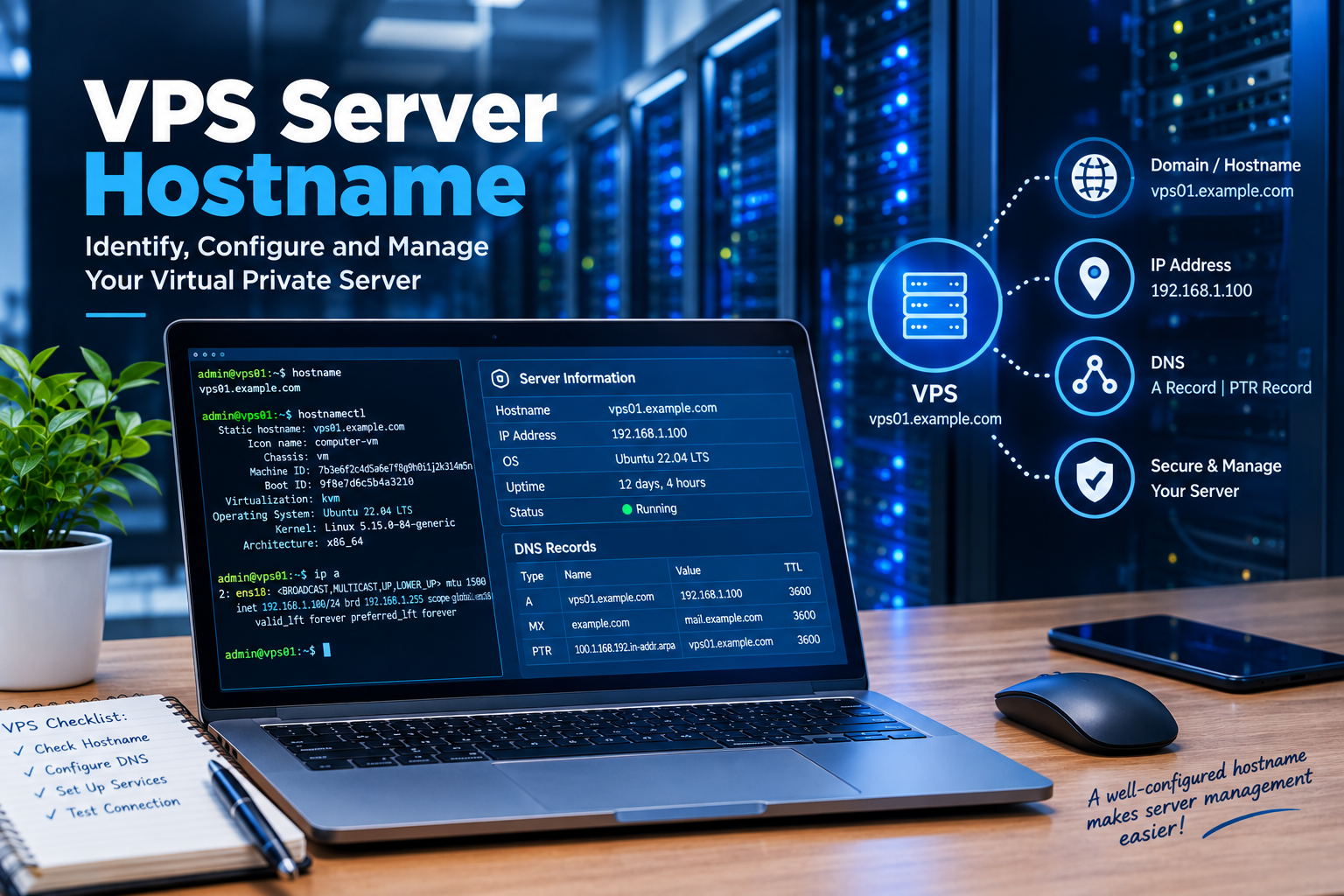
Set up the hostname, users, security settings, and required software.
Step 4: Secure the Server
Configure firewall rules, strong authentication, updates, and other security measures.
Step 5: Install Your Website
You can install WordPress, a web application, a database, or other required software.
Step 6: Configure Your Domain
Point your domain’s DNS records toward the VPS IP address.
Step 7: Enable SSL
Use HTTPS to encrypt communication between visitors and your website.
Step 8: Monitor the Server
Monitor CPU, RAM, storage, network usage, and application performance.
Common Mistakes to Avoid
Choosing a VPS Without Checking Requirements
Do not choose a plan only because it is cheap.
First, estimate your actual resource requirements.
Ignoring Backups
Always have a backup strategy for important data.
Poor Security Configuration
Do not leave unnecessary services and ports exposed.
Using Too Many Plugins
On WordPress, unnecessary plugins can increase resource usage and create security risks.
Forgetting About Updates
Keep your operating system and applications updated.
Not Monitoring Disk Space
A full disk can cause serious server and application problems.
Frequently Asked Questions
What is IONOS VPS Hosting?
IONOS VPS Hosting is a virtual private server service that provides dedicated virtual resources and administrative control for websites, applications, and other online projects.
Is IONOS VPS good for WordPress?
Yes. An IONOS VPS can be used to host WordPress and gives you more control over server configuration than typical shared hosting.
Does IONOS VPS include root access?
Yes. IONOS lists full root access as a feature of its VPS+ platform.
Does IONOS VPS use SSD storage?
Current VPS+ plans use NVMe SSD storage.
Does IONOS VPS support Windows?
Yes. IONOS lists Windows Server options alongside Linux distributions for its VPS environment.
Is IONOS VPS suitable for beginners?
It can be used by beginners, but VPS management requires more technical knowledge than shared hosting. IONOS provides administration tools and documentation that can help with setup and management.
Can I upgrade my VPS later?
IONOS states that VPS resources and plans can be upgraded according to the available options. Check the current account and plan options before making changes.
Conclusion
IONOS VPS Hosting can be a strong option for website owners, developers, businesses, agencies, and other users who need more control than traditional shared hosting.
VPS creates a virtualized environment where you have some allocated resources, root access, flexibility in choosing the operating system, and even installing your own software. Modern IONOS VPS+ plans feature capabilities like NVMe storage, unlimited traffic, instant installation of applications, DDoS protection, cloning of VMs, a dedicated private network, and load balancing.
The key thing is to choose the right resources for your tasks. A small website will not require much – just a basic VPS plan, but an online store, database, or application can require more CPU and RAM.
You should also take into account security, backups, monitoring, software updates, and performance optimization.
In general, when you need a versatile environment for hosting a website, application, WordPress site, or running a business, you should consider using IONOS VPS Hosting.

One thought on “IONOS VPS Hosting: A Complete Guide for Beginners and Businesses”