Gaming has really evolved through the years. Multiplayer games demand stable connections, good servers, appropriate hardware, and sufficient resources for accommodating different players simultaneously. The decision about which type of hosting to choose is important for gamers, gamers’ communities, game developers, and server administrators.
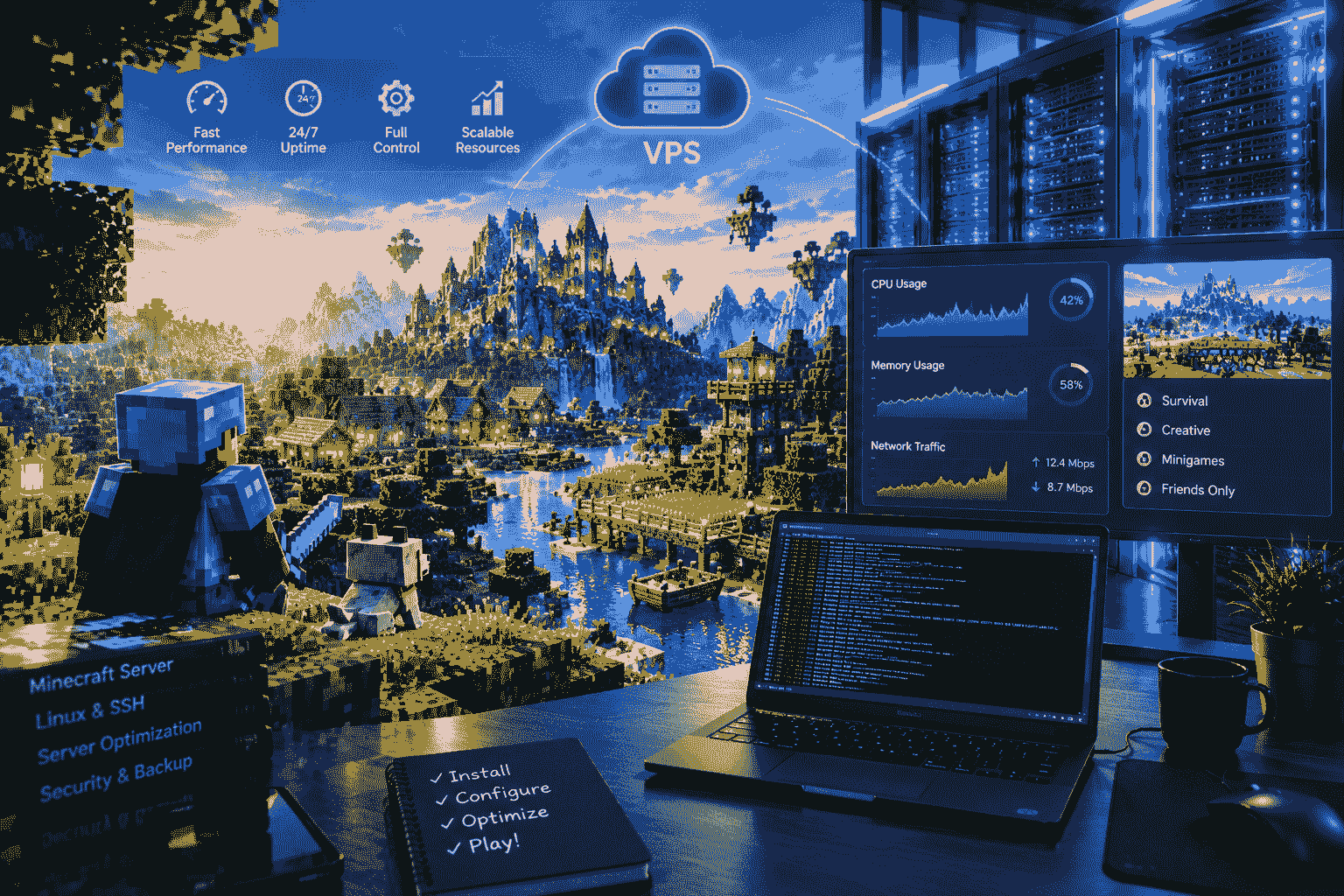
Gaming VPS hosting is one of the most flexible solutions for running multiplayer game servers. A VPS, or Virtual Private Server, provides an isolated virtual environment where you can install an operating system, configure server software, manage resources, and host a game server according to your requirements.
While standard shared hosting is quite limited in terms of control over the server, a VPS offers much more freedom to control the server’s resources. The amount of CPU, RAM, fast SSD or NVMe disk, root or admin access, networking configuration, as well as the ability to install software of choice can be provided by different providers.
This guide covers all aspects that you should know about gaming VPS hosting: from benefits, specifications, setting up the host, to securing and optimizing server performance, supported games, and choosing the best VPS for the game community.
What Is Gaming VPS Hosting?
Gaming VPS hosting is a virtual private server environment designed or configured to run multiplayer game servers and other gaming-related applications.
A VPS uses virtualization technology to divide a physical server into multiple isolated virtual environments. Each VPS operates independently with its own operating system, storage, memory allocation, IP address, and server configuration.
For gaming, the VPS can be used to install and run dedicated server software for games such as:
- Minecraft
- Rust
- ARK: Survival Evolved
- Palworld
- Terraria
- Valheim
- Project Zomboid
- Counter-Strike servers
- Garry’s Mod
- FiveM
- Satisfactory
- Factorio
- Unturned
- Other supported multiplayer games
The exact requirements vary significantly by game, player count, mods, plugins, and configuration. A small private Minecraft server may require far fewer resources than a heavily modded survival server or a large role-playing community.
Modern VPS providers commonly offer configurable CPU, RAM, SSD/NVMe storage, bandwidth, operating systems, and server locations.
Why Choose Gaming VPS Hosting?
There are several reasons gamers and gaming communities choose VPS hosting instead of hosting a game server from a home computer.
1. Better Server Control
One of the biggest advantages of gaming VPS hosting is control.
With administrator or root access, you can usually:
- Install your preferred operating system
- Install game-server software
- Configure ports
- Install mods
- Install plugins
- Change server settings
- Create automated backups
- Monitor CPU and RAM
- Configure firewalls
- Restart services
- Install server-management panels
This level of control is particularly useful for experienced users and gaming communities that need customized configurations.
2. Reliable Performance
A game server needs reliable performance. A server that faces a lot of CPU contention, memory problems, storage problems, and networking issues can cause lag and disconnections.
A good-sized VPS is better for predictable results rather than a game server hosted on a regular PC.
However, remember that a VPS does not automatically eliminate lag. Performance depends on several factors, including:
- CPU performance
- Available RAM
- Storage speed
- Network quality
- Server location
- Player location
- Game-server software
- Mods and plugins
- Server configuration
The physical distance between players and the server can also affect network latency, so choosing a location close to the majority of your players is important.
3. Low-Latency Gaming Experience
Latency is a crucial factor when talking about multiplayer online games.
Latency is the term that stands for the time needed for information transfer from the player’s computer to the server. The lower the latency, the faster the information will be transferred.
For instance, if your players live mostly in Europe, a server placed in one of the nearby European data centers will provide better results than a server placed on another continent.
Nevertheless, VPS hosting is not able to give you any guaranteed ping rate.
Your actual latency can depend on:
- Player ISP
- Network routing
- Geographic distance
- Internet congestion
- Data-center connectivity
- Server workload
- Game protocol
Therefore, when selecting gaming VPS hosting, don’t look only at CPU and RAM. The server’s geographical location and network quality are also important.
4. Scalability
Another important benefit of VPS hosting is scalability.
Suppose you start a private Minecraft server for 10 friends. A small VPS might be enough.
Later, your community grows to 50, 100, or more players. You may need:
- More RAM
- More CPU resources
- More storage
- Better network capacity
- Additional server instances
Depending on the hosting provider, you may be able to upgrade your VPS without completely rebuilding your infrastructure.
This makes VPS hosting useful for growing gaming communities.
5. Full Customization
Every gaming community has different requirements.
Some users want a simple vanilla game server. Others want:
- Mods
- Plugins
- Custom maps
- Automated backups
- Monitoring
- Multiple game servers
- Databases
- Discord integrations
- Custom scripts
- Management panels
A VPS allows you to build a server environment around your specific requirements.
For example, one VPS could potentially run several lightweight game-server instances if the available resources are sufficient.
Gaming VPS Hosting vs Shared Hosting
Shared hosting is primarily designed for websites. Multiple customers share the same hosting environment and typically have limited control over the underlying system.
Gaming servers have different requirements.
| Feature | Shared Hosting | Gaming VPS Hosting |
| Root/Admin Access | Usually No | Usually Yes |
| Game Server Software | Limited | Much More Flexible |
| Custom Mods | Limited | Usually Supported |
| Custom Ports | Limited | Available |
| Resource Control | Limited | Higher |
| Operating System Control | Limited | High |
| Server Configuration | Limited | Extensive |
| Scalability | Limited | Better |
| Gaming Applications | Usually Not Ideal | Suitable |
For a dedicated multiplayer server, a VPS is generally much more flexible than traditional shared web hosting.
Gaming VPS Hosting vs Dedicated Server
A dedicated server gives you an entire physical machine.
A VPS, on the other hand, provides a virtualized environment running on a physical server.
VPS advantages
- Lower cost in many cases
- Easier to scale
- Faster deployment
- Flexible resource configurations
- Good for small and medium communities
- Suitable for multiple lightweight applications
Dedicated server advantages
- Entire physical machine
- More predictable hardware performance
- Large resource capacity
- Useful for very demanding workloads
- No other VPS tenants sharing the physical hardware
For a small or medium gaming community, a well-configured VPS may provide a good balance between price, flexibility, and performance.
Important Specifications for Gaming VPS Hosting
Choosing the right specifications is one of the most important parts of setting up a game server.
CPU
CPU performance is extremely important for many game servers.
Some game-server applications rely heavily on single-thread or per-core performance, while others can use multiple CPU cores efficiently.
When selecting a VPS, don’t simply choose the plan with the highest number of CPU cores.
Instead, consider:
- CPU generation
- CPU frequency
- Single-core performance
- Number of vCPUs
- CPU allocation policy
- Whether CPU resources are shared or guaranteed
For some games, strong single-core performance can be more valuable than simply having a large number of slower cores.
RAM
RAM is another major factor in game-server performance.
The amount of memory required depends on:
- Game
- Number of players
- Mods
- Plugins
- Map size
- World complexity
- Server software
- Background applications
A small server will need only several gigabytes of RAM, but large communities may have bigger requirements.
A good example is a simple private server that will be less demanding than a highly-modded server for Minecraft, Rust, ARK, or FiveM.
Never allocate all your RAM to the game itself because you need to have enough resources for the operating system and other applications.
SSD and NVMe Storage
Storage is also important.
Traditional hard drives are slower than SSDs, while NVMe SSDs can provide even faster storage performance.
Fast storage can help with:
- World loading
- Server startup
- Save operations
- Map loading
- Mod installation
- Database operations
- Backup creation
For modern gaming servers, NVMe SSD storage can be an attractive choice when available.
Network Bandwidth
Game servers continuously exchange data between players and the server.
A good gaming VPS should therefore provide reliable network connectivity and sufficient bandwidth.
When evaluating a plan, check:
- Port speed
- Monthly traffic allowance
- Network quality
- Data-center connectivity
- DDoS protection
- Traffic restrictions
- IPv4/IPv6 availability
Don’t confuse high bandwidth with low latency. A server can have a high-speed network connection but still have high ping if the physical location is far away from the players.
Server Location
Server location is one of the most important factors for multiplayer gaming.
Choose a location that is geographically close to your target players.
For example:
European players → European data center
North American players → North American data center
Asian players → Asian data center
If your community is distributed across multiple regions, you may need to test several locations.
A useful strategy is to test latency from several representative player locations before committing to a long-term hosting plan.
DDoS Protection for Gaming VPS Hosting
Public game servers might be prone to attacks and malicious traffic.
DDoS protection becomes a critical factor to pay attention to when selecting gaming VPS hosting.
DDoS attacks involve flooding the network with massive amounts of traffic, rendering the game server inaccessible for users.
Look for providers that clearly explain:
- DDoS mitigation
- Network filtering
- Attack detection
- Traffic scrubbing
- Protection limits
- Response procedures
Don’t assume that every VPS automatically includes the same level of protection.
Operating System for a Gaming VPS
Your choice of operating system depends on the game-server software.
Linux
Linux distributions such as Ubuntu or Debian are popular for server workloads.
Advantages include:
- Efficient resource usage
- Strong command-line tools
- Large software ecosystem
- Excellent automation options
- Good documentation
- Low overhead
Linux can be an excellent choice for users comfortable with SSH and command-line administration.
Windows Server
Windows Server may be preferable for certain game servers or applications that specifically require Windows.
It provides:
- Graphical administration
- Remote Desktop
- Windows-specific software compatibility
- Familiar Windows management tools
Before ordering a VPS, verify that your chosen game supports the operating system you plan to use.
How to Set Up a Gaming VPS
Setting up a game server on a VPS generally involves several steps.
Step 1: Choose Your VPS
First, determine:
- Game
- Expected players
- Required RAM
- CPU requirements
- Storage requirements
- Server location
- Operating system
- Backup requirements
- DDoS protection requirements
Don’t choose a VPS based only on price.
Step 2: Install the Operating System
After purchasing the VPS, select the appropriate operating system.
For many Linux-based game servers, Ubuntu or Debian may be suitable.
After installation, update the operating system and install required dependencies.
Step 3: Secure the VPS
Security should be one of the first tasks.
Recommended practices include:
- Use strong passwords
- Use SSH keys where appropriate
- Disable unnecessary services
- Configure a firewall
- Keep software updated
- Use separate users for services
- Avoid running everything as root
- Monitor login attempts
A game server should not be treated as a disposable machine simply because it is used for gaming.
Step 4: Install the Game Server
The installation procedure varies from game to game.
There are some games that include server packages. Some may use utilities such as SteamCMD and other game server software.
The general procedure is as follows:
VPS → Operating System → Dependencies → Game Server → Configuration → Firewall → Launch → Testing
For example, dedicated-server documentation commonly covers downloading server files, configuring settings, creating startup scripts, opening required ports, and monitoring the server.
Step 5: Configure Network Ports
Most multiplayer games require specific network ports.
You must configure:
- VPS firewall
- Provider firewall, if applicable
- Game-server configuration
Only open the ports required by your application.
Avoid opening unnecessary services to the public internet.
Step 6: Configure the Game
Once the server is running, customize the settings.
Depending on the game, you may configure:
- Server name
- Password
- Maximum players
- Difficulty
- Game mode
- Map
- Mods
- Plugins
- Admin accounts
- World settings
This is where you can create a unique gaming environment for your community.
Step 7: Test the Server
Before inviting everyone, test the server yourself.
Check:
- Ping
- CPU usage
- RAM usage
- Disk usage
- Network traffic
- Server stability
- Login process
- Game loading
- Mods
- Plugins
- Backup system
Invite a few players first and monitor how the VPS behaves under real-world usage.
How to Optimize Gaming VPS Hosting Performance
Simply purchasing a powerful VPS does not guarantee perfect performance.
Optimization is equally important.
Monitor CPU Usage
If CPU usage stays near maximum for long periods, investigate the cause.
Possible solutions include:
- Reduce unnecessary plugins
- Optimize scripts
- Reduce server settings
- Upgrade CPU resources
- Remove unnecessary background applications
Monitor RAM
If the server frequently runs out of RAM, you may experience instability or crashes.
Monitor memory usage regularly.
You can either:
- Optimize the game server
- Reduce unnecessary services
- Increase RAM
Reduce Unnecessary Software
Don’t install software you don’t need.
A gaming VPS should ideally run only the applications required for:
- Game server
- Management
- Monitoring
- Backup
- Security
Reducing unnecessary services can make administration easier and reduce resource usage.
Automated Backups
Worlds within games contain hundreds of hours of game progress for players.
Hardware malfunctions, wrong settings, corrupted saves, or deletions could lead to loss of data.
Thus, backups are of critical importance.
A good backup strategy can include:
- Daily backups
- Weekly backups
- Multiple backup versions
- External backup storage
- Automated backup scripts
- Periodic restore testing
Don’t assume that a VPS provider’s snapshot system is the same thing as a complete backup strategy.
Gaming VPS Hosting for Minecraft
Minecraft is one of the most popular games for private and community servers.
A VPS can be useful for:
- Vanilla Minecraft
- Paper
- Fabric
- Forge
- Modded servers
- Plugin-based servers
- Private survival worlds
- Multiplayer communities
Resource requirements can change dramatically depending on:
- View distance
- Player count
- Mods
- Plugins
- World size
- Simulation distance
A small private server may have modest requirements, while a heavily modded public server can require substantially more resources.
Gaming VPS Hosting for Rust
Rust servers can benefit from strong CPU performance, sufficient memory, fast storage, and reliable networking.
For a Rust server, consider:
- CPU performance
- RAM
- Storage speed
- Player count
- Map size
- Plugins
- Server location
As the community grows, you may need to increase the VPS resources.
Gaming VPS Hosting for FiveM
FiveM servers can be particularly interesting because communities often use:
- Custom scripts
- Frameworks
- Vehicles
- Maps
- Databases
- Plugins
- Roleplay systems
A FiveM server can therefore require more than just basic CPU and RAM resources.
If you plan to host a large roleplay community, carefully monitor:
- CPU
- RAM
- Database performance
- Script performance
- Network latency
- Player count
Gaming VPS Hosting for ARK
ARK servers can require significant resources depending on:
- Map
- Player count
- Mods
- World settings
- Save size
Fast storage and sufficient RAM can be especially important for larger installations.
Always check the current requirements of the specific ARK server software and configuration you plan to use.
Gaming VPS Hosting for Palworld
Palworld is another game where VPS hosting can be useful for private groups and communities.
Before purchasing a server, determine:
- Number of players
- World configuration
- Mods
- Expected uptime
- RAM requirements
- Storage requirements
Start with an appropriate configuration and upgrade as your community grows.
Can You Host Multiple Games on One VPS?
Yes, potentially.
A sufficiently powerful VPS can run multiple game-server instances, provided that the combined CPU, RAM, storage, and network requirements stay within safe limits.
For example, you could potentially run:
- Minecraft server
- Terraria server
- Factorio server
- Discord bot
- Web administration panel
on one VPS.
However, don’t overload the server.
If one game suddenly consumes most of the CPU or RAM, other services can suffer.
Gaming VPS Hosting for Gaming Communities
VPS hosting is particularly useful for gaming communities.
A community may need:
- Dedicated game server
- Website
- Discord bot
- Database
- Monitoring system
- Backup system
- Multiple game instances
A VPS can provide a centralized environment for these services.
As the community grows, you can separate services across multiple servers.
How Much Does Gaming VPS Hosting Cost?
The price of gaming VPS hosting varies widely.
Pricing depends on:
- CPU
- RAM
- Storage
- Server location
- Bandwidth
- DDoS protection
- Backup options
- Operating system
- Management level
- Provider infrastructure
A low-resource VPS may be suitable for a small private server, while larger gaming communities may require significantly more expensive configurations.
The cheapest VPS is not always the best choice.
A cheap plan with poor CPU performance, weak networking, or inadequate resources may create a worse gaming experience than a slightly more expensive but better-optimized VPS.
What to Look for in a Gaming VPS Provider
Before purchasing, evaluate the provider using this checklist:
Performance
Look for:
- Modern CPUs
- Good single-core performance
- Enough RAM
- SSD/NVMe storage
- Reliable networking
Location
Choose a data center close to your players.
Security
Check:
- DDoS protection
- Firewall options
- Network security
- Account security
Management
Consider:
- Control panel
- Console access
- SSH/RDP
- Automated deployment
- Monitoring
Support
Check whether support is available when you need help with:
- Networking
- Server deployment
- Hardware issues
- VPS access
- Service interruptions
Common Gaming VPS Hosting Mistakes
1: Choosing the Cheapest VPS
Price should not be the only consideration.
A low-cost server may have weaker CPU performance or limited resources.
2: Ignoring Server Location
A powerful server far away from your players may still deliver poor latency.
3: Not Monitoring Resources
If you never monitor CPU and RAM, you may not notice performance problems until players complain.
4: No Backups
A game world without backups is vulnerable to data loss.
5: Installing Too Many Mods
Mods and plugins can consume significant resources and sometimes conflict with each other.
6: Poor Security
Leaving unnecessary ports and services exposed can create security problems.
Gaming VPS Hosting Performance Checklist
Before launching your server, check the following:
- VPS location is close to players
- CPU is suitable for the game
- Enough RAM is available
- SSD/NVMe storage is available
- Network is reliable
- DDoS protection is available
- Firewall is configured
- Required ports are open
- Unnecessary ports are closed
- Game server is updated
- Mods are tested
- Backups are automated
- Monitoring is enabled
- Admin accounts are secured
- Server has been stress-tested
Frequently Asked Questions About Gaming VPS Hosting
Is gaming VPS hosting good for game servers?
Sure, if you configure it correctly, then your VPS may well serve as an appropriate host for multiple dedicated game servers. All that depends on what kind of games we are talking about, the number of players, and so on.
Is VPS better than hosting a game server from home?
VPS hosting provides various benefits to users, including professional data center connections, ease of remote management, and accessibility round-the-clock. It is best that you go for what works best for you depending on your needs, budget, internet access, and players’ number.
Does a gaming VPS reduce ping?
A VPS does not automatically reduce ping. Choosing a server location close to your players and using a reliable network can help reduce latency.
How much RAM does a gaming VPS need?
There is no absolute solution. The RAM needed will vary depending on the game itself, number of players, the use of any mods or plugins, and the server settings. Start by using the recommended minimum for the game, then add some more.
Can I run Minecraft on a VPS?
Yes. Minecraft is commonly hosted on VPS environments. Your required resources will depend heavily on player count, server software, mods, plugins, and world settings.
Can I run multiple game servers on one VPS?
Yes, if the VPS has enough CPU, RAM, storage, and network capacity. Monitor resource usage carefully to avoid performance problems.
Is NVMe important for gaming VPS hosting?
NVMe can offer very high storage performance, and that can come in handy for gaming server environments that often involve frequent world saving/loading and other disk activities. Nonetheless, CPU and networking performance matters as well.
Do I need DDoS protection?
It is highly recommended that if you have a public multiplayer server, you should look for a DDoS protection option. Find out what kind of protection your host provides and whether it is limited by any amount of traffic.
Final Thoughts on Gaming VPS Hosting
Gaming VPS hosting offers a very flexible and effective method for running multiplayer game servers without buying and maintaining any physical servers.
Flexibility, server control, scalability, remote administration, and customization of the environment for various games are the main advantages.
It is important not to choose a VPS only based on the amount of RAM or number of CPU cores. It is necessary to take into account all the conditions of hosting: CPU efficiency, amount of RAM, NVMe/SSD storage, network connection, server location, DDoS protection, backup service, operating system, and technical support.
For a small group of friends, a simple VPS will suffice. For a growing community, you may need more CPU, RAM, disk space, and better networking. The right way would be to calculate your requirements, find a proper location, measure the performance, monitor the server, and scale up when the community grows.
If you are going to launch a Minecraft, Rust, FiveM, ARK, Palworld, Terraria, or some other multiplayer server, gaming VPS hosting will give you all the power you need to create a customized gaming environment.