









InMotion Hosting VPS provides a solid, scalable solution for businesses and developers who need more control, performance, and reliability than shared hosting. Notably, with NVMe SSD storage, dedicated resources with great support & a 99.99% uptime guarantee, InMotion Hosting VPS is one of the best options for growing websites/eCommerces/agencies/custom applications in 2026.
What Is VPS Hosting and Why Choose InMotion Hosting VPS?
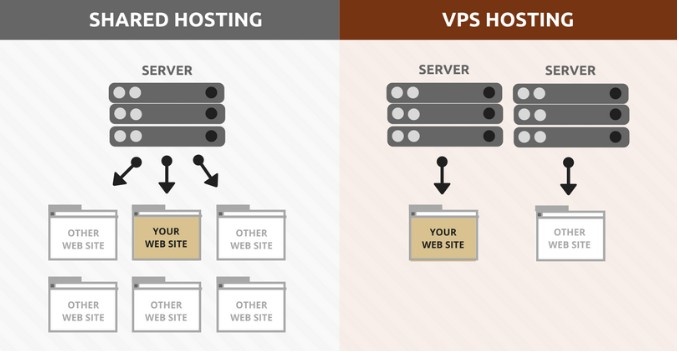
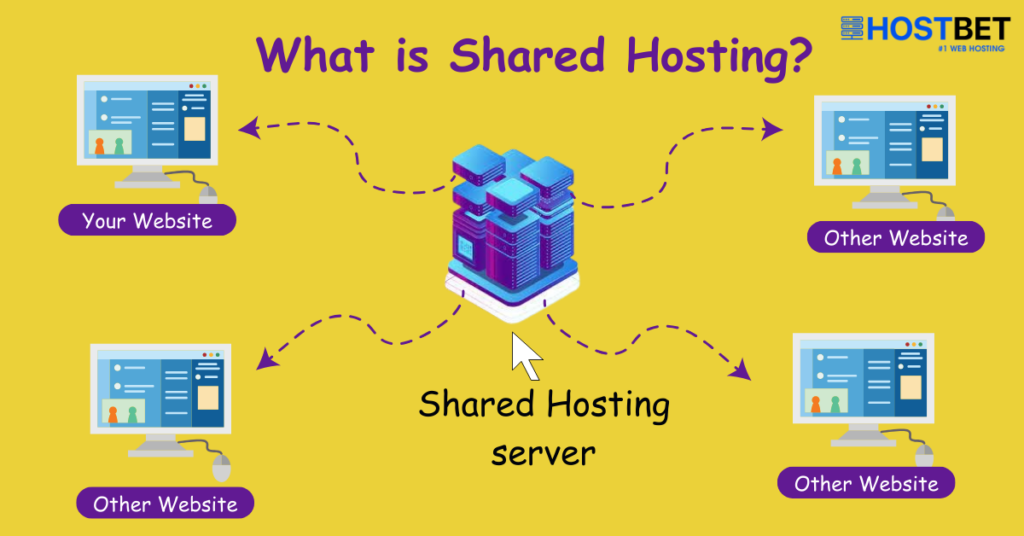
This VPS is a virtualized environment that runs on (more than one) physical server. It guarantees a portion of CPU, RAM, storage, and bandwidth, and root access to your system with isolation from other users.
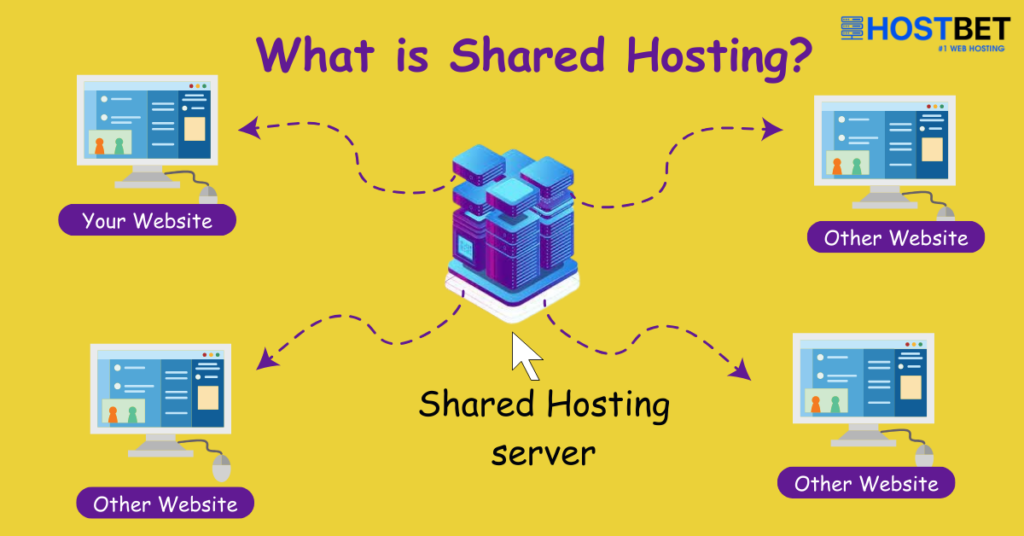
Unlike shared hosting that packs hundreds of sites competing for the same resources, InMotion Hosting VPS guarantees consistent performance even during traffic spikes. This offers complete customization: you install any software on the server, configure your own servers, run databases, or host multiple sites with separate cPanel accounts.
InMotion Hosting VPS is ideal for:
- Growing websites outgrowing shared plans (e.g., 10,000+ monthly visitors).
- Online stores need fast loading and secure transactions.
- Developers and agencies managing client projects.
- Applications requiring custom stacks (Node.js, Python, Docker, etc.).
- Users want managed support without the cost of a dedicated server.
InMotion has operated its own data centers since 2001, focusing on US and European locations for low latency. Their VPS plans use high-performance NVMe SSDs and redundant high-availability infrastructure for reliability.
Compare hosting plans: Ultimate 2025 Guide
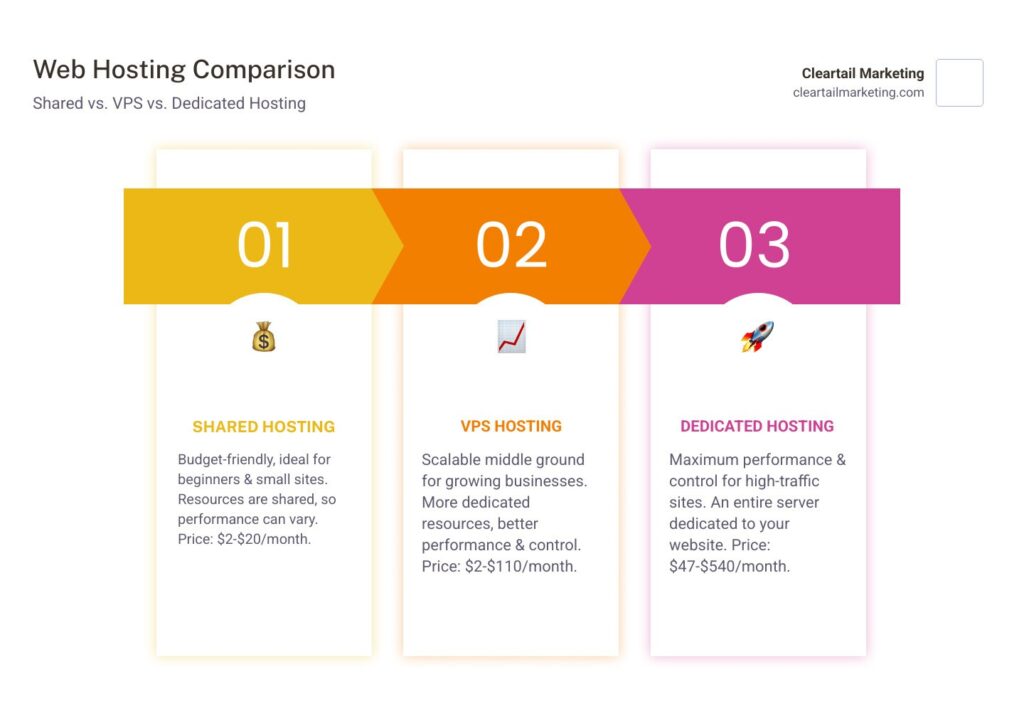
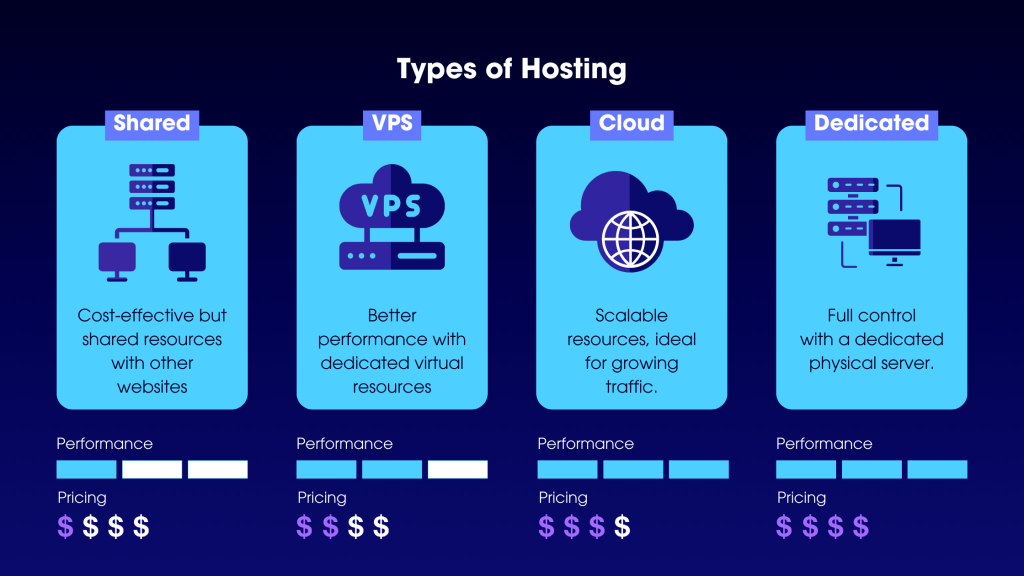
Shared Hosting vs VPS vs Dedicated: Key Differences
Understanding where InMotion Hosting VPS fits helps you decide:
| Feature | Shared Hosting | InMotion Hosting VPS | Dedicated Server |
| Resources | Shared among many users | Dedicated virtual resources | Entire physical server |
| Performance | Can slow during neighbor spikes | Consistent and scalable | Maximum power, no sharing |
| Control & Customization | Limited (no root access) | Full root access, custom software | Complete hardware & software control |
| Security | Basic, higher risk | Better isolation + DDoS protection | Highest isolation |
| Management | Fully managed | Managed or Self-Managed options | Usually self-managed |
| Best For | Beginners, small blogs | Growing sites, apps, and eCommerce | High-traffic enterprises |
| Price Range (approx.) | $2–$25/month | $9.99–$44.99/month (introductory) | $90+/month |
InMotion Hosting VPS bridges the gap perfectly. It offers more power than shared without the high cost and complexity of dedicated servers. Many users upgrade from InMotion’s shared plans seamlessly with free migrations.
How to Choose the Right Hosting Provider for Your Business
InMotion Hosting VPS Plans and Pricing in 2026
InMotion Hosting VPS offers flexible tiers with introductory pricing that renews higher. Plans typically include:
- Starter / VPS 4 vCPU: ~$9.99–$14.99/mo (intro) → 4 vCPU cores, 8 GB RAM, 160 GB NVMe SSD, 5 TB bandwidth, 2 dedicated IPs.
- Custom VPS 8 vCPU: ~$19.99–$22.99/mo → 8 vCPU, 16 GB RAM, 260 GB NVMe, unlimited bandwidth, 3 IPs.
- VPS 12 vCPU: ~$31.99–$34.99/mo → 12 vCPU, 24 GB RAM, 360 GB NVMe, unlimited bandwidth, more IPs.
- VPS 16 vCPU: ~$44.99/mo → 16 vCPU, 32 GB RAM, 460 GB NVMe, unlimited bandwidth, up to 10 dedicated IPs.
Higher “Premier Care” tiers add enhanced management, extra backups, Monarx security, and Docker support (starting around $88–$115/mo).
All plans feature:
- Free SSL certificates
- DDoS protection (Corero)
- Free website migration
- Launch Assist (2 hours with sysadmins for setup/optimization)
- Choice of cPanel/WHM or other panels
- NVMe SSD storage for blazing speeds
- 99.99% uptime SLA
- 90-day money-back guarantee (longer than most competitors)
Prices vary by term length (1–3 years for best discounts). Always check the official site for current promotions, as introductory rates make InMotion Hosting VPS very competitive.
Key Features That Make InMotion Hosting VPS Stand Out
- NVMe SSD Storage — Faster read/write speeds than traditional SSDs, improving website load times and database performance significantly.
- Managed VPS Option — InMotion’s expert team handles OS updates, security patches, server monitoring, and troubleshooting. Ideal if you don’t want full sysadmin duties.
- High Availability & Redundancy — Servers use a clustered infrastructure for real-time failover, minimizing downtime.
- Launch Assist & Free Migrations — Experts help configure your server, transfer sites, and optimize performance during onboarding.
- Security Suite — Free SSL, automatic malware scanning options, DDoS mitigation, and firewall tools.
- Scalability — Easily upgrade resources as your needs grow without full migrations.
- Multiple Data Centers — Choose locations in the US or Europe for optimal speed to your audience.
- cPanel & WHM — User-friendly interface for managing domains, emails, databases, and multiple accounts on one VPS.
- Unlimited Bandwidth on Higher Plans — No worries about traffic surges incurring extra fees.
- Optimized for eCommerce & WordPress — Fast performance for WooCommerce, custom apps, or high-traffic blogs.
These features position InMotion Hosting VPS as a premium yet affordable choice for users seeking reliability and support.
Desktop virtualization: The complete guide
Pros and Cons of InMotion Hosting VPS
Pros:
- Excellent US-based 24/7 support (phone, chat, tickets) — highly praised in reviews.
- Strong performance with NVMe and optimized stack.
- Generous introductory pricing and a long money-back guarantee.
- Free migrations and Launch Assist reduce setup headaches.
- Own data centers ensure better control over infrastructure.
- Consistent uptime and security features.
Cons:
- Renewal prices can be significantly higher than introductory rates.
- Limited data center locations (primarily US/Europe).
- Some users note the control panel feels slightly dated compared to newer competitors.
- Backups may require add-ons on lower plans.
- Not the absolute cheapest VPS option if you need bare-bones unmanaged service.
Overall, reviews in 2026 highlight InMotion Hosting VPS for its balance of performance, support, and value — especially for managed users.
Step-by-Step: How to Get Started with InMotion Hosting VPS
- Choose Your Plan — Visit InMotion’s VPS page, compare specs, and select based on your traffic and resource needs. Opt for longer terms for savings.
- Sign Up & Complete Payment — Create an account, apply any promo, and finalize. You’ll receive welcome emails with login details.
- Access Your VPS — Log into the Account Management Panel (AMP) or InMotion Central. For managed plans, use WHM/cPanel.
- Use Launch Assist — Schedule your free session with experts. They can migrate sites, install software, configure security, or optimize settings.
- Basic Server Setup:
- Update the system (apt update && apt upgrade on Ubuntu).
- Secure SSH (use keys, disable password login).
- Configure firewall (UFW or CSF).
- Install web server (Nginx/Apache), PHP, MySQL/MariaDB, or your preferred stack.
- Set up domains and email in cPanel.
- Optimize Performance — Enable caching (Redis, OPcache), install CDN if needed, and monitor resources via tools like htop or InMotion’s metrics.
- Test & Go Live — Point your domain DNS to the VPS IP, test thoroughly, then promote your site.
InMotion provides detailed guides for common tasks like creating cPanel accounts for multiple sites or running playbooks on UltraStack VPS.
Common Use Cases for InMotion Hosting VPS
- eCommerce Stores — Handle thousands of daily visitors with fast checkout and secure payments.
- Agency & Client Management — Host multiple client sites on one VPS with isolated cPanel accounts.
- Development & Testing — Run staging environments, Docker containers, or custom scripts.
- High-Traffic Blogs/Portfolios — Ensure smooth experience even with media-heavy content.
- Business Applications — Host CRMs, internal tools, or APIs with reliable uptime.
Many users start on shared hosting and upgrade to InMotion Hosting VPS when they notice slowdowns or need more control.
Security and Performance Best Practices
- Enable automatic updates where possible.
- Use strong SSH keys and two-factor authentication.
- Install security plugins (WordPress) or tools like Fail2Ban.
- Monitor bandwidth and resource usage to avoid surprises.
- Regularly back up files and databases (use InMotion tools or external services).
- Leverage free SSL and keep software patched.
InMotion Hosting VPS includes built-in DDoS protection and monitoring, giving you a strong security foundation.
InMotion Hosting VPS vs Competitors
It beats bargain VPSs on support and management features. It delivers better pricing than premium hosts like Liquid Web for similar specs but fewer worldwide data centers. For flexibility and helpful service in the US, InMotion Hosting VPS is typically on paper one of our favorites for 2026.
If your needs expand even more, InMotion provides seamless upgrades to devoted web hosting.
Potential Drawbacks and Who Should Avoid It
Skip InMotion Hosting VPS if you need:
- Extremely low-cost unmanaged VPS (cheaper options exist elsewhere).
- Global data centers in Asia/Australia.
- The absolute latest control panel interfaces.
Renewal sticker shock can surprise users — budget accordingly or plan to negotiate/ switch after the initial term.
Conclusion: Is InMotion Hosting VPS Right for You in 2026?
InMotion Hosting VPS is great value, offering speedy NVMe storage and plenty of resources alongside world-leading support and simple management tools. Whether you’re migrating to it from shared hosting or starting a new project, it offers the performance and reliability required for a serious presence on the web without emptying your bank account on dedicated hardware.
The cost is basically negligible with start-off prices beginning at under $10–15/month (from promotions), complimentary migrations, and the long guarantee period (plus Launch Assist), so if you’re looking to move your business online it might be worth a shot. With constant uptime, security and 24/7 expert help thousands of businesses rely on InMotion for their VPS.
Ready to scale your website? Check out InMotion Hosting now, see the VPS plans, and find current deals. Welcome to a newer, more powerful server at your fingertips